Open, held and confirmed on one ribbon.
Office & Ops · Academyship Bookings
Turn Every Appointment Into a Perfectly Coordinated Moment.
From parent-teacher evenings and interviews to rooms, equipment and everyday services, Bookings aligns the right people, time and resources — then keeps everything moving.
One link. Every moving part. Zero booking chaos.
A parent picks a time without calling.
The time is protected while the form runs.
A service can need all three at once.
One reference the family and desk share.
A cancellation becomes another family’s place.
The real problem
Booking Should Not Feel Like Crowd Control.
Spreadsheets know the time. Email chains know the people. Room lists know the place. None of them know enough to keep the day from colliding.
The problem is not the calendar. It is everything the calendar fails to coordinate.
- Free on one list, busy on another
- Openings that reappear too late
- Requests answered one reply at a time
- Rooms and kit agreed outside the booking
The same teacher, twice
Two lists both had her free at 4:20. Neither list knew about the other.
Double-booked staff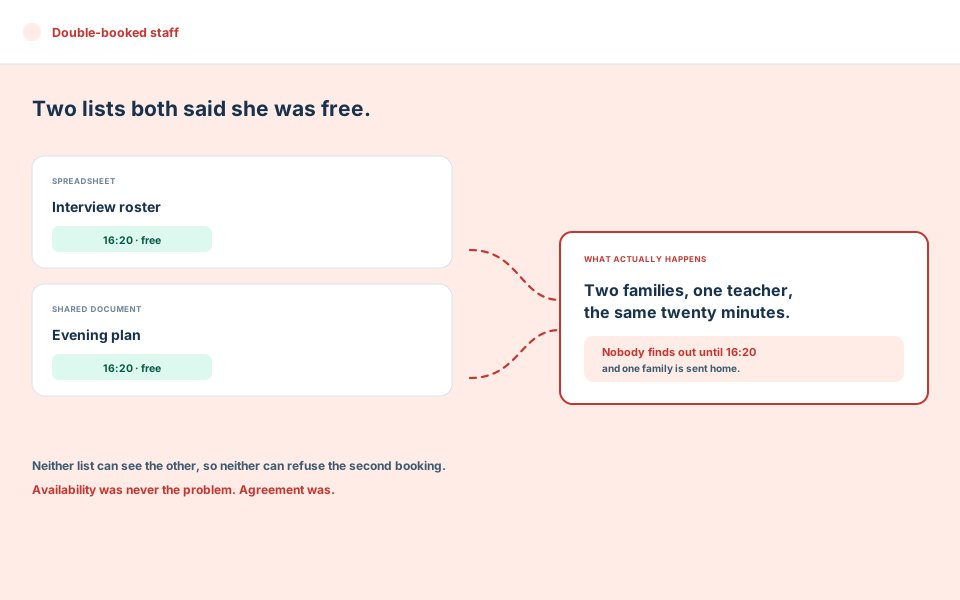
Twenty minutes of nobody
Tuesday’s cancellation is still an empty chair on Thursday. Nobody was told.
Openings nobody fills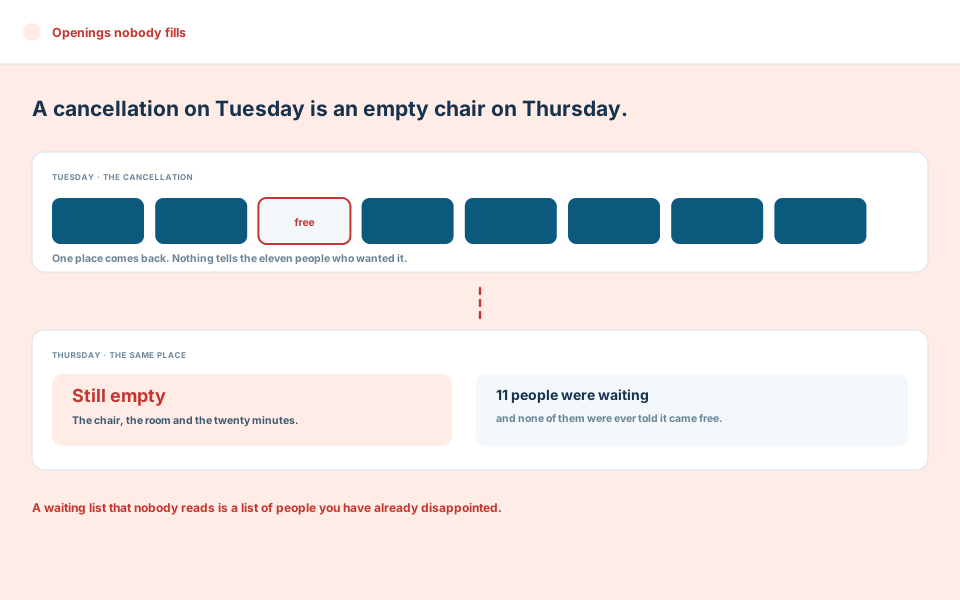
Reply, reply, reply all
Four parents ask for the same time. An inbox cannot hold a place open.
Coordination by email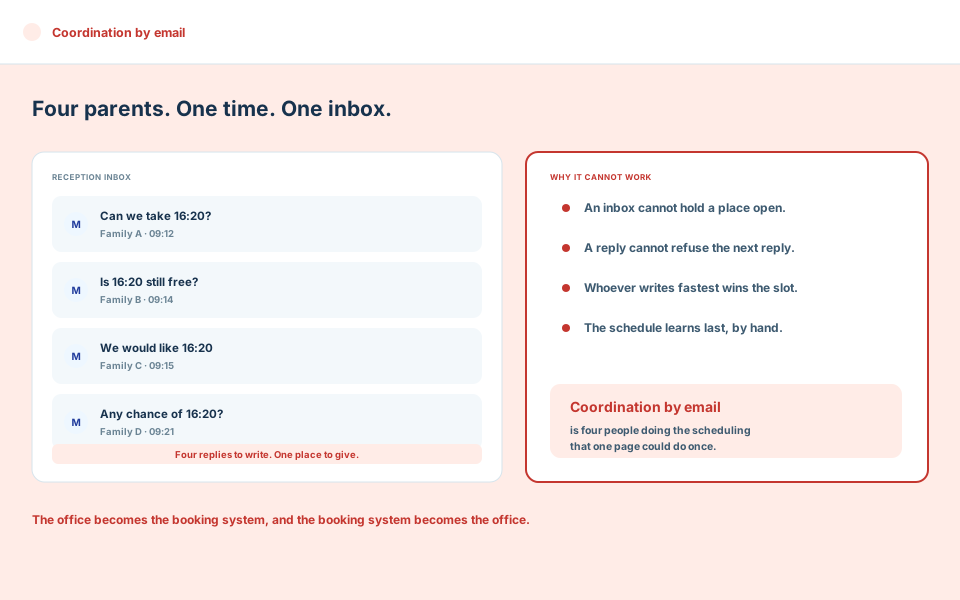
Room promised twice
The hall is booked twice, and the equipment sits on a third list.
Kit on side lists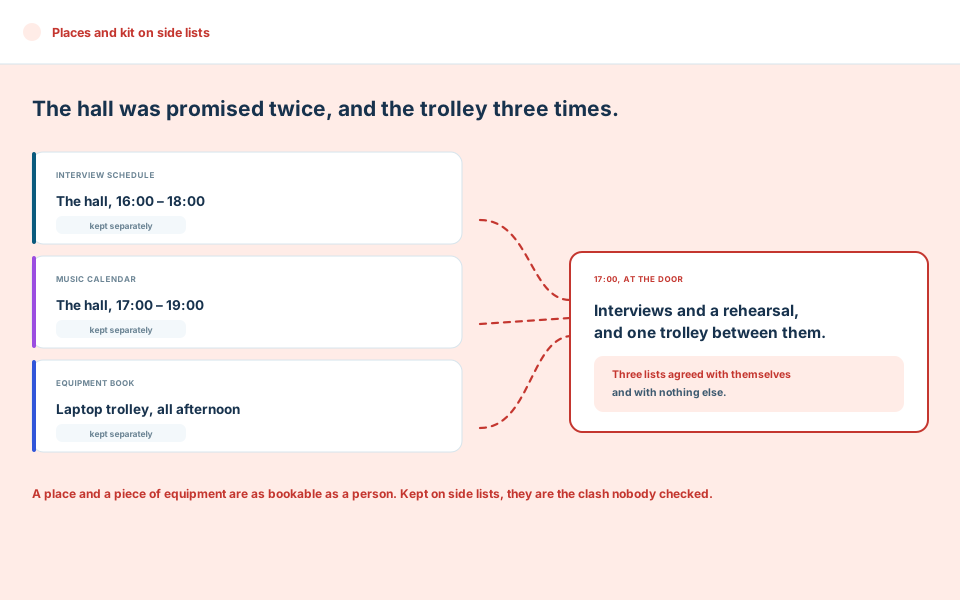
One connected engine
One Booking Engine. Every Dependency Connected.
People, services, rules, time, rooms and communication stop behaving like separate systems. Every choice is made in the context of everything it affects.
People, purpose and time
- Parents, guardians, candidates
- Students and their classes
- Services and interview types
- Timeframes and allowed dates
- Breaks and buffers
- Lead time and limits
Academyship Bookings
- Availability
- Capacity
- Holds
- Approvals
- Rules
- Audit history
Staff, places and communication
- Teachers, interviewers, teams
- Rooms and equipment
- Confirmations and reminders
- Parent invitations
- Teacher itineraries
- Calendar files
From idea to arrival
From ‘We Need a Booking Page’ to ‘Everyone Is Confirmed’.
Shape the experience once. Academyship carries every booking through selection, protection, confirmation, changes and recovery.
-
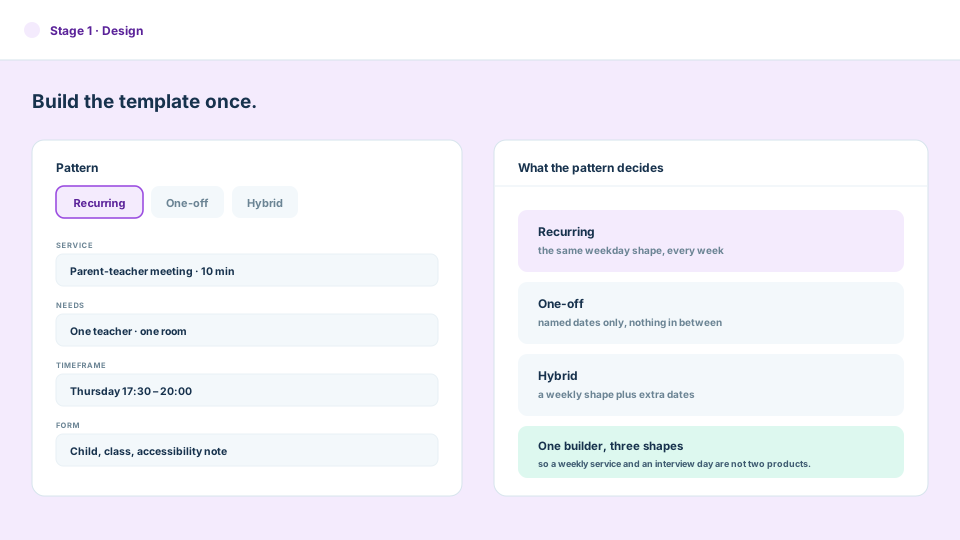
Design
Build the template: recurring, one-off or both. Set the services, the people and places each one needs.
-
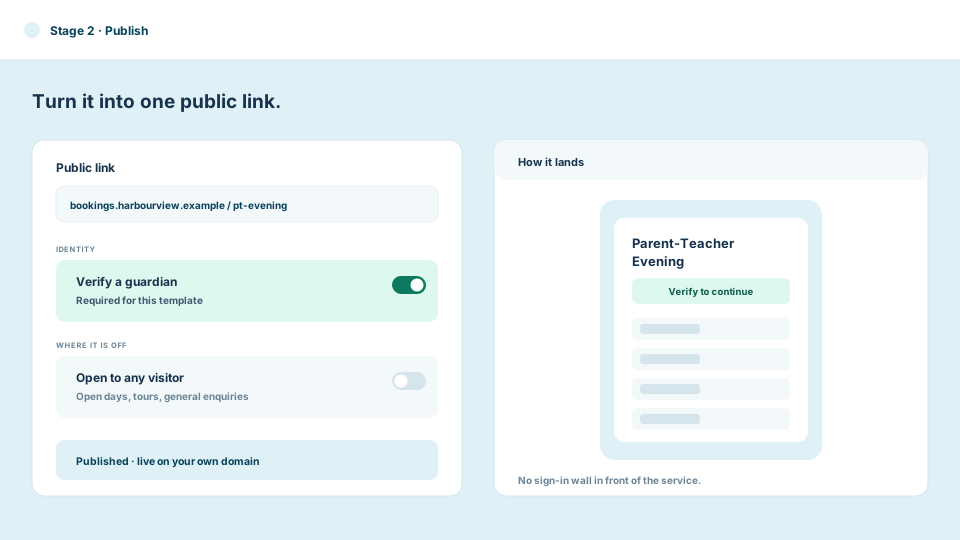
Publish
Publish it as a link on your own booking domain. Require a verified school identity where the booking needs one.
-
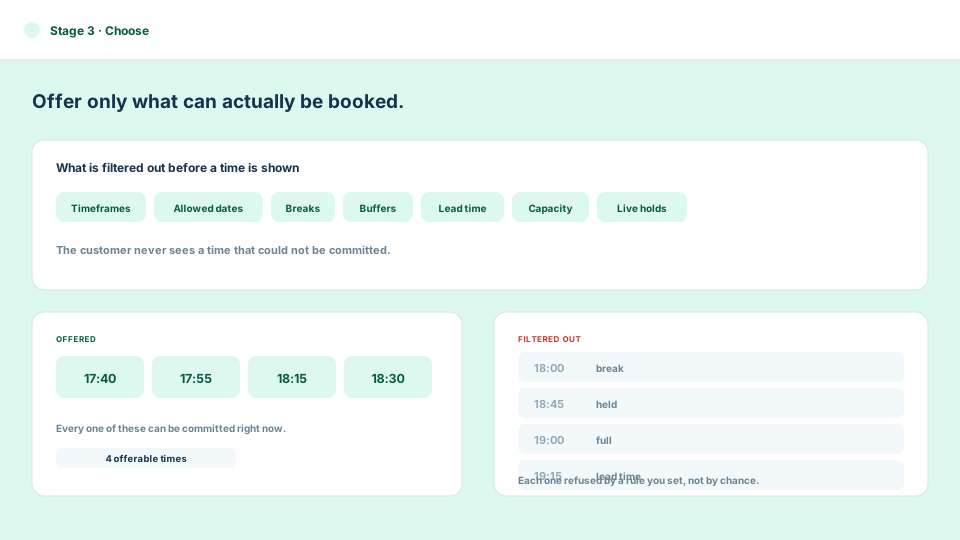
Choose
The customer picks from what is genuinely offerable — after timeframes, allowed dates, breaks, buffers, capacity and holds.
-
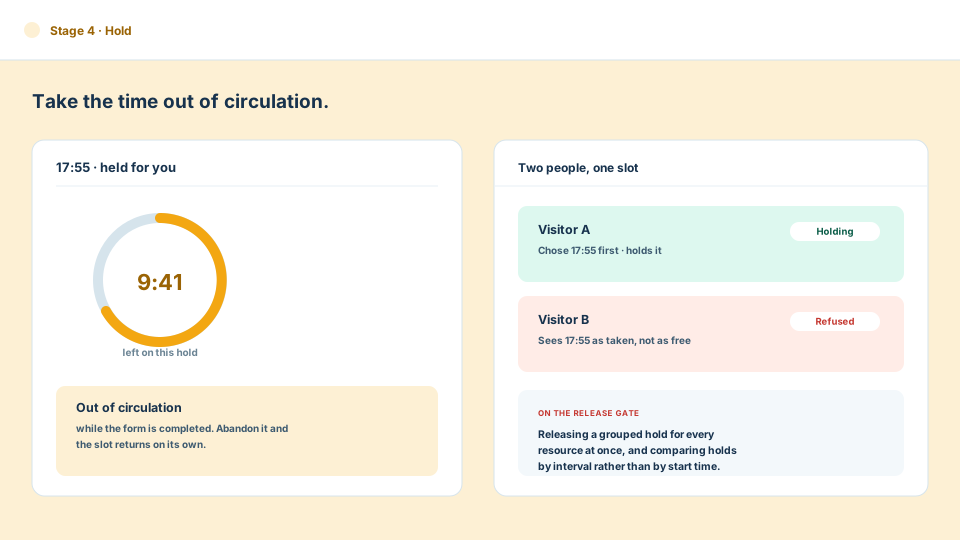
Hold
Choosing a time takes it out of circulation while the form is completed, so two people cannot both be told the slot is theirs.
-
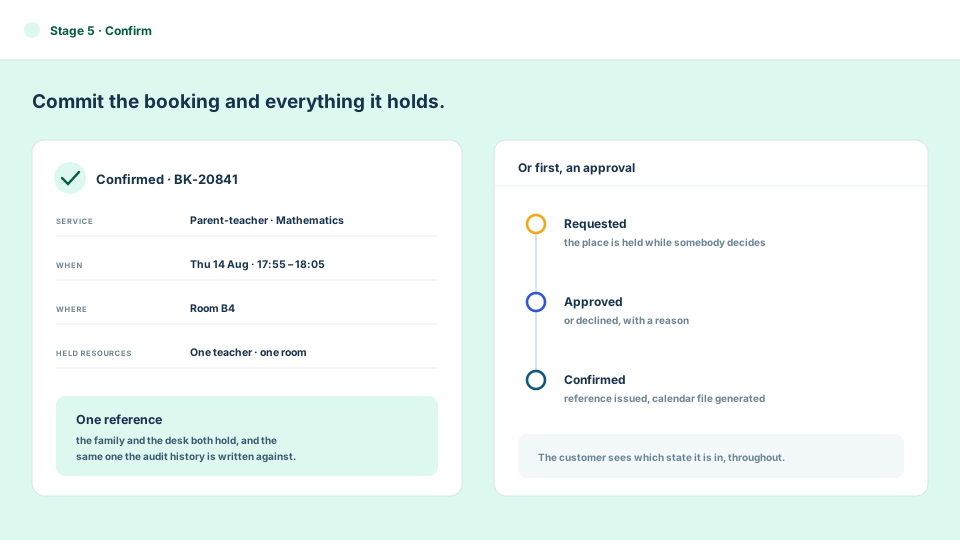
Confirm
The booking commits with its reference, its people and its resources — straight away, or after an approval.
-
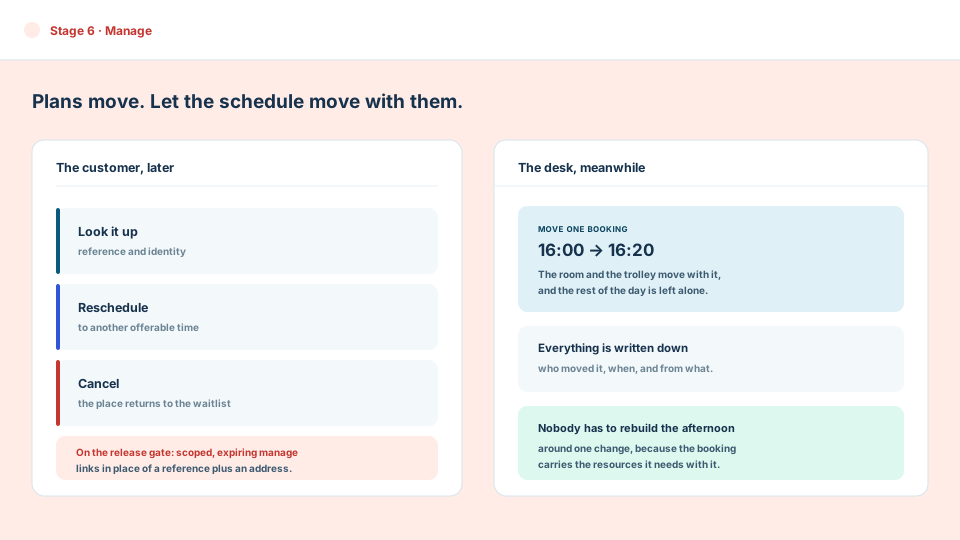
Manage
Plans change. Customers can look a booking up, move it or cancel it, and staff can move it without rebuilding the day.
-
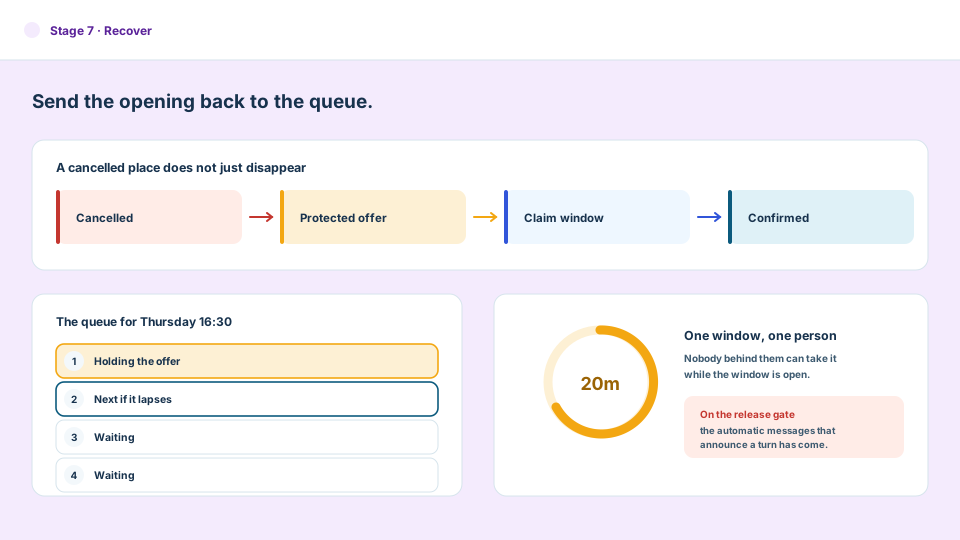
Recover
A cancelled place goes back to the waitlist as a protected offer with a claim window on it, rather than quietly disappearing.
Parent–teacher evenings, without the admin maze
One Family Link. Every Conversation, Already Lined Up.
Academyship connects the family to the right learner, resolves the teachers they need to meet, and turns separate bookings into one clear evening plan.
Example family journey
Year 9 Parent–Teacher Evening
1 appointment confirmed4 appointments confirmed
Meeting type
-
Open the family link
The parent starts from one event link—no teacher-by-teacher searching.
-
Choose the learner
The family selects the child connected to this particular evening.
-
Select conversations
The relevant class or subject teachers appear together in one clear view.
-
Confirm the route
Every selected time, teacher and room becomes one easy-to-follow evening plan.
Evening plan · Class teacher
17:40–17:55
- 17:40 Class teacher, 9C Room A3 15 minutes
For class-teacher evenings, Academyship resolves one teacher and one room. If a class has multiple teachers, the event configuration decides who families book.
Evening plan · Subject teachers
17:20–18:20
- 17:20 Mathematics Room B2 10 minutes
- 5 min walk
- 17:35 English Room B4 10 minutes
- 10 min move
- 17:55 Science Lab 1 10 minutes
- 5 min walk
- 18:10 History Room C7 10 minutes
-
Right learner
Family selection stays connected to the correct event and student.
-
Right conversations
Class or subject teachers are determined from the learner’s enrolment.
-
Easy to adjust
Each subject meeting remains its own booking, so one can change without rebuilding the entire evening.
One operational home
Your Entire Booking Operation, One Glance Away.
Move from today’s activity to templates, services, resources, school events, waitlists and system health.
Academyship
01
Dashboard & Analytics
See today’s schedule, every booking status and which services are filling fastest. One live dashboard turns booking activity into a clear picture your team can act on immediately.
- Today's schedule
- Counts by status
- Popular services
- System status
Academyship
02
Templates & Services
Create recurring, one-off or hybrid services once, then reuse them with the right duration, form fields and public presentation. Every new booking starts from a consistent setup.
- Recurring, one-off and hybrid
- Services and durations
- Custom form fields
- Public theme and domain
Academyship
03
Bookings & Approvals
Follow each booking from request to confirmation, including those awaiting approval. Staff can reschedule, cancel and see the full history without reconstructing what happened.
- Booking list
- Pending approvals
- Reschedule and cancel
- Activity history
Academyship
04
Resources & School Events
Connect each service to the staff, rooms and equipment it needs. The same workspace supports interview teams, parent-teacher events and bookings routed by class or subject.
- Staff, rooms, equipment
- Interview teams
- Parent-teacher events
- Class and subject routing
Academyship
05
Waitlist & Settings
Hold demand in an organised waitlist and set how long an offered place stays open. Permissions, claim windows and an emergency pause keep bookings under control.
- Waitlist queues
- Claim windows
- Permissions
- Emergency booking pause
Scroll sideways, or use the arrow, Home, End and Page keys.
The booking command centre
Know What Is Happening Before Anyone Asks.
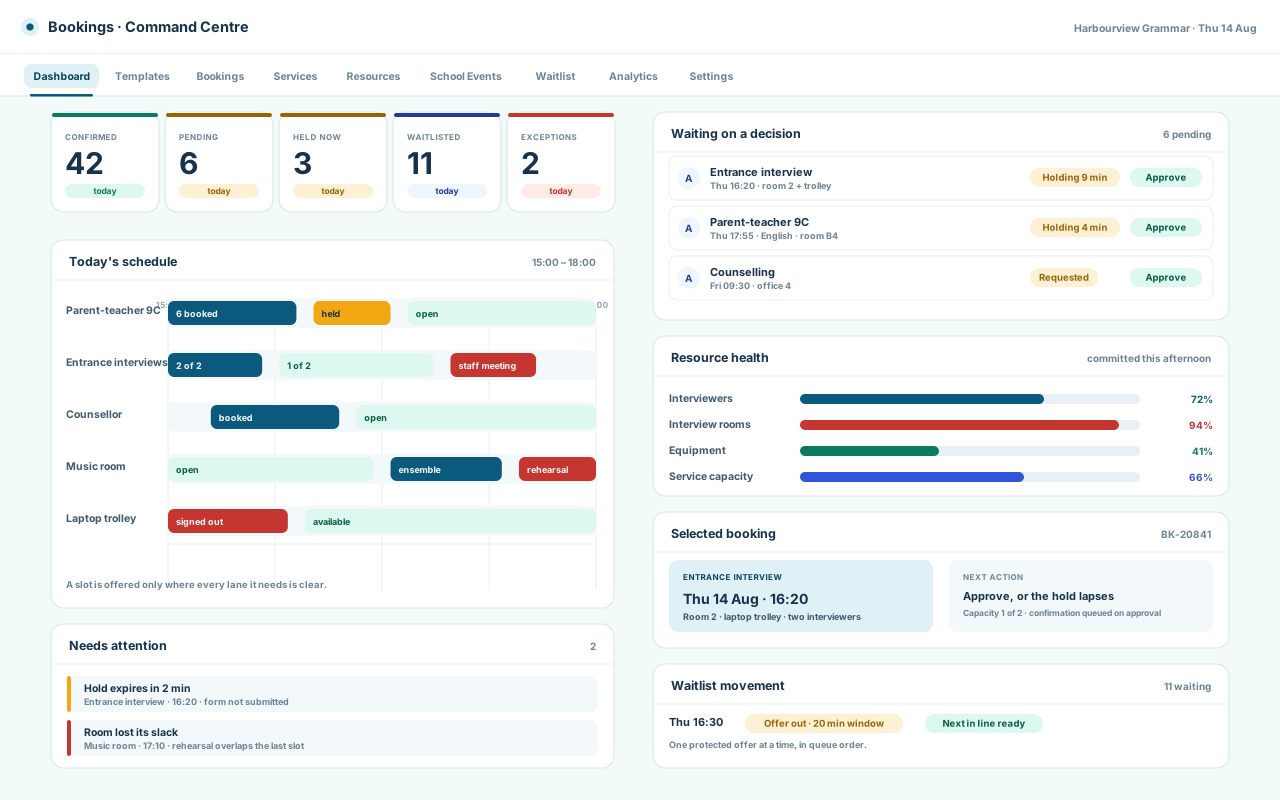
See what is booked, pending, filling, waiting and at risk — then act without rebuilding the picture in your head.
1
Today, counted
Confirmed, pending, held right now, waitlisted, and the exceptions someone has to look at.
2
The day as bands
Each booking on its own lane, so a busy afternoon reads as a shape.
3
Waiting on a decision
Approvals queue with the requester, the service and the time they hold.
4
Resource health
Which staff, rooms and equipment are committed, and where the slack has gone.
5
Status, and next action
Selecting a booking traces its capacity, its resources and what it waits for.
Fictional institution, families, staff and bookings, used for illustration. Nothing here is live application data.
Beyond empty time
Capacity That Thinks in People, Rooms and Equipment — Not Just Empty Squares.
A slot is only available when every person and resource it needs can make the whole of it, not just the start.
Thursday · interview service · 15:30–17:30
- Head of Science Head of Science: confirmed from 15:30 to 15:50. Head of Science: free from 15:50 to 17:00. Head of Science: unavailable from 17:00 to 17:25, staff meeting.
- Second interviewer Second interviewer: free from 15:30 to 16:20. Second interviewer: held from 16:20 to 16:35 while another form is completed. Second interviewer: free from 16:35 to 17:30.
- Interview room 2 Interview room 2: in use from 15:30 to 16:00. Interview room 2: free from 16:00 to 17:10. Interview room 2: unavailable from 17:10 to 17:30, rehearsal.
- Laptop trolley Laptop trolley: signed out from 15:30 to 16:05. Laptop trolley: available from 16:05 to 17:30.
- Service capacity Service capacity: full, two of two, from 15:30 to 16:00. Service capacity: one of two taken from 16:00 to 17:00. Service capacity: nothing taken from 17:00 to 17:10.
- Open
- Held
- Confirmed
- Blocked
- Offerable
Scroll the board sideways, or focus it and use the arrow keys.
Not yet offerable
It looks free. Two lanes disagree.
- Room and trolleyboth clear
- Second interviewerheld for another form
- Service capacityone of two already taken
Not offered. Every lane must be clear across the whole span.
The overlap is at the end
Twenty minutes from here runs into the staff meeting.
- Both interviewersclear at the start
- Head of Sciencecommitted from 17:00
- Room and trolleyclear throughout
Refused on overlap. A free start time is not a free span.
The next interval everybody can make
The conflict resolves forward to where all five agree.
- Both interviewersfree until 17:25
- Room and trolleyfree until 17:10
- Service capacitynothing taken
Offered, and held the moment it is chosen.
Fictional institution, families, staff and bookings, used for illustration. Nothing here is live application data.
The customer journey
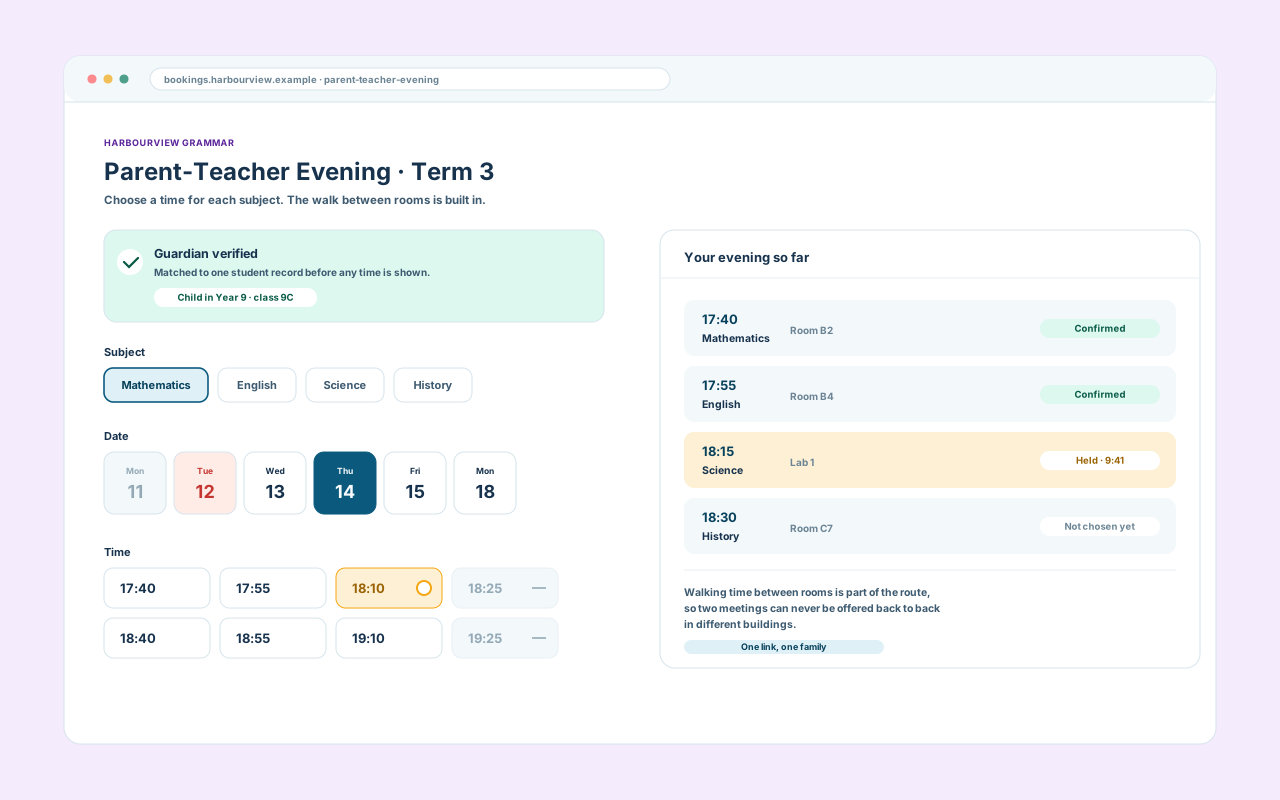
Open the Link. Reach a Real Time —
Public enough to be easy. Controlled enough to be trusted.
The link lands on the service, not on a sign-in wall. Where the booking needs a trusted school identity, that check runs before any time is shown.
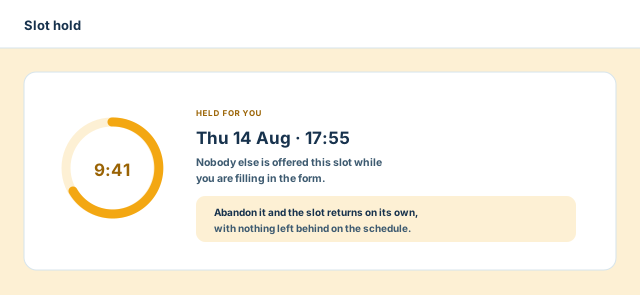
Choosing a time takes it out of circulation, so nobody else is offered the slot being filled in.
- Land on the public booking link
- Verify an identity where it is needed
- Choose the service, date and time
- The slot is held while details are entered
Capability example
After the choice
Confirm It — and Change It Later
Plans move. The schedule should move with them.
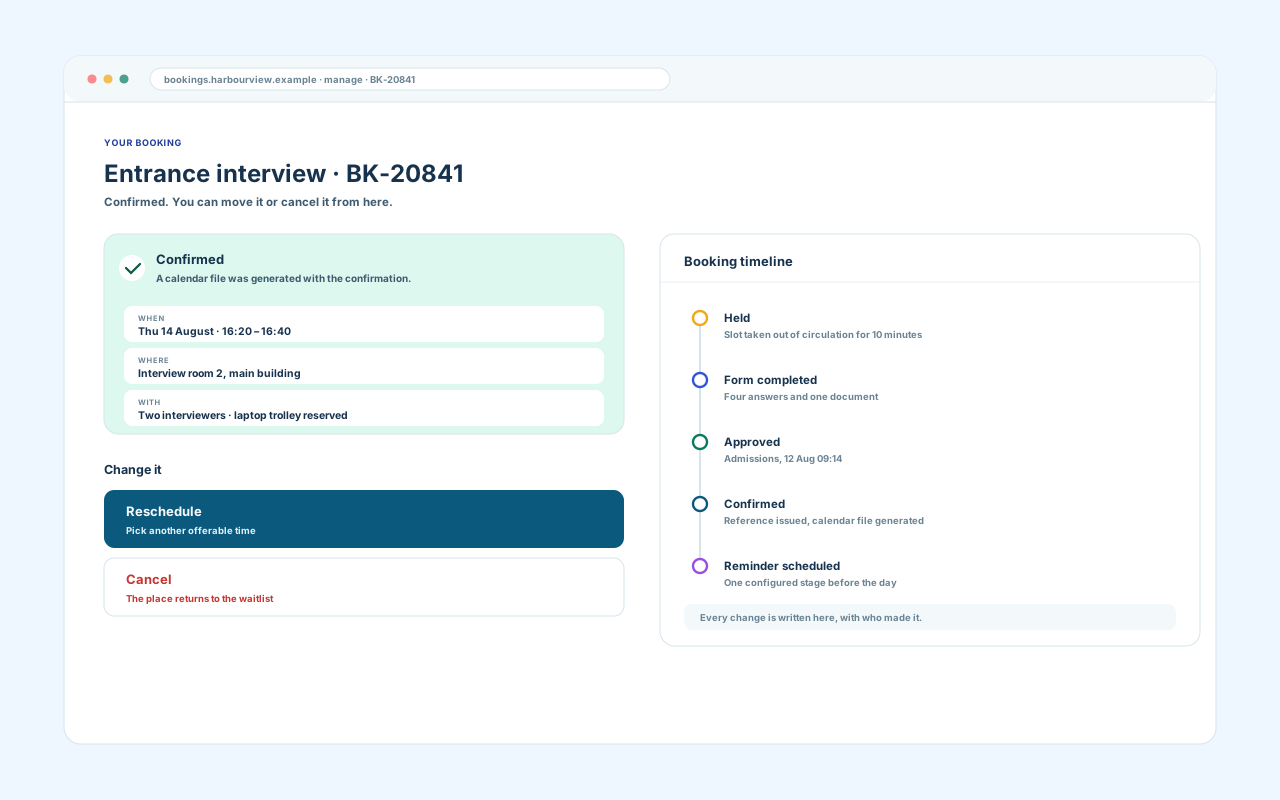
The form asks only what the template was set up to ask. Confirmation carries the reference, the time, the place and a calendar file.
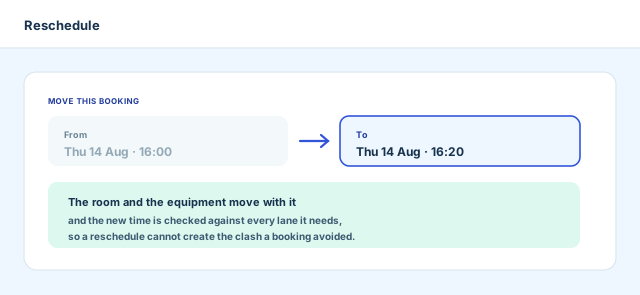
Self-service reschedule and cancel exist today; scoped, expiring manage links are on the audit’s release gate.
- Complete the form the template defines
- Confirm, with a reference and calendar file
- Return later to look it up
- Reschedule or cancel without calling
Capability example
What happens next
Confirmation Is Only the Beginning.
Every decision creates the next useful outcome: a confirmation, calendar detail, a reminder, an invitation, an itinerary, an audit event.
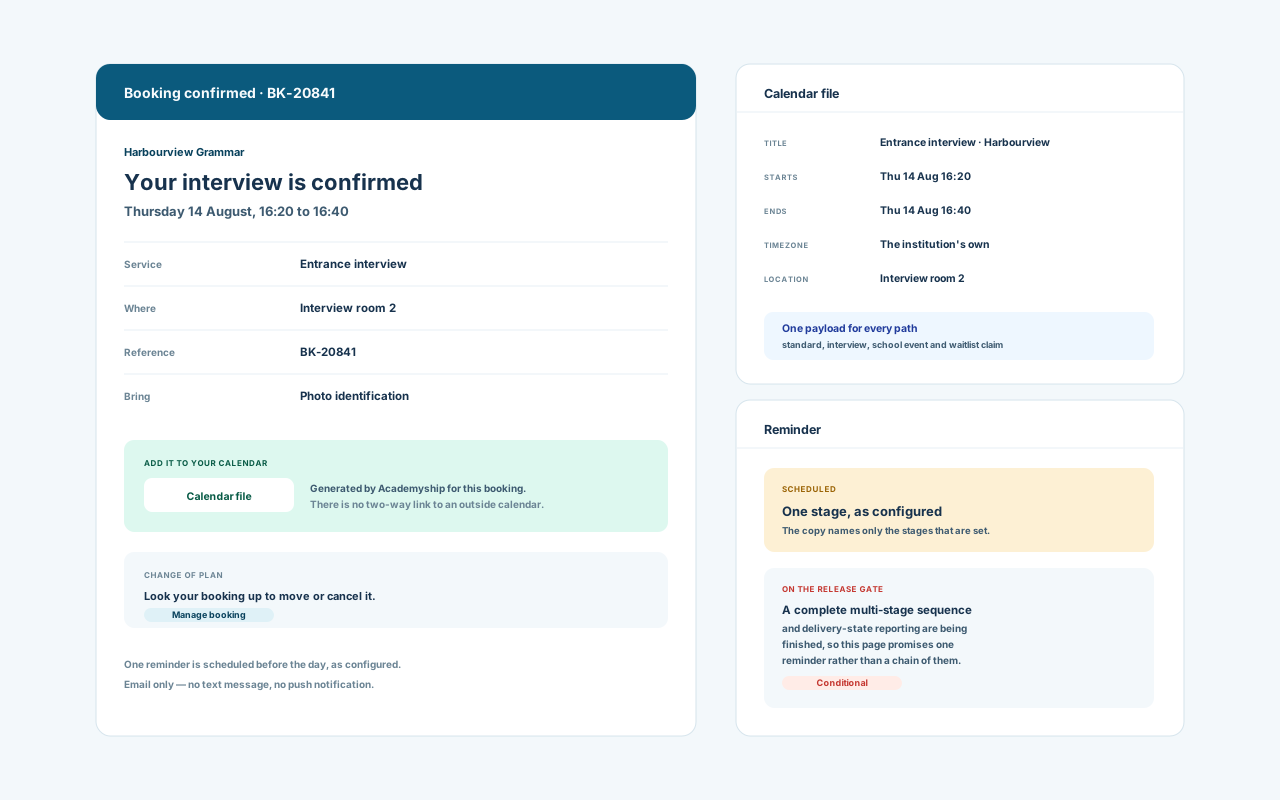
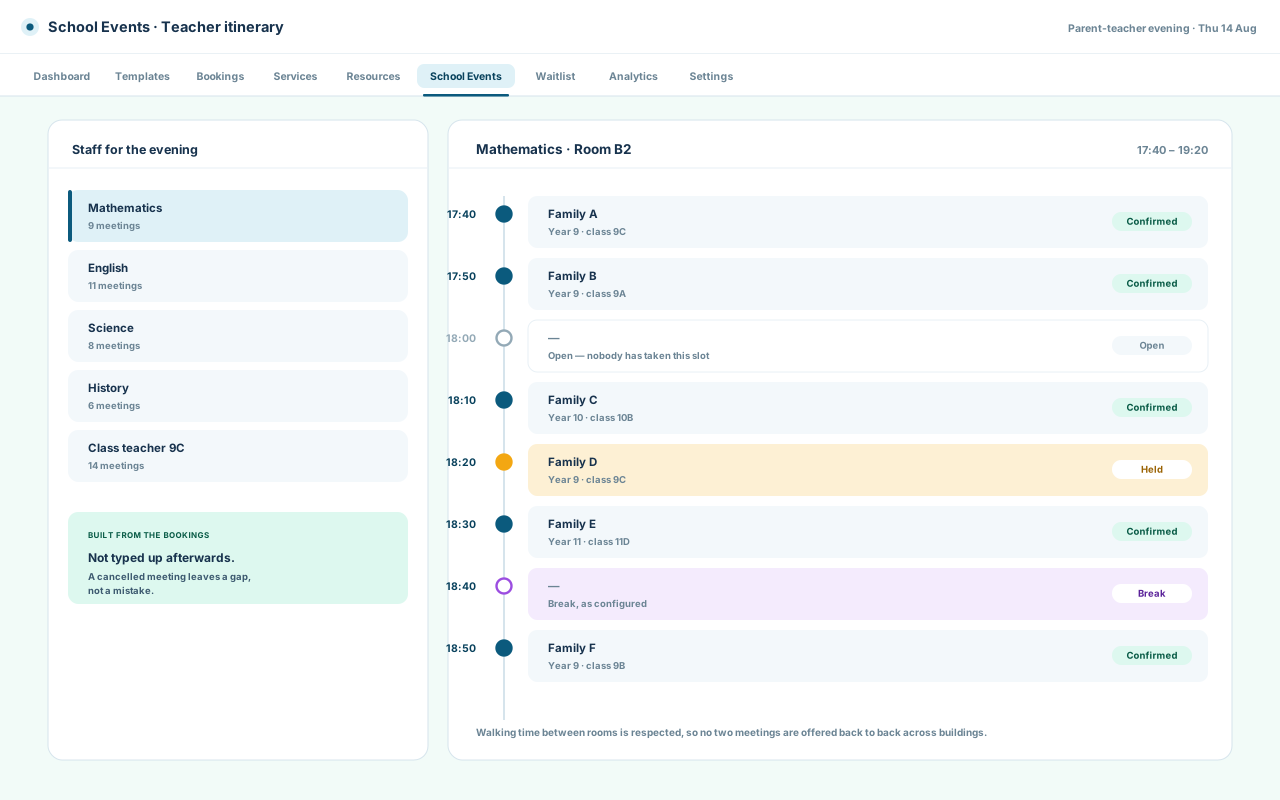
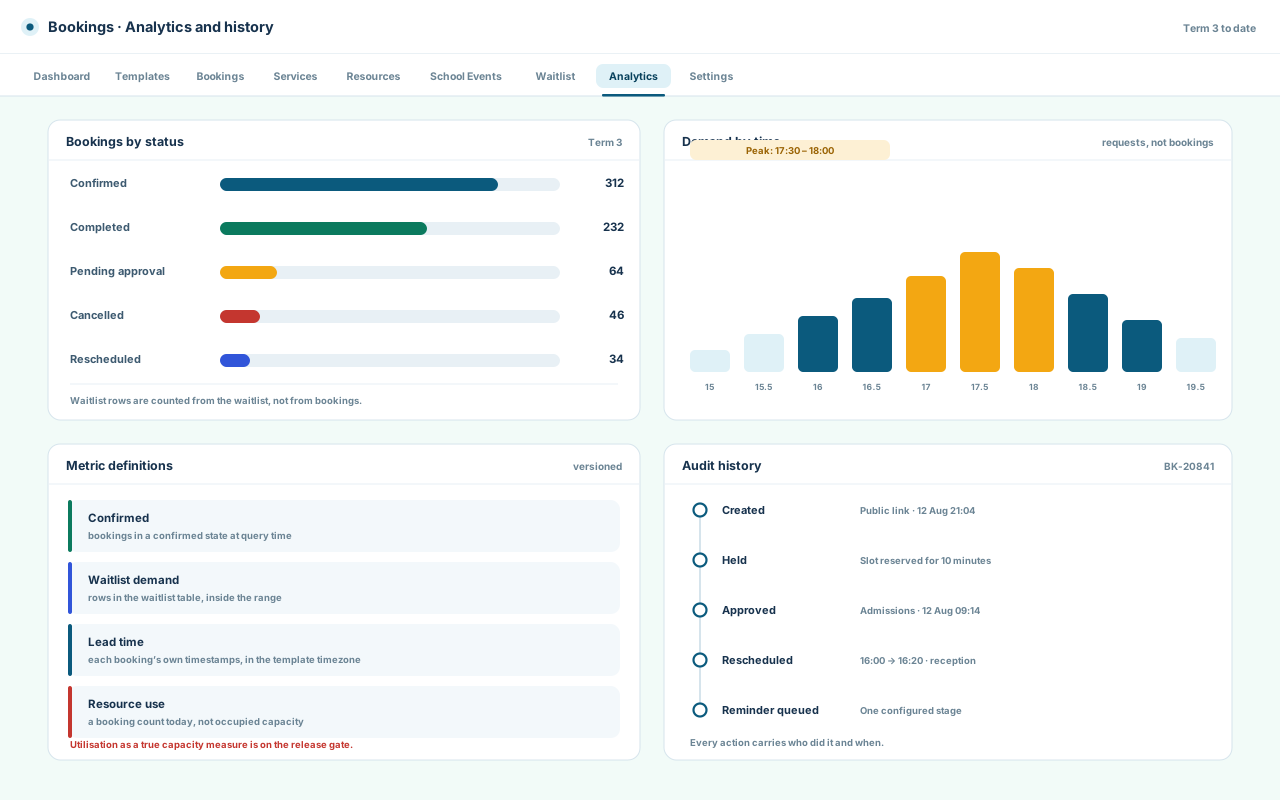
For the customer
- Booking confirmation — Email
- Calendar detail — Calendar file
- Reminder before the day — Email
- School-event invitation — Email
- Change and cancellation notice — Email
For the staff
- Teacher itinerary — In app
- Interview team schedule — In app
- Room and equipment holds — In app
- Approval request — In app
- Today's booking list — In app
For the record
- Booking timeline — Audit
- Who changed what, when — Audit
- Form answers and uploads — Record
- Bookings by status — Analytics
- Waitlist demand — Analytics
Email is the delivery channel; calendar files are generated for the customer to add. No two-way calendar synchronisation, text message or push notification.
Recover every opening
Turn Every Cancellation Into a Recovered Opportunity.
When a place opens, Bookings can move the queue, protect the opportunity with a claim window and keep going until the slot is filled.
The claim window
The offer belongs to one person for a set time. Nobody behind them can take it; nobody ahead is skipped.
-
A place opens
Someone cancels, or an approval is withdrawn. The interval and its resources come back.
Cancellation
-
It is protected, not published
The opening goes to the front of the queue as a claim link, not back onto the public page.
Protected offer
-
One window, one person
Claiming inside the window books the place; letting it close passes the offer down the queue.
Claim window
-
The place is filled
Whoever claims it gets the ordinary confirmation, and the opening leaves the waitlist.
Confirmation
The queue for Thursday, 16:30
- First in line Holding the offer
- Second in line Takes it if this window closes
- Third in line Waiting
- Fourth in line Waiting
Positions live in the waitlist, so a lapsed claim moves the offer rather than losing it.
Truth note: the claim flow and the queue are implemented. The automatic messages that announce a turn — position update, promotion, day-opened — are unfinished in the supplied module and sit on the audit’s release gate.
Rules that fit the day
Configure the Rules Once. Let Every Booking Follow Them.
Three shapes a school actually books in, built from the same controls.
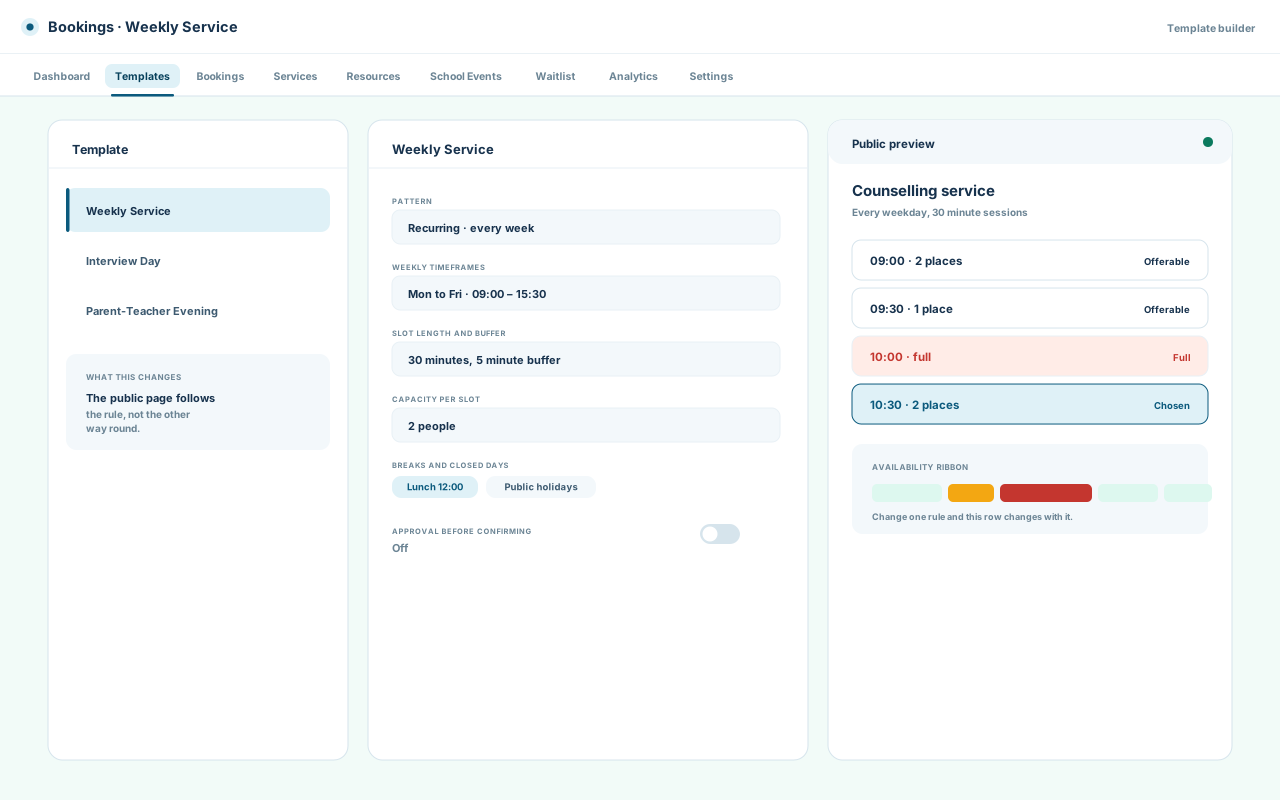
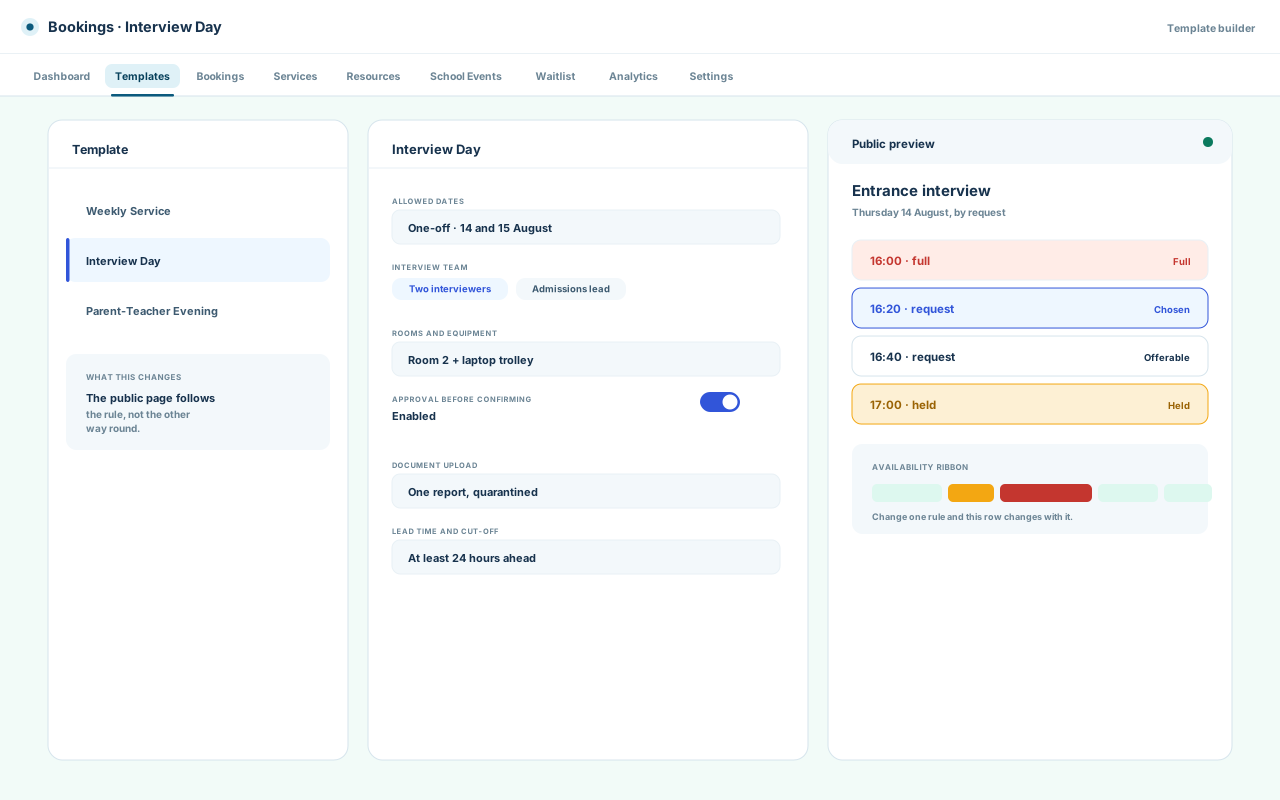
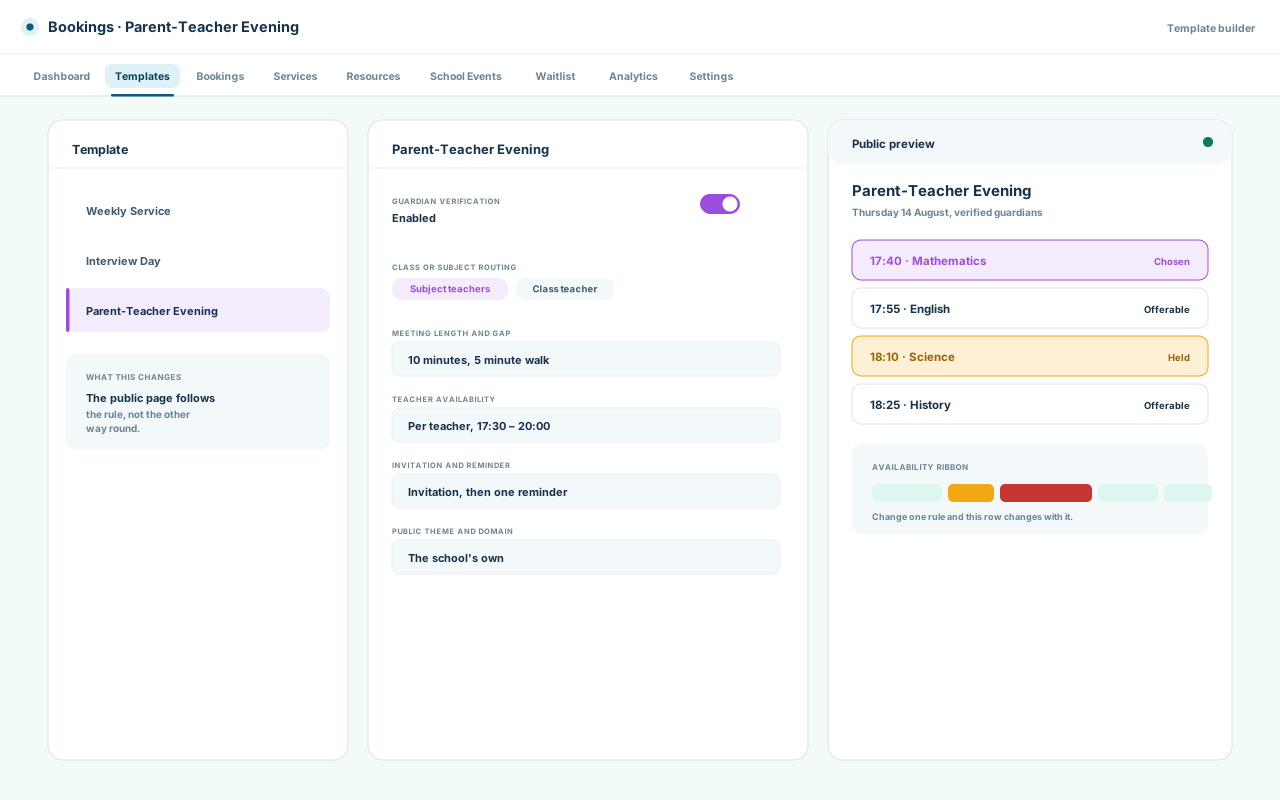
What one person can change depends on their role and permission set.
Open where it should be
Open for Visitors. Controlled for Your Team.
Each person gets the exact path they need — a public link, staff approvals, teacher schedules, manager insight, automated follow-through.
Lane
Visitor
Arrives from a link, with no account.
- See offerable times
- Book and be confirmed
Limits
Availability and their own booking. No list, no other customer.
Lane
Parent or guardian
Verified against the student first.
- Book for their own child
- Change or cancel it
Limits
The membership check runs again at commit, not only at the link.
Lane
Reception or administrator
Works the queue for people at the counter.
- Create and move bookings
- Approve, cancel, note
Limits
Booking access is its own permission, separate from configuration.
Lane
Teacher or staff
Sees the schedule they are part of.
- Their own appointments
- Their evening itinerary
Limits
Being bookable does not grant the booking list.
Lane
Manager
Watches demand, not individual records.
- Counts by status and service
- Waitlist demand
Limits
Utilisation as true capacity is on the release gate.
Lane
Automation
Does the parts nobody should remember.
- Expire holds and windows
- Send configured messages
Limits
Scheduled work touches your institution only, and writes what it does.

A Thursday afternoon
Two approvals waiting, one hold about to expire, and a room that loses its slack at ten past five.
Counts follow the permission set.
A parent, at nine at night
The link opens, the guardian check passes, the times appear and one is held while the form is filled in.
Reception is asleep.
A teacher's evening
Every family in order, with the gap between them and the room each meeting is in.
A cancelled meeting leaves a gap, not a mistake.
1 of 3
Built for the real day
Everything the Day Demands. Nothing the Team Has to Chase.
Six controls, and the failure each one prevents.
-
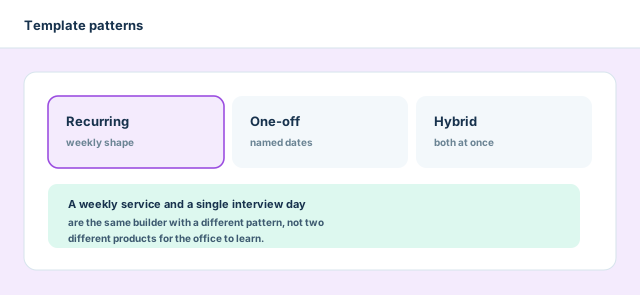
Templates that match the pattern
Recurring, one-off and hybrid in one builder, so a weekly service and a single interview day are not two products to learn.
-
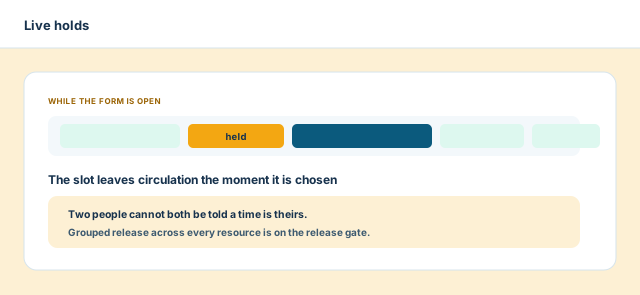
Live holds
The slot leaves circulation when it is chosen and returns if the form is abandoned. Two people cannot both be told a time is theirs.
-
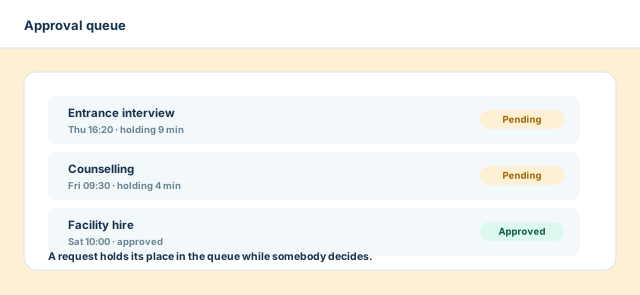
Approval before it counts
A time can be requested rather than taken. The request holds its place while somebody decides.
-
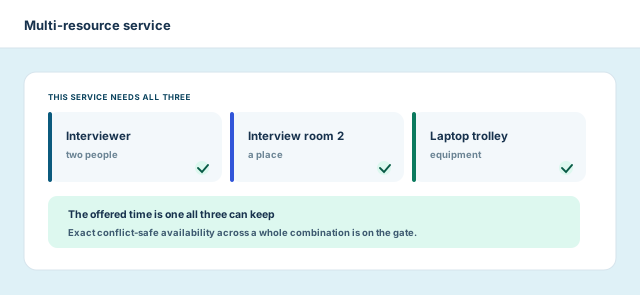
Multi-resource services
A service can require a person, a room and equipment together, so what reaches the schedule is keepable.
-
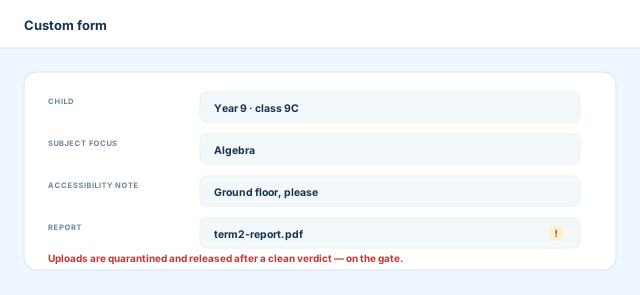
Forms that ask once
Custom fields collect what this booking needs, and the answers stay on the record instead of in a reply.
-
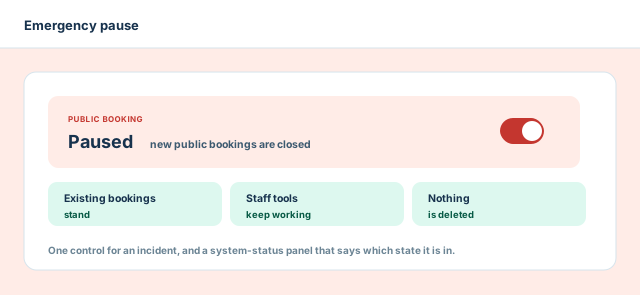
An emergency pause
One control closes public booking without deleting anything. Existing bookings stand and staff keep working.
Clear answers
The Questions Teams Ask Before They Trust a Booking System.
Six answers, written against what the module does today.
Can people book without an Academyship account?
Yes. Public booking links are designed for visitors, families and candidates. Use verification only where the booking needs a trusted school identity.
Can it run parent-teacher evenings?
Yes. Bookings supports class-teacher resolution and subject-teacher itineraries, so one parent journey leads to the right conversations.
Can a booking require more than one resource?
Yes. Services can coordinate staff, rooms and equipment together. Exact conflict-safe availability across a whole combination is on the audit’s release gate.
Can customers change or cancel a booking?
Yes. Self-service manage, reschedule and cancel exist. Scoped, expiring manage links are on the same release gate.
What happens when a slot is cancelled?
The waitlist can offer it to the next person through a protected claim window. The notifications that announce that turn are unfinished, so they stay conditional.
Who can see booking information?
Access is permission-aware for staff, and public users see only their own journey. One audit finding lets a settings-only permission reach booking data; this answer is unconditional once that is verified.
Ready when the day is
Stop Coordinating Bookings. Start Running Them.
Give every person a clear path to the right time — and give your team a booking operation that stays in control from first click to final arrival.
One link, every moving part
Holds, approvals and claim windows
Permission-aware, audit-backed
A booking moves through seven stages, from design to recovery
- Design
- Publish
- Choose
- Hold
- Confirm
- Manage
- Recover