Priorities, visitors, follow-ups, complaints — one screen.
Office & Ops · Front Office
Every Front-Desk Interaction. One Place to Act
Capture enquiries, welcome visitors, log calls, track post, manage complaints and follow every next action from one live command centre.
Follow-ups stay visible until someone closes them
A source, an owner and a next action on every one.
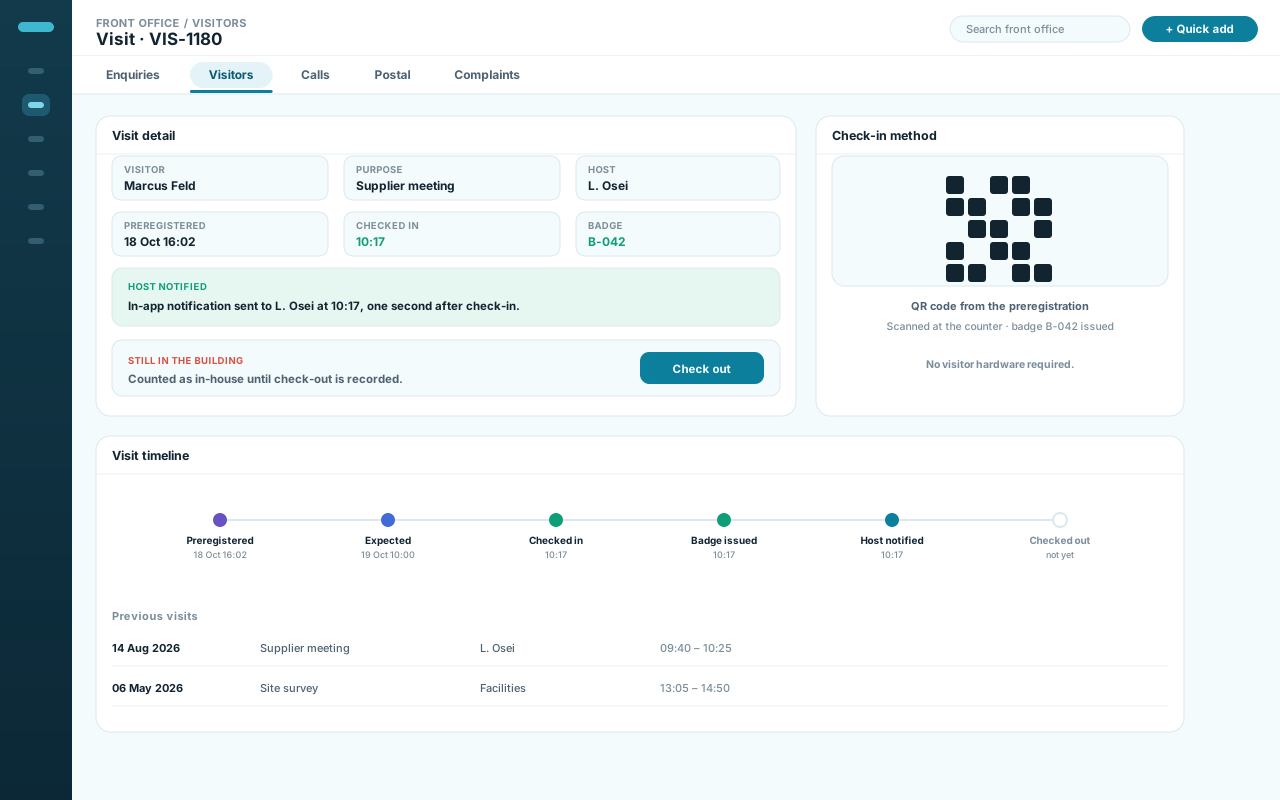
Preregister, check in, notify the host, check out.
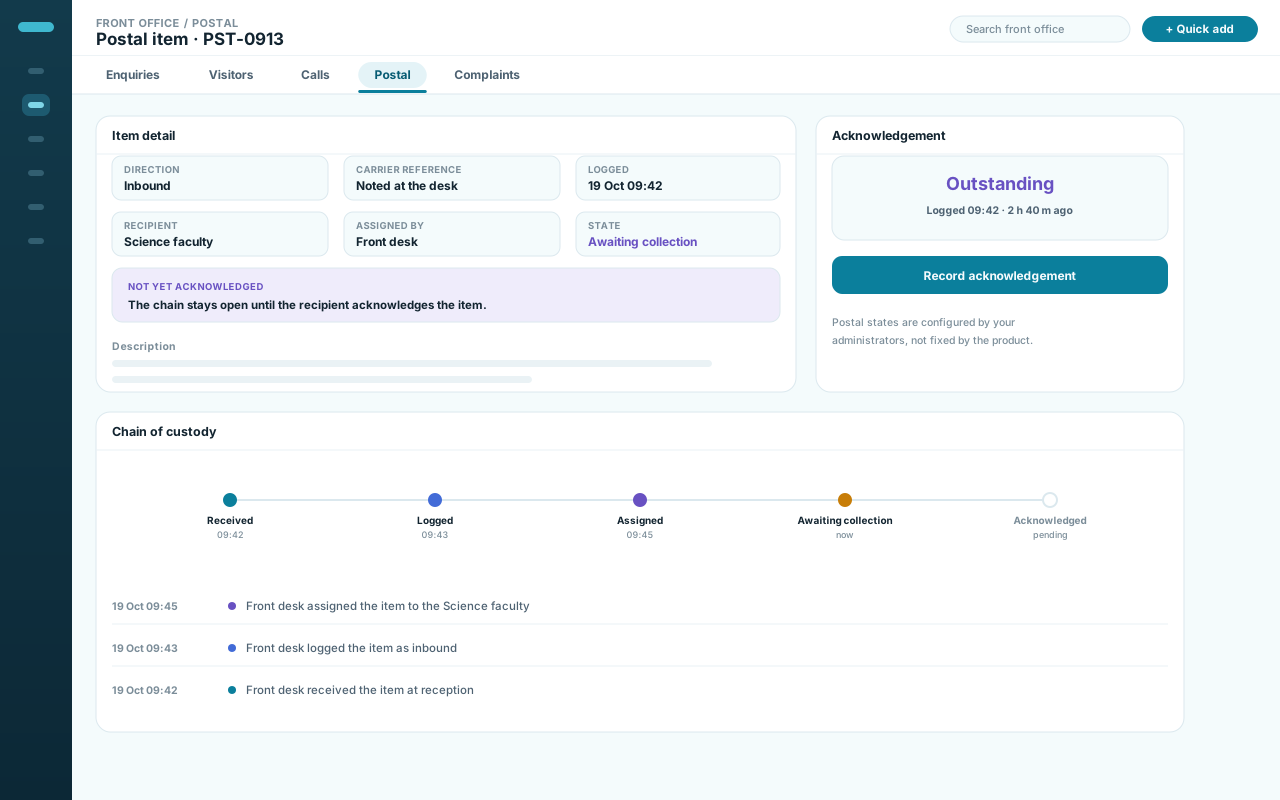
Received, assigned, acknowledged — with the trail kept.
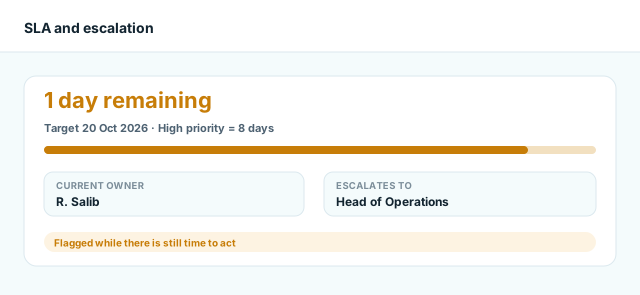
Priority, status, target date and who it escalates to.
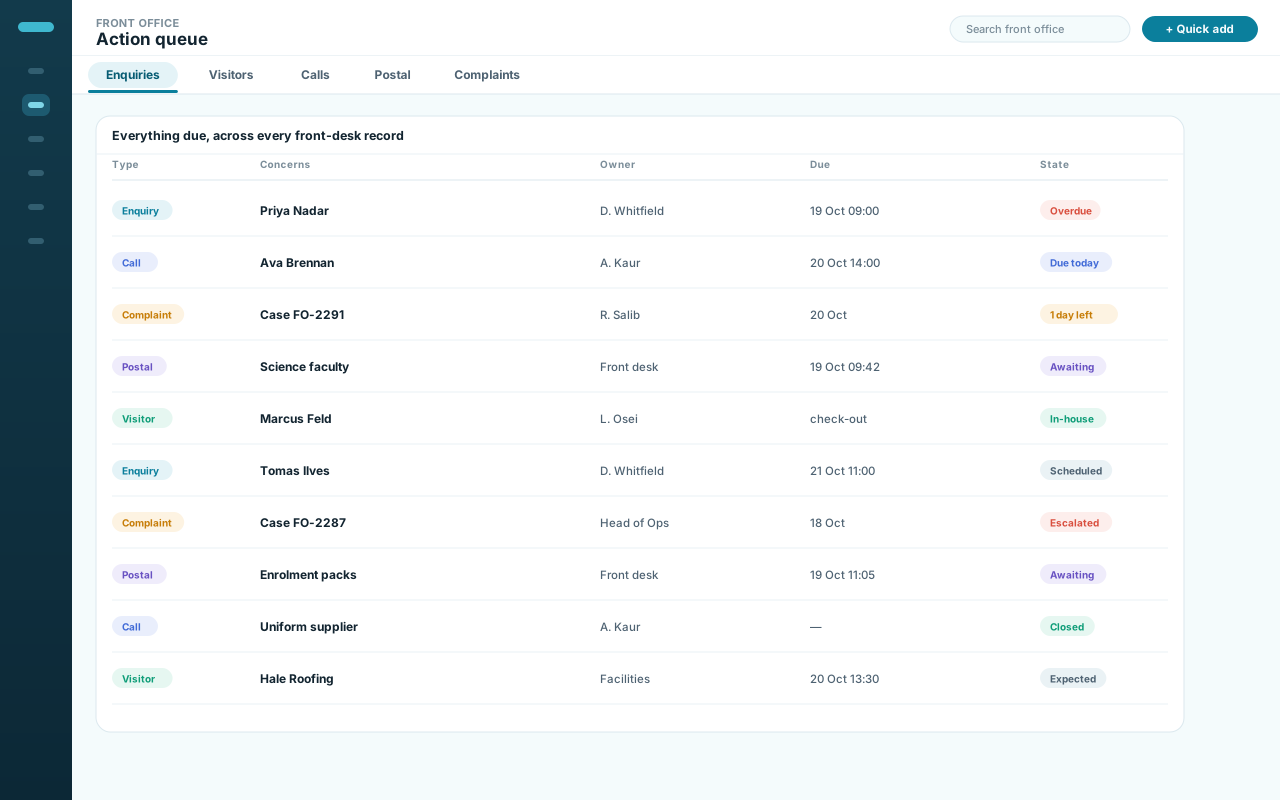
Everything due, filtered to your access.
Why front offices lose time
The Front Desk Shouldn’t Run on Memory.
An enquiry is in someone’s inbox. A visitor is waiting at reception. A call needs a follow-up. A parcel has no owner. A complaint is ageing. The work is connected — the records are not.
The context that decides the next action lives outside the record of the interaction.
- Enquiries separated from whoever owns them
- Visitors arriving ahead of their context
- Postal items with no owner, no acknowledgement
- Complaints with no target date, no next step
The follow-up nobody owns
Someone promises to call back. The promise lives in a notebook or a memory, so the only way to know whether it happened is to ask them.
Missed follow-ups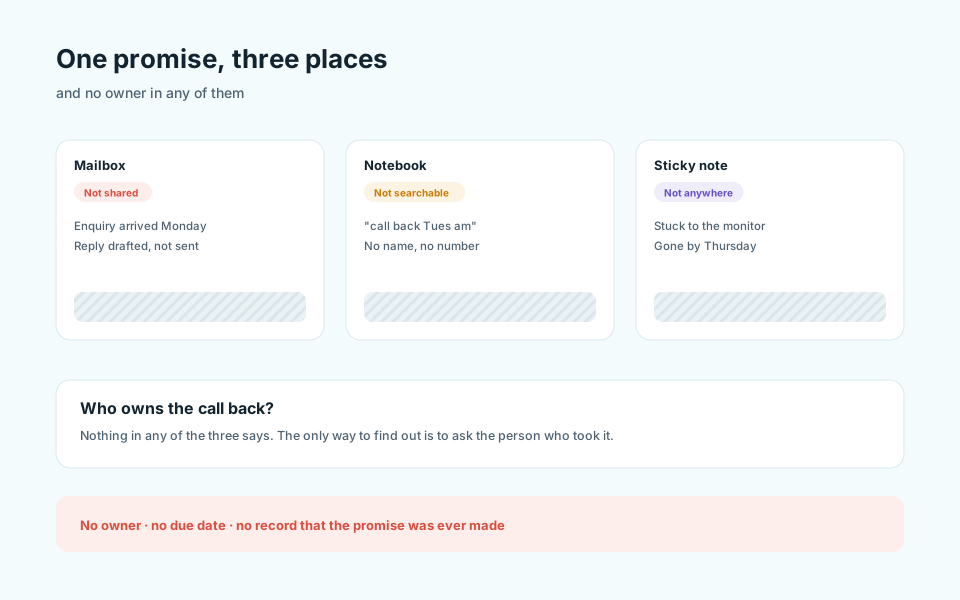
A visitor with no context
A name and nothing else — no host, no purpose, no last visit. The host finds out when the visitor is already at the counter.
Visitors without context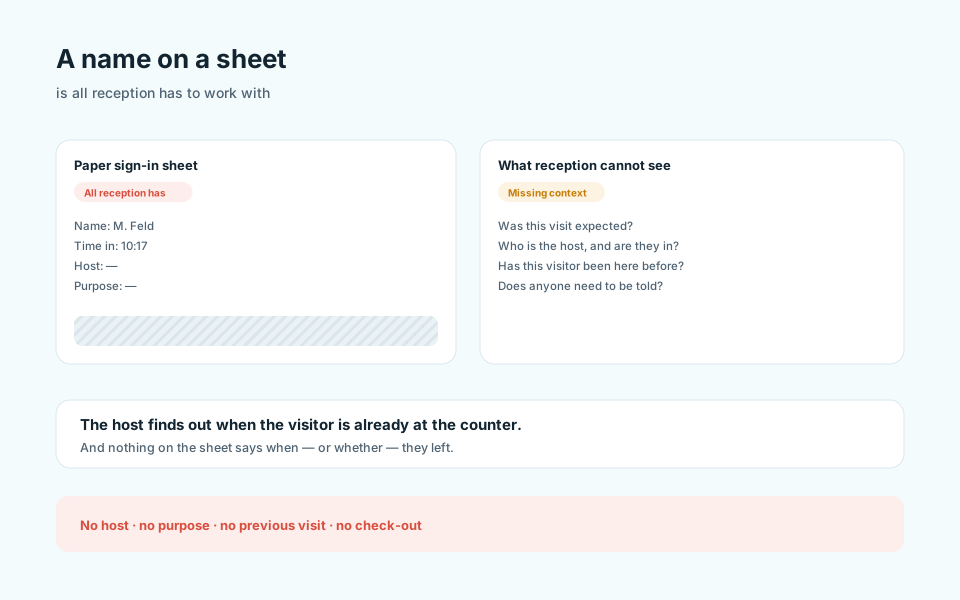
Post handed over, not handed off
A parcel is signed for and shelved. Nobody can say whether it was collected, because nothing was written down when it changed hands.
Postal handoffs without ownership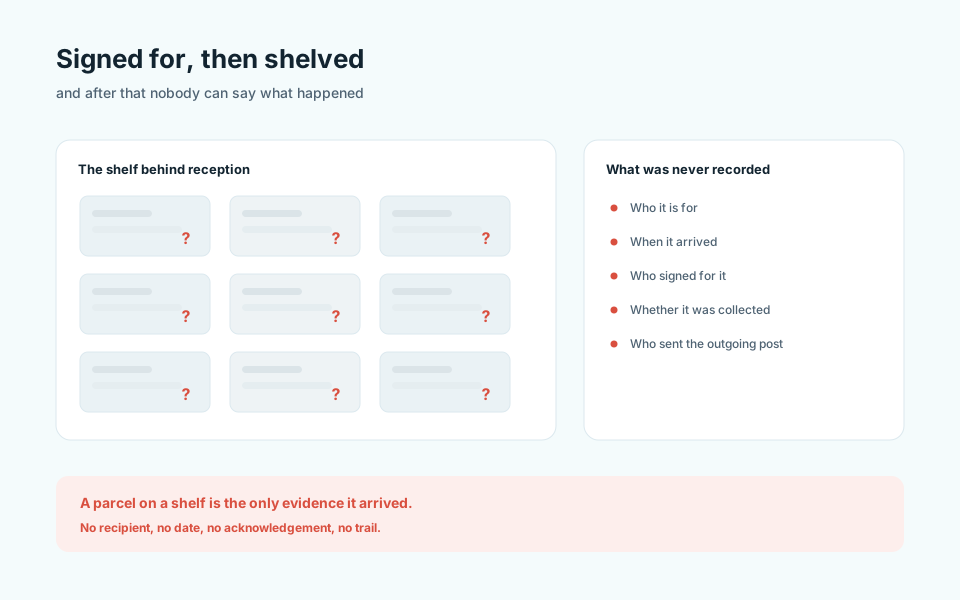
A complaint that just ages
Two weeks on, nobody is sure what was agreed or who is handling it. The case is not closed and it is not moving.
Complaints drifting without a next action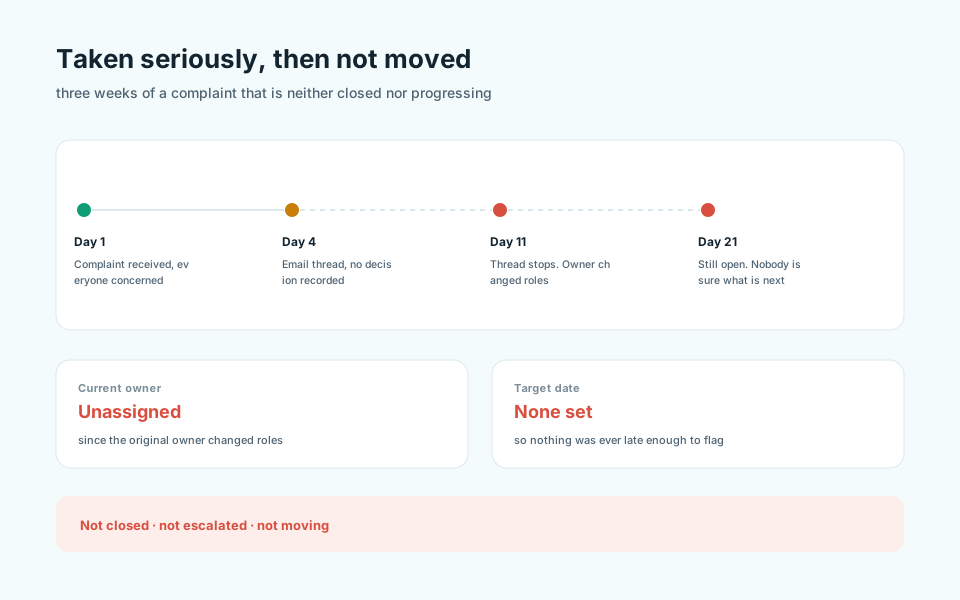
Meet Academyship Front Office
One Operating Workspace for Every First-Line Interaction.
Academyship Front Office brings enquiries, visitors, calls, postal items and complaints into one permission-aware workspace, so reception can capture what happened, route it to the right person and keep the next action visible.
Incoming work
- Enquiries
- Visitors
- Calls
- Incoming and outgoing post
- Complaints
Academyship Front Office
- Identity and context
- Owner
- Priority
- Next action
- Files
- Activity
Kept under control
- Follow-up scheduled
- Host notified
- Visit checked out
- Postal item acknowledged
- Complaint progressed
- Searchable history
How it works
Capture It. Route It. Close the Loop.
Four steps from the moment someone walks in, calls or writes, to the moment the work is finished.
-
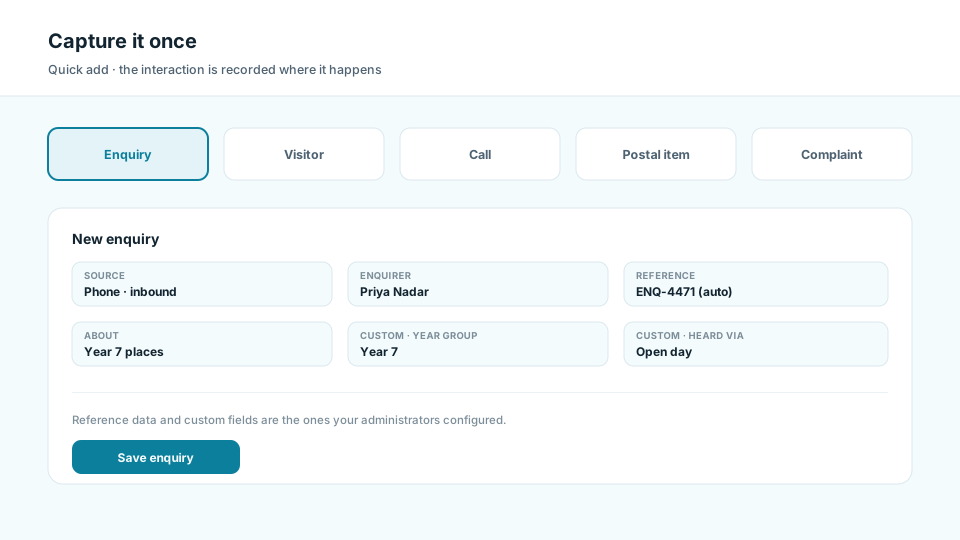
Capture it once
Log the interaction where it happens — an enquiry, an arrival, a call, a parcel, a complaint — against the right record type, using your own reference data. Custom fields carry whatever else the desk needs to note.
-
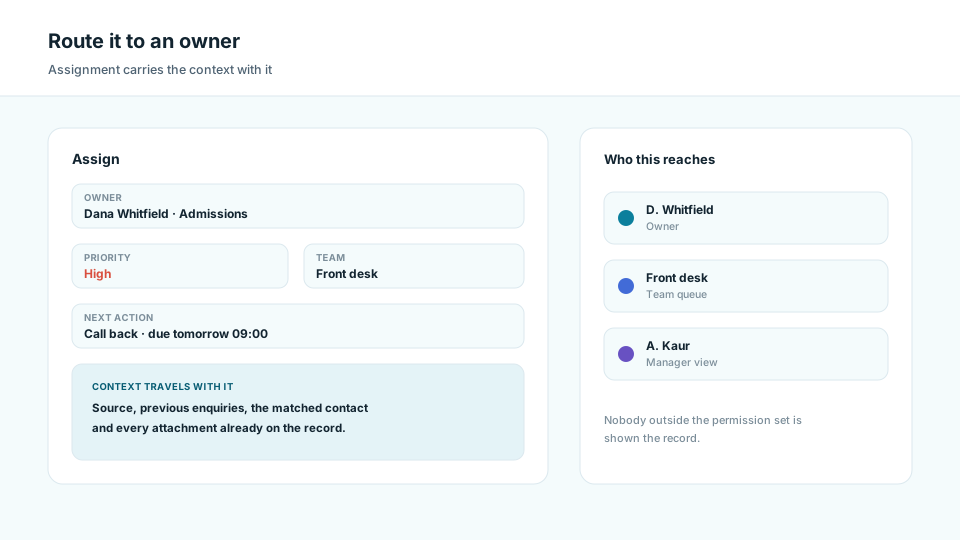
Route it to an owner
Assign the owner, host or team, and set a priority. The record carries its context, so whoever picks it up sees the source, the history and the attachments without asking reception to repeat the story.
-
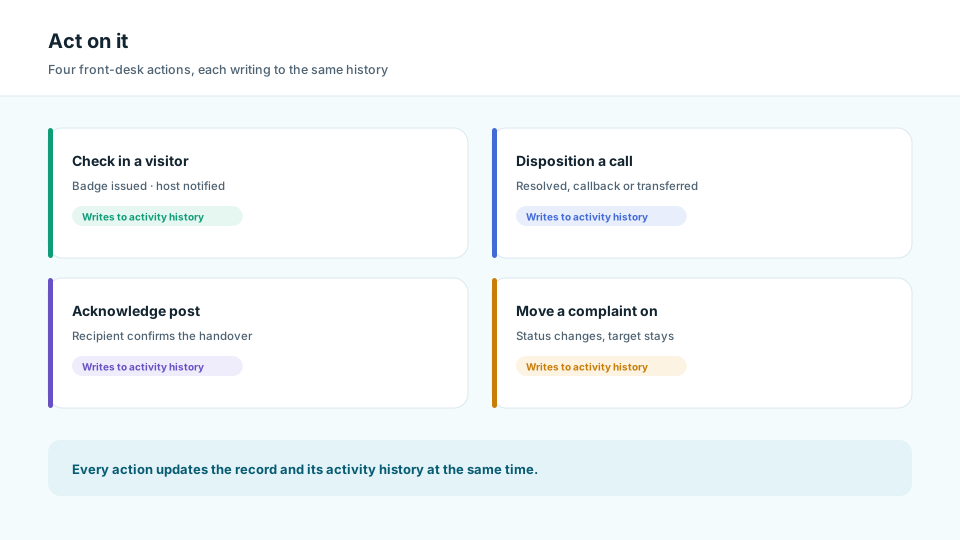
Act on it
Check the visitor in and notify the host. Record what a call was about and how it ended. Acknowledge a postal item. Move a complaint on. Each action updates the record and its activity history together.
-
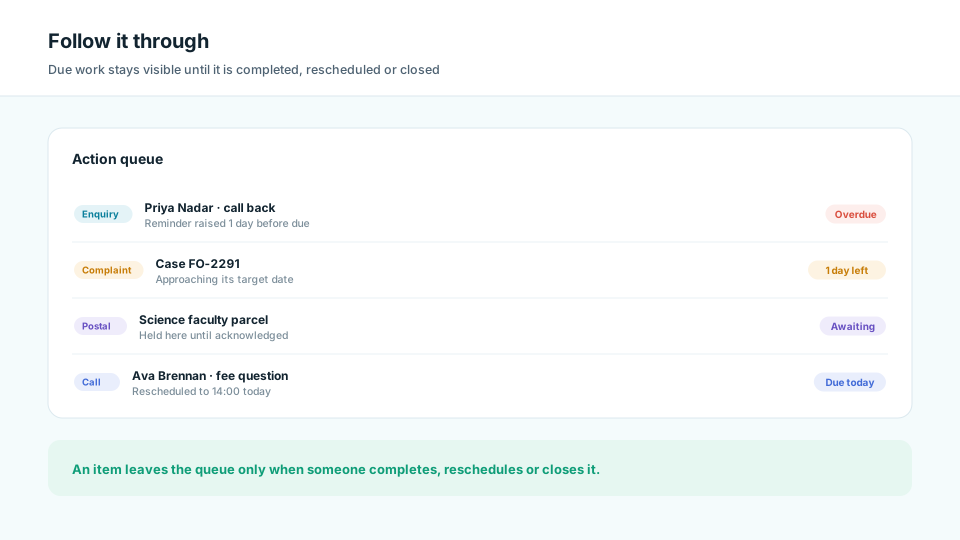
Follow it through
Due work stays visible until it is completed, rescheduled or closed. Reminders surface follow-ups before they are late, overdue items stay in the queue, and a complaint approaching its target is flagged while there is still time to act.
What Front Office covers
Five Workspaces. One Reception Rhythm.
Each answers a different question at the desk; all of them write to the same permission-aware record.
Academyship
01
Command Centre
Start with the enquiries, visitors, calls and cases that need attention today. Permission-aware totals, priorities, one action queue and recent activity give reception a practical opening view.
- Permission-aware KPIs
- Today’s priorities
- Unified action queue
- Recent activity
Academyship
02
Enquiries & Follow-ups
Record where each enquiry came from, who owns it and what happens next. Priorities, scheduled follow-ups and due reminders stop conversations from quietly disappearing.
- Enquiry sources
- Owner and priority
- Scheduled follow-ups
- Reminders before due
Academyship
03
Visitors & Check-in
Know who is expected, who has arrived and who has left the site. Preregistration, QR check-in, badge issue, host notification and checkout keep every visit traceable.
- Preregistration
- QR and badge issue
- Host notification
- Check-out
Academyship
04
Calls & Postal
Turn each call into an outcome and next action while tracking incoming and outgoing post to acknowledgement. Ownership and status make unfinished communication easy to find.
- Call type and disposition
- Call owner and follow-up
- Post received and sent
- Status and acknowledgement
Academyship
05
Complaints
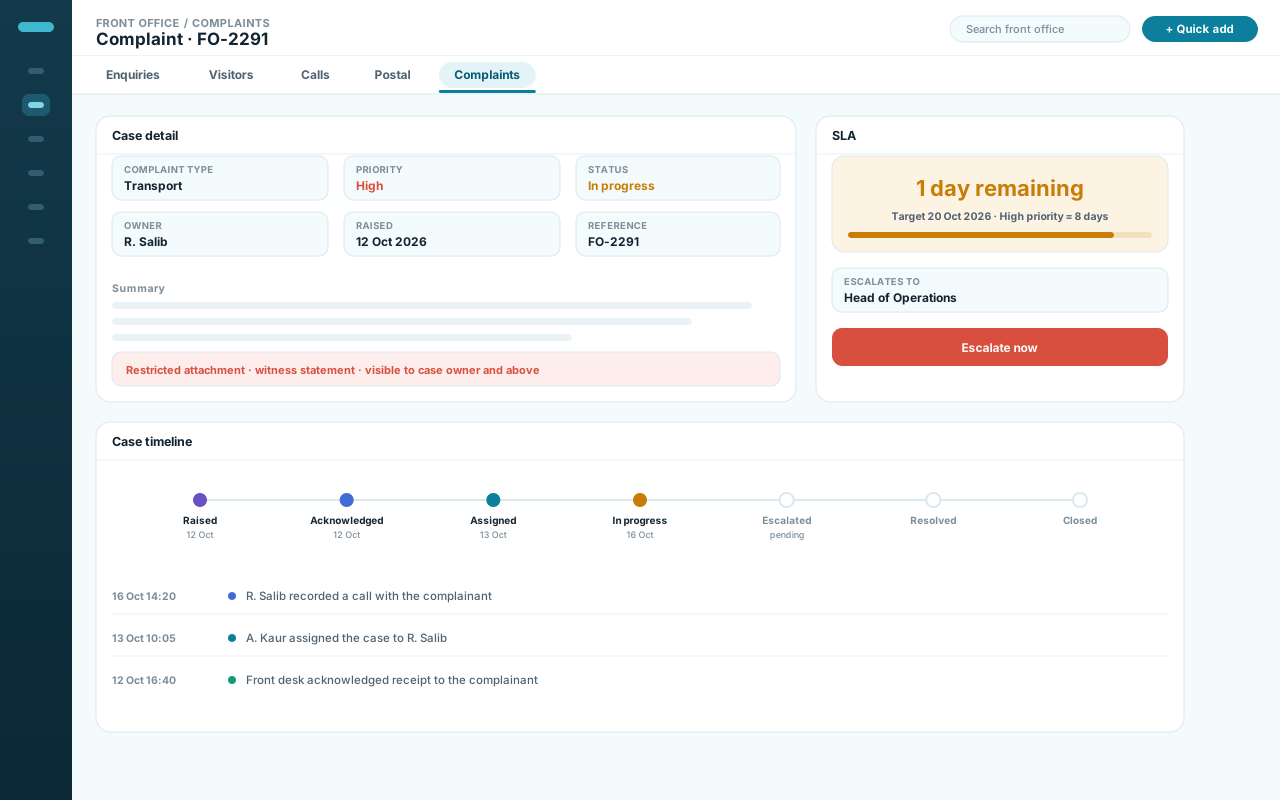
Manage every complaint as a case with a clear type, priority, owner and target date. Status, service targets and escalation paths show what needs attention before it drifts.
- Complaint type
- Priority and status
- SLA target
- Escalation path
Scroll sideways, or use the arrow, Home, End and Page keys.
Live command centre
See What Needs Attention Before Someone Has to Ask.
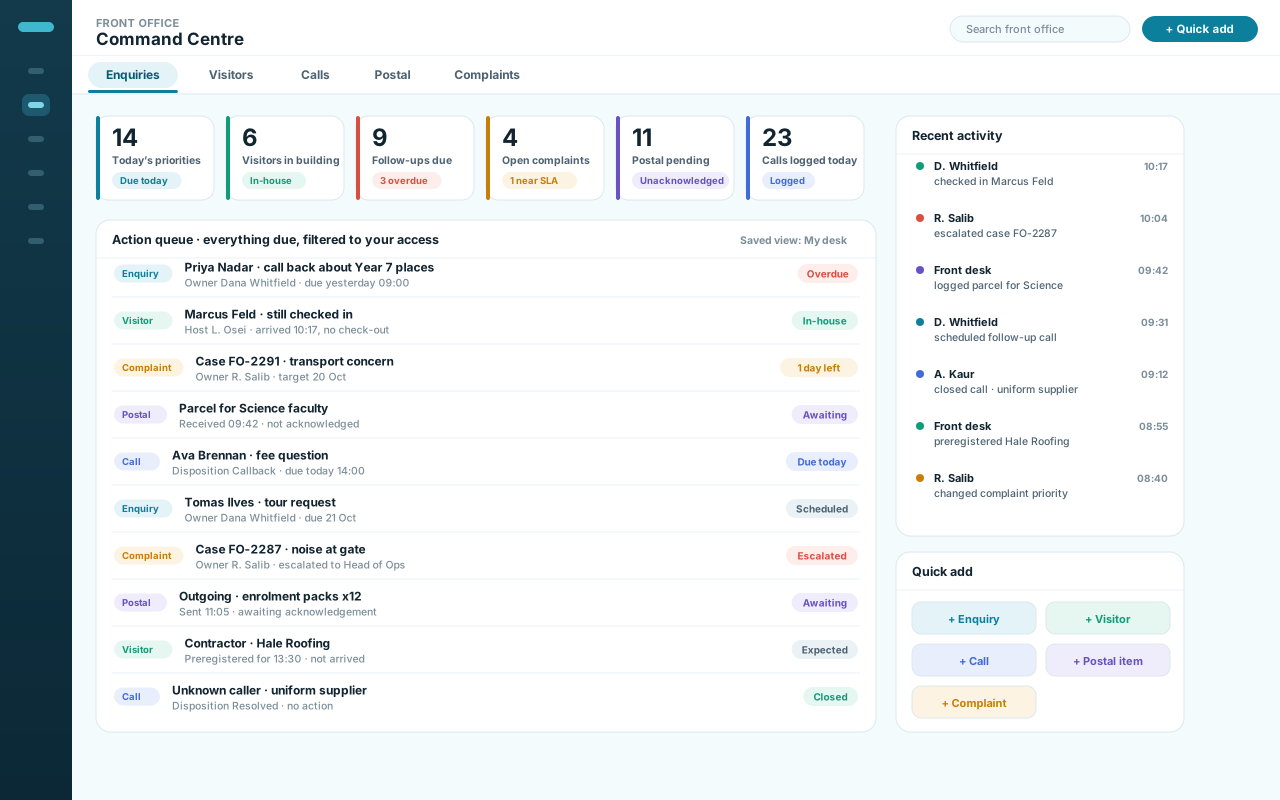
Counts, priorities and the action queue in one place — every number already filtered to your role.
1
Counts you can act on
Priorities, visitors in the building, follow-ups due, open complaints, postal pending and calls logged today.
2
Move between modules
Enquiries, visitors, calls, postal and complaints, without losing your filters.
3
One action queue
An overdue follow-up, a visitor still in-house, a complaint nearing its target and a postal item awaiting acknowledgement, in one list.
4
What just happened
Recent activity shows who did what, so a shift handover is not a verbal briefing.
5
Add without leaving the screen
Quick-add starts any of the five record types from the command centre itself.
Fictional institution, people and interactions, used for illustration. Nothing here is live application data.
From first contact
From First Contact to the Right Owner —
Capture, identify and assign run the same way for every front-desk record
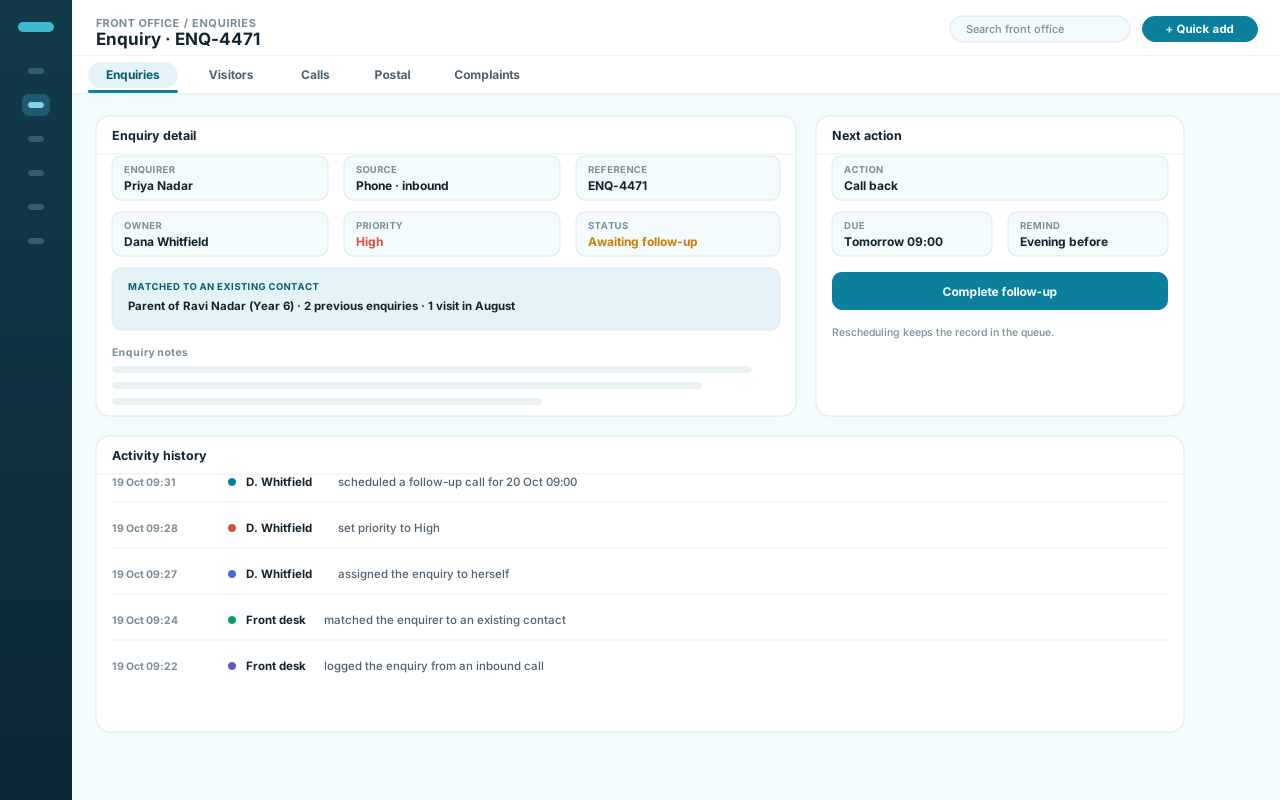
A call, a walk-in, an email enquiry and a delivered parcel are different events, but the first three steps are the same: capture what happened, identify who it concerns, and assign whoever will deal with it.
Identifying an existing person pulls their history in, so the next action is decided with the previous ones visible.
- Capture: what happened, in its own record type
- Identify: who it concerns, and what came before
- Assign: owner, host or team, with a priority
Capability example
Through to finished
Act, Follow Up, Close and Retain —
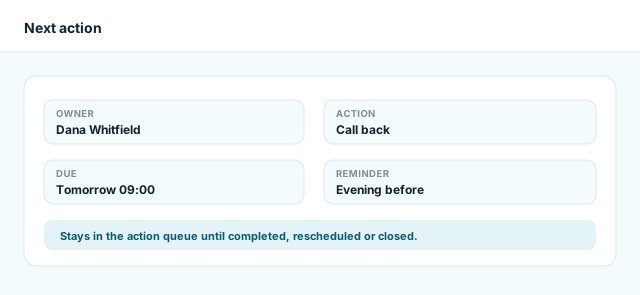
The loop closes only when the next action is completed, rescheduled or closed
Acting is the visible part: a visitor checked in, a call dispositioned, a postal item acknowledged, a complaint moved on. Following up is the part that goes missing, so due work stays in the queue and surfaces before it is late.
Closed is a state, not a deletion: the record, its attachments and its history stay searchable under the retention policy you set.
- Act: check in, respond, acknowledge or resolve
- Follow up: due work stays visible until it is finished
- Close and retain: history kept, retention applied
Capability example
What stays organised
Every Interaction Leaves the Right Record Behind.
Not a log of what reception typed, but records the rest of the institution can find and act on later.
People & interactions
- Enquiry profile — Record
- Visitor visit — Record
- Call log — Record
- Badge issued — In app
- Host notification — In app
Movement & cases
- Postal chain — Timeline
- Complaint case — Record
- Escalation step — Timeline
- Private evidence — File
- Linked records — Record
Actions & accountability
- Owner — Field
- Next action and due date — Field
- Reminders — In app
- Status and activity history — Audit
- Archive and retention — Policy
Attachments are served privately: a file is reachable through the record and the permissions on it, never from a public link.
Configurability
Set the Front Desk Up Around the Way You Work.
Reference data, workflow rules and the working view are set once and used every day.
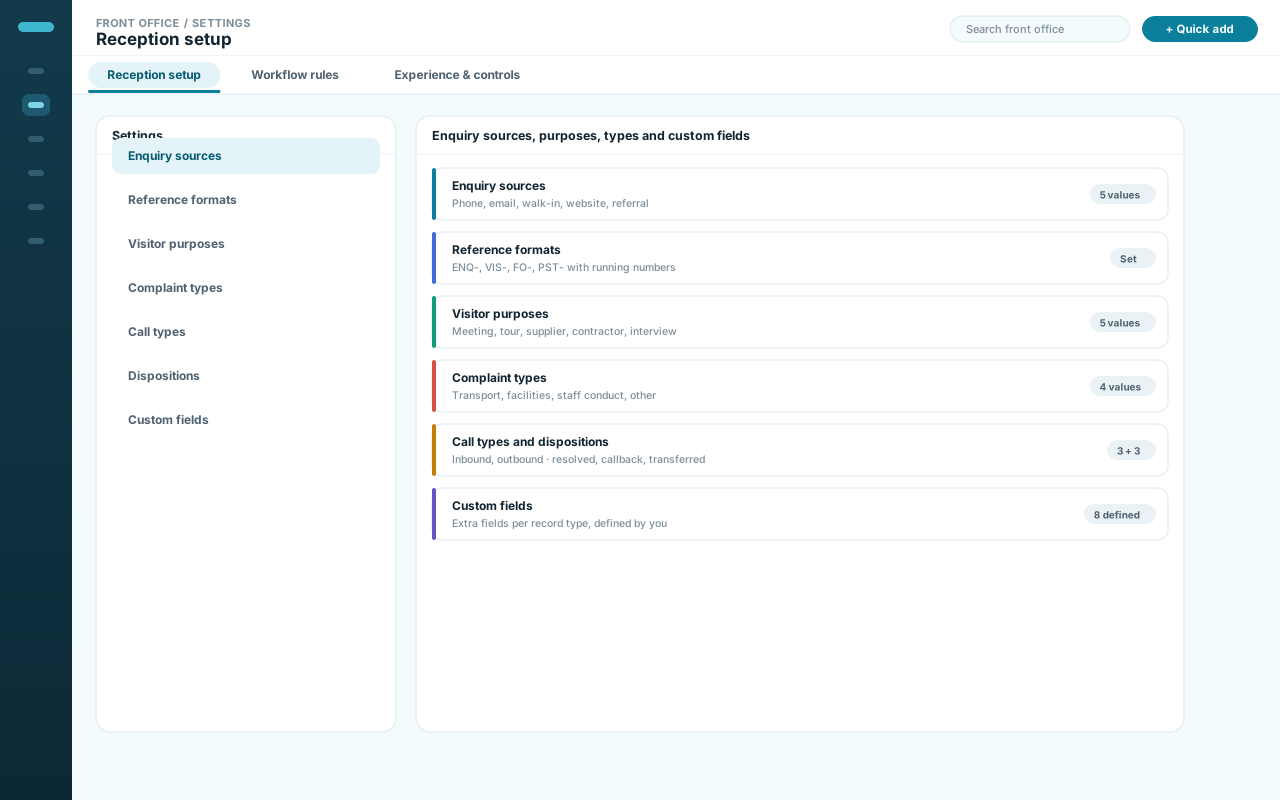
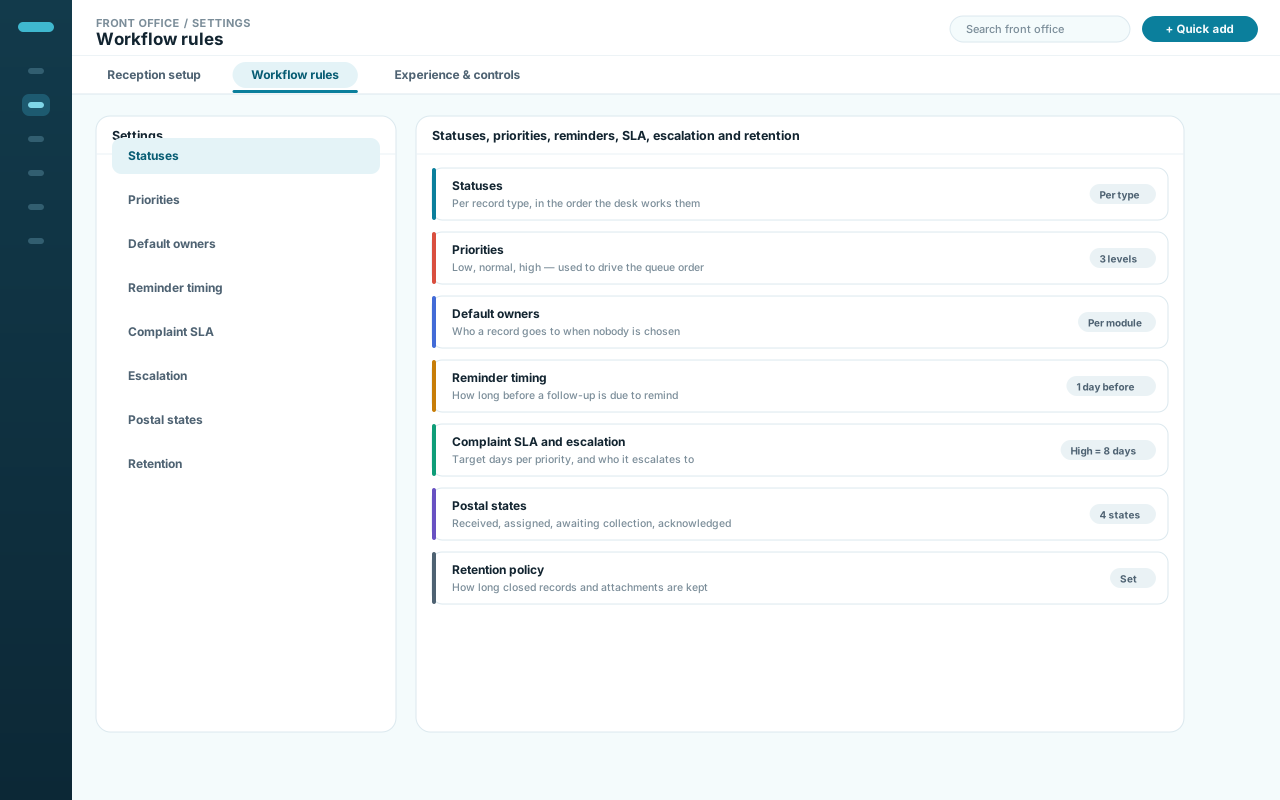
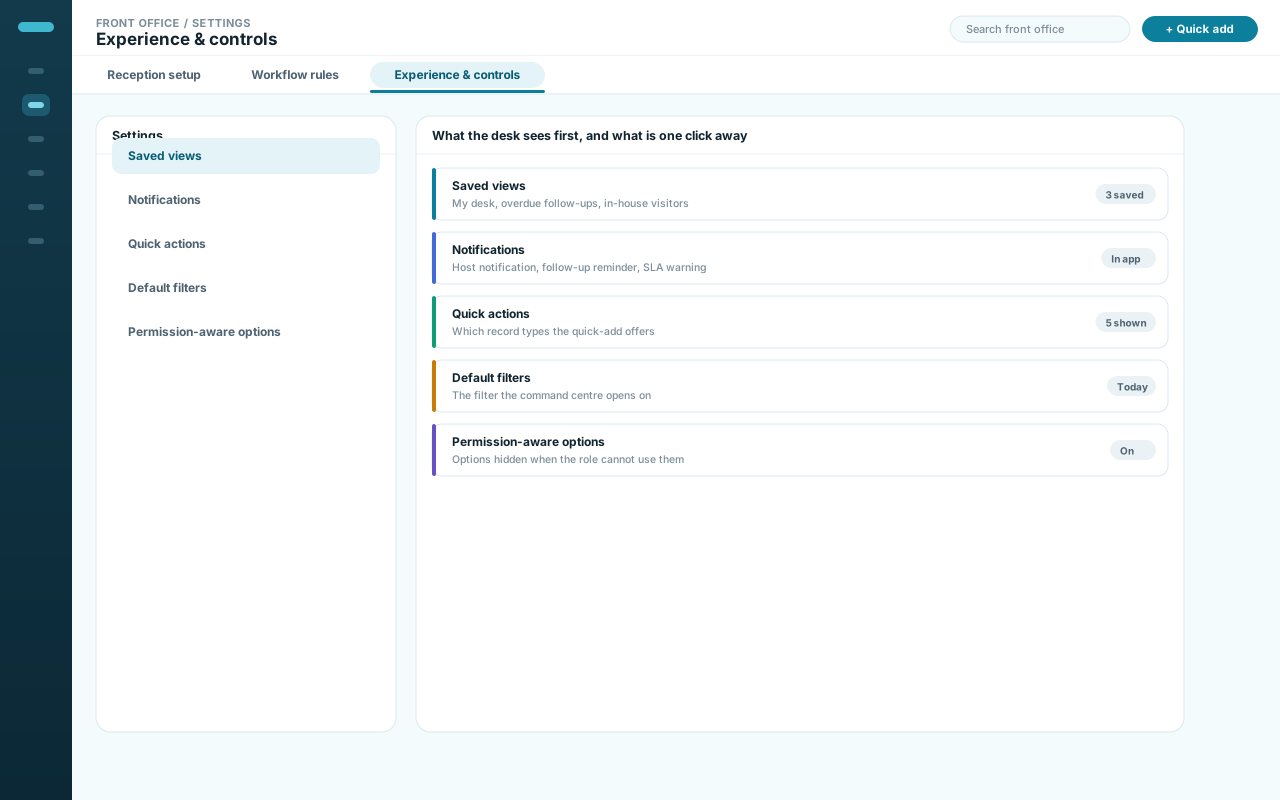
What any one person can change depends on their role and your permission set.
Right access, right responsibility
Give Each Front-Office Role Exactly What It Needs.
Permissions are set per module, so the desk, its managers and its administrators each see a different amount of the same workspace.
Responsibility group
Reception team
The counter captures the interaction and keeps its own assigned work moving.
- Capture enquiries, visits, calls, post, complaints
- Check visitors in and out, notify hosts
- Update work assigned to them
What limits this
Module permissions decide which records reception can open, and restricted attachments stay restricted.
Responsibility group
Managers
Managers watch the queues rather than individual records.
- Oversee queues across modules
- Reassign owners, change priority
- Watch overdue follow-ups and SLA targets
What limits this
Oversight follows the same permission set, and every reassignment is recorded.
Responsibility group
Administrators
Administrators set up what everyone else works inside.
- Configure reference data and custom fields
- Set statuses, priorities, reminders, SLA rules
- Manage retention and per-module permissions
What limits this
Configuration changes are recorded too, so a rule change traces to whoever made it.

A Monday morning
A visitor still in from Friday, an overdue follow-up and a complaint on its final day — all three on the command centre before anyone opens a module.
Counts are filtered by role, so one desk can show two totals.
An expected visitor
A preregistered visitor arrives, is checked in against the existing record, gets a badge, and the host is notified — without leaving the screen.
Until check-out, the visitor stays counted as in the building.
A complaint that escalates
A complaint passes its target date, is flagged, and escalates to the next responsible role — written into the case, not agreed in a corridor.
Escalation follows the configured rule, not whoever is on shift.
1 of 3
Closer in
Six Capabilities That Keep the Desk Ahead of the Queue.
Six controls, and the front-desk failure each one is there to prevent.
-
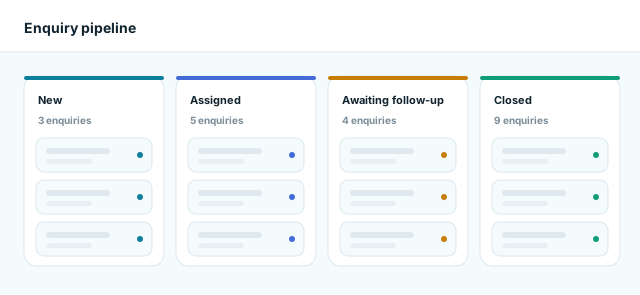
Enquiry pipeline & follow-ups
Source, owner, priority and next action on every enquiry — with a reminder before the follow-up is late, not a report after it.
-
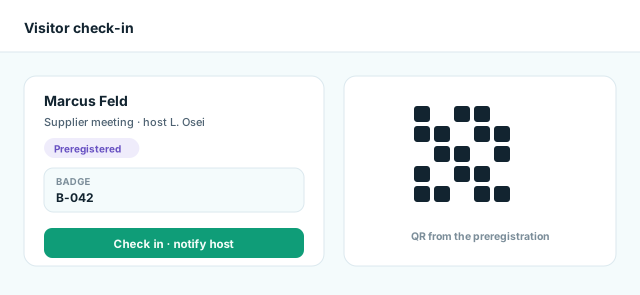
Visitor check-in & host notification
Preregister, check in by QR or at the counter, issue a badge, notify the host, check out. Who is in the building becomes a number you trust.
-
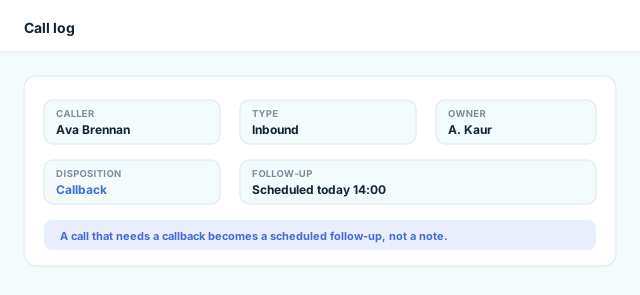
Call logs & next actions
What the call was about, its disposition and who owns it. A callback becomes a scheduled follow-up, not a note.
-
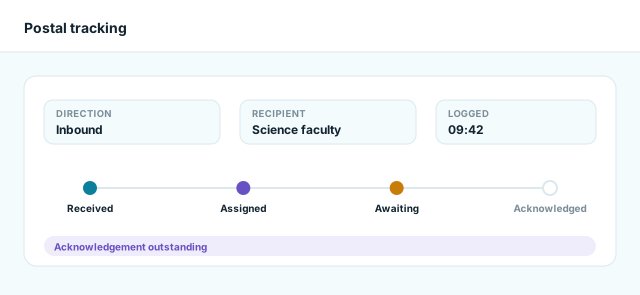
Postal tracking & acknowledgement
A recipient, a status and a timeline ending in an acknowledgement — so a shelf is never the only evidence.
-
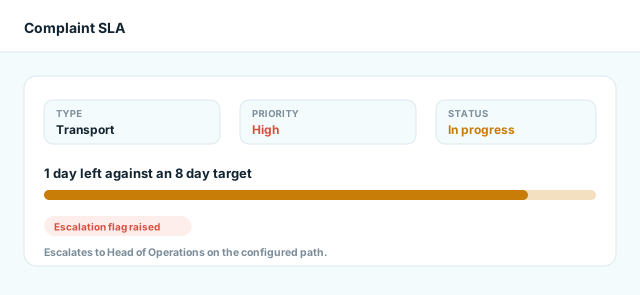
Complaint cases, SLA & escalation
A type, a priority, a status and a target date. As the target nears, the case is flagged and escalated on your configured path.
-
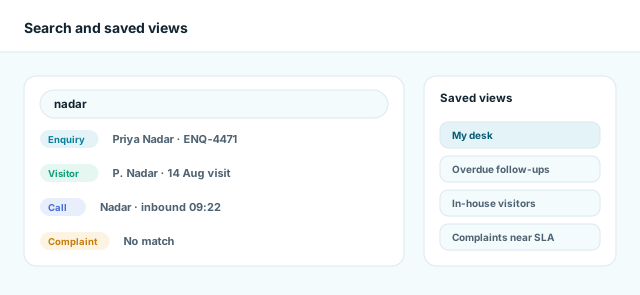
Global search, saved views & one action queue
Search every front-desk record, keep your morning filters as saved views, work everything due from one queue.
Questions
Front Office Questions, Answered Fast.
The practical questions reception teams and their managers ask first.
What is Front Office, and what can it track?
One workspace for first-line interactions: enquiries, visits, call logs, post and complaint cases. Each is a record with an owner, a priority and a next action.
How do enquiry and call follow-ups work?
A follow-up is a next action with an owner and a due date. A reminder surfaces it early, and it leaves the queue only when someone completes, reschedules or closes it.
Can we see who is still in the building?
Yes. A visitor counts as in-house from check-in until check-out, and the command centre shows that count beside the visits behind it.
How are postal items tracked?
An item is recorded when it is received or sent, assigned to a recipient, and moved through your configured postal states until it is acknowledged.
How are complaints managed?
As cases, with a type, a priority, a status, an owner and an SLA target. As the target nears, the case is flagged and escalation follows the configured path.
Can access differ by role?
Yes. Permissions are set per module, so reception, managers and administrators see different amounts of the same workspace — counts included.
Can we customise the lists, and what happens to old records?
Sources, visitor purposes, complaint types, call types and dispositions and postal states are reference data you configure, and custom fields capture the rest.
Archived records are kept: attachments and activity history stay searchable, a soft-deleted record can be restored, and retention follows your policy.
Front Office, without the loose ends
Put the Front Desk on One Live System.
See how Academyship keeps enquiries, visitors, calls, post, complaints and follow-ups moving from first contact to finished action.
Live priorities and follow-ups
Visitor check-in and check-out
Permission-aware, private records
A front-desk record moves through six stages
- Capture
- Identify
- Assign
- Act
- Follow up
- Close & retain