


Training & Assessment
Quality Area 1
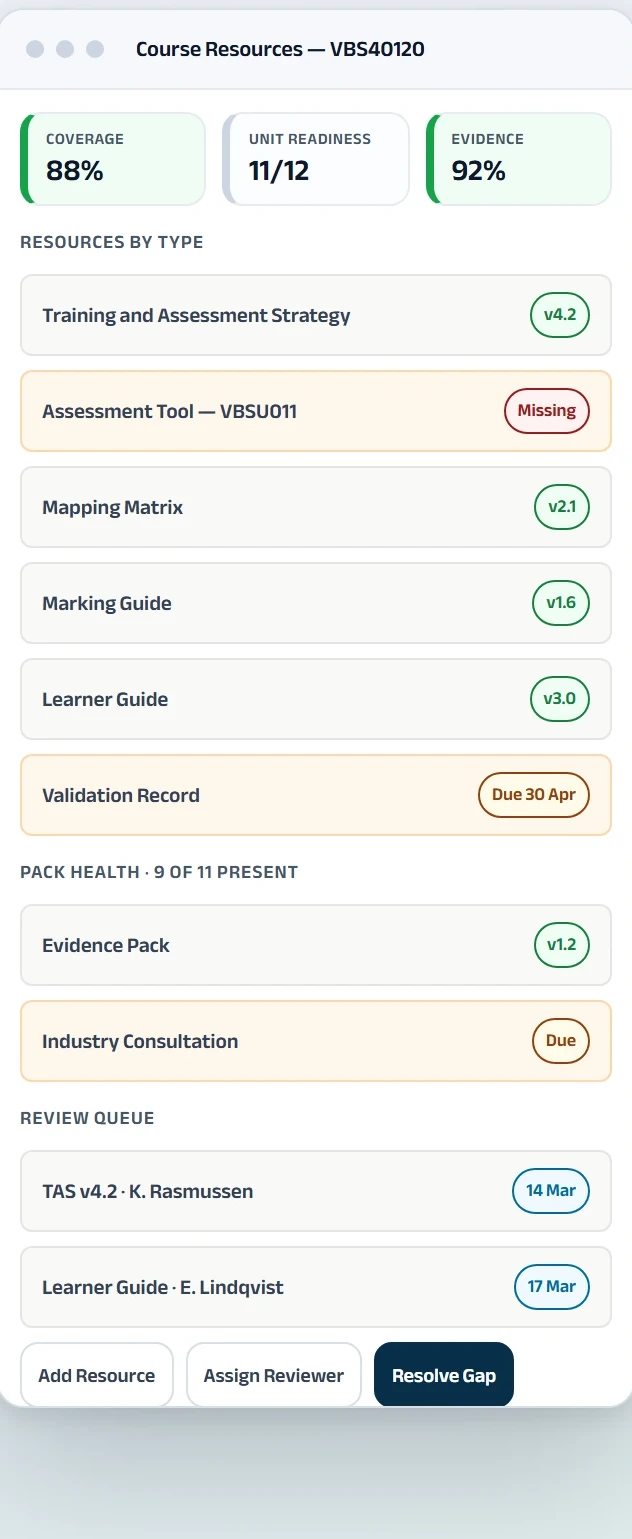
Connect strategies, assessment tools, mapping, validation, resources, versions and evidence to the relevant courses and units.
Connect training products, learners, resources, RPL, USI verification, AVETMISS/NAT reporting, payments and certification in one Australian RTO platform.
All names, figures and records shown here are fictional demonstration data.
Training strategies, assessment tools, mapping, validation records, trainer evidence, RPL documents and improvement actions often sit across separate drives, inboxes and spreadsheets.
Teams then spend review and reporting periods rebuilding a history that should already be connected to the course, unit, student or action.
The file exists. The current version is unclear.
Strategies, tools, mapping and validation evidence become harder to govern when teams hold separate copies.
Problems appear when the deadline is already close.
Missing fields, inconsistent codes and activity errors create avoidable correction work during reporting.
Evidence arrives everywhere except the case.
Forms, files, assessor requests and decisions become difficult to follow when the process lives in email.
Forms, documents and payments require repeated chasing.
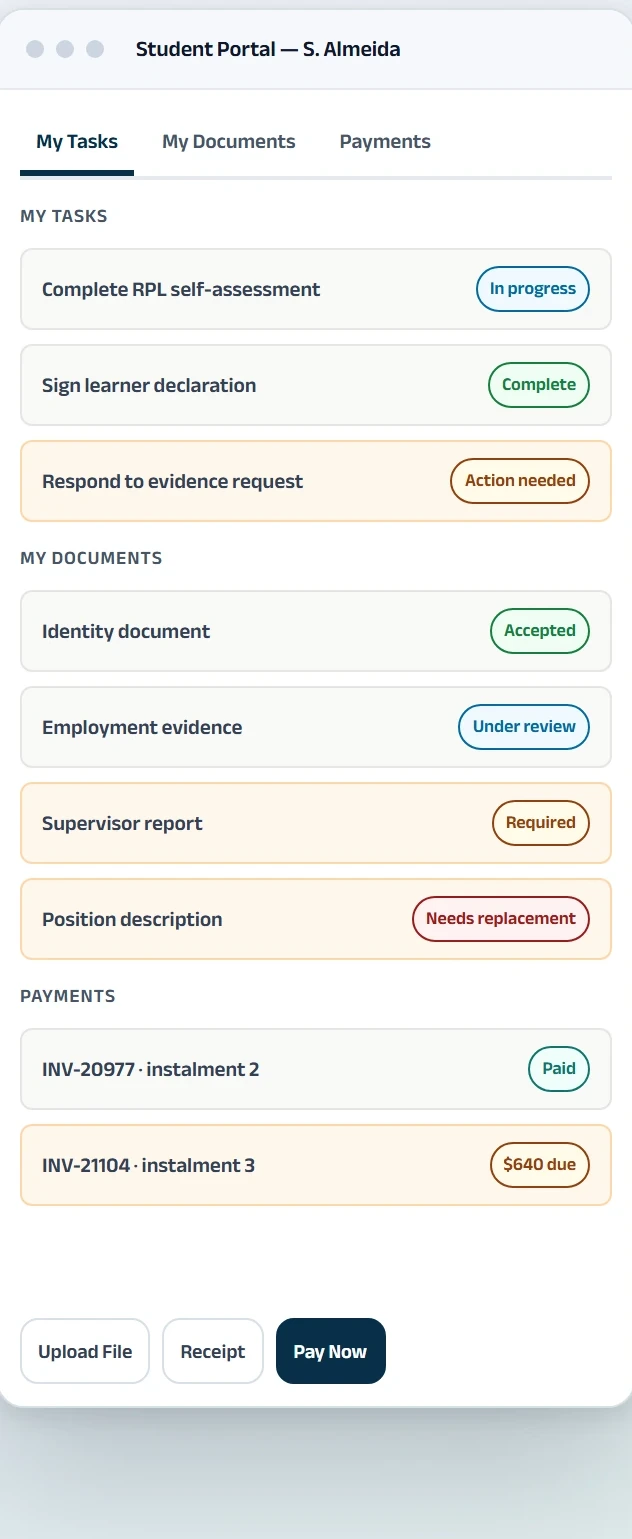
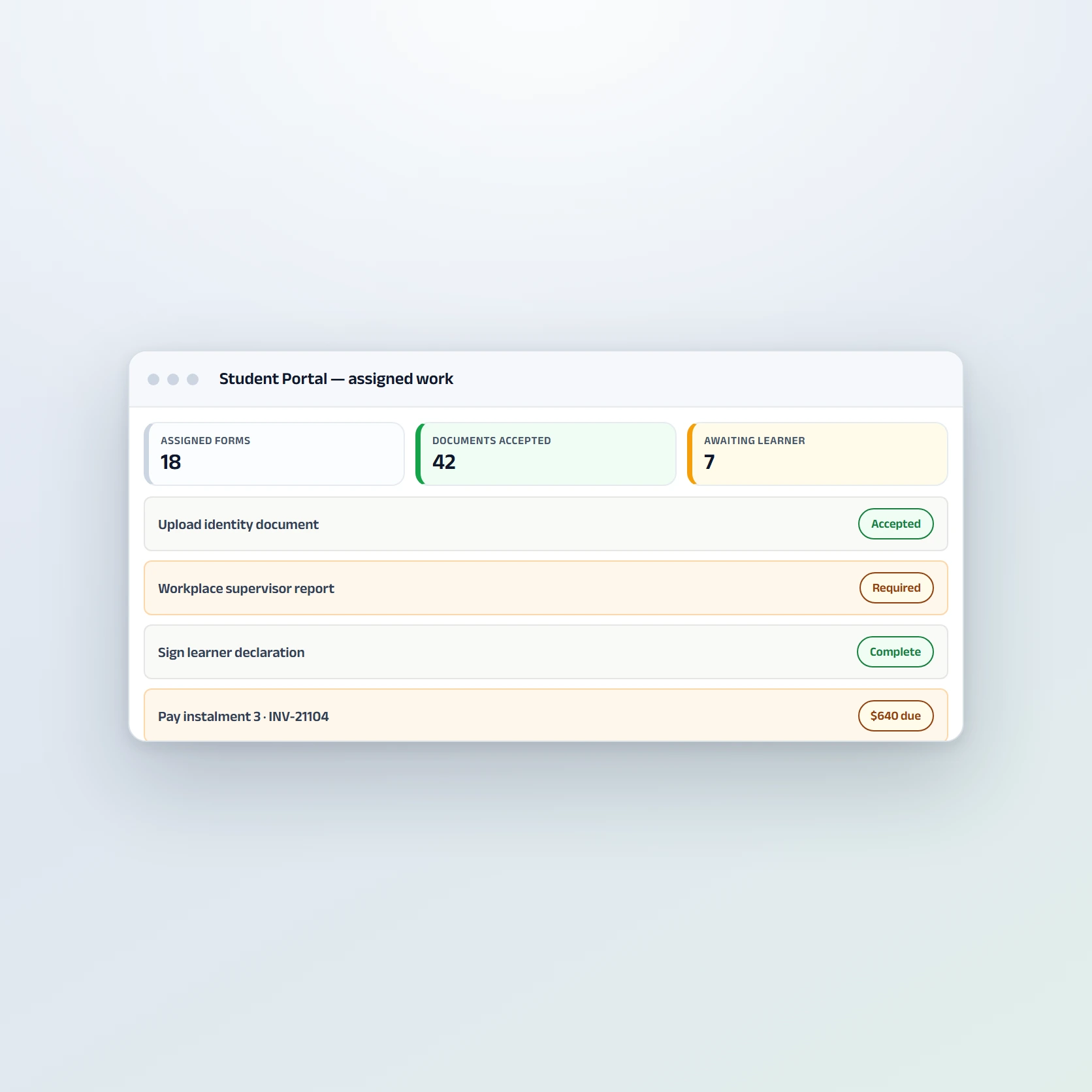
Students need one place to see what is required, respond, upload files and act on their account.
Course Portfolio
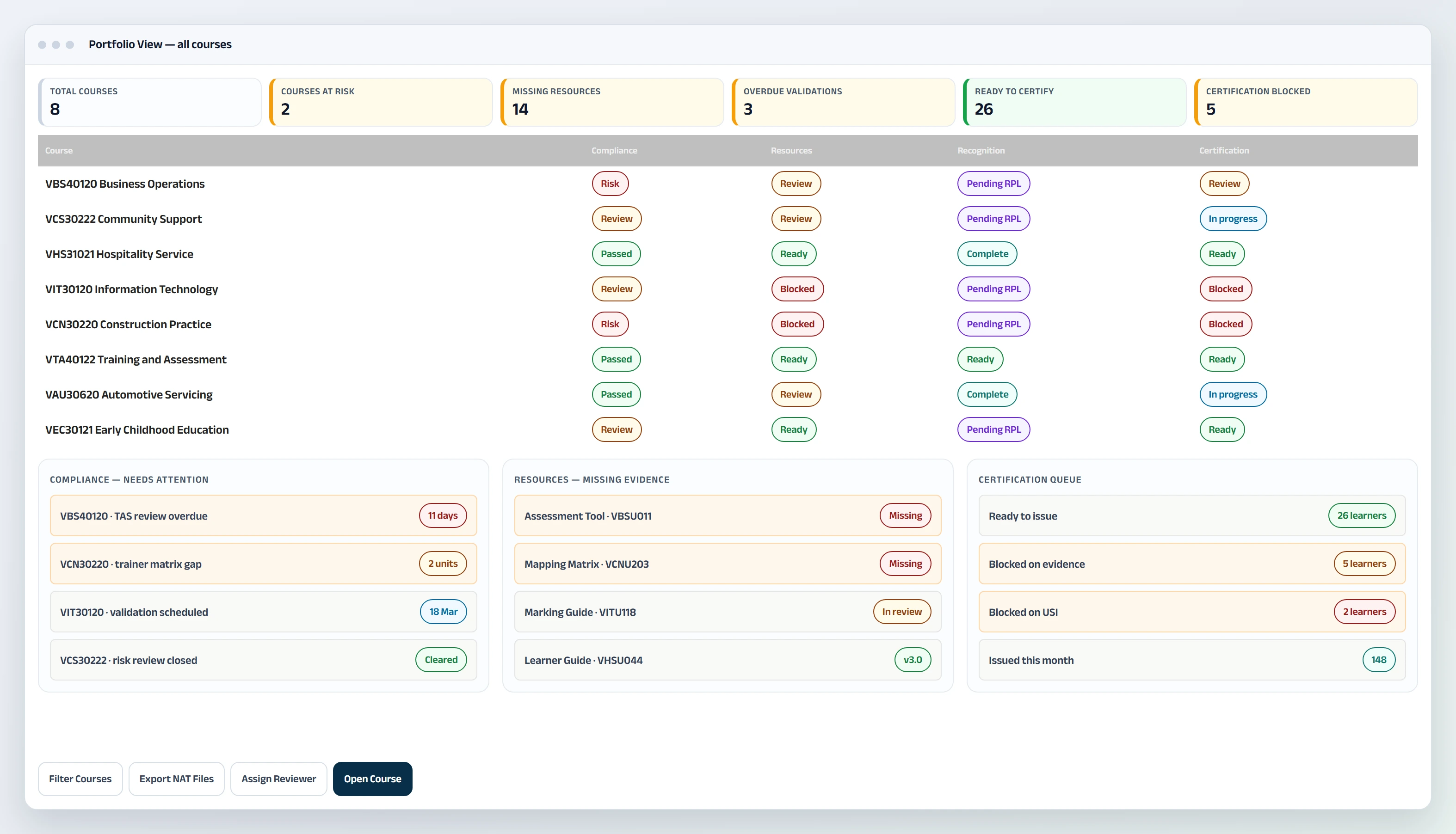
See compliance, resources, offerings, units, enrolments, recognition and certification across the complete course portfolio.
Open the same operational depth for one course without moving to a disconnected system.
Portfolio Overview
Course health, risk and deadlines side by side
Compare course health, risk, resources, delivery and learner outcomes. Filter by campus, department, delivery mode, owner, status or risk, then open the record that needs action.
| Course | Coverage | Missing | Status |
|---|---|---|---|
| VBS40120 Business Operations | 88% | 3 | Review |
| VCS30222 Community Support | 90% | 2 | Review |
| VHS31021 Hospitality Service | 100% | 0 | Ready |
| VIT30120 Information Technology | 71% | 6 | Blocked |
| VCN30220 Construction Practice | 74% | 3 | Blocked |
| VTA40122 Training and Assessment | 97% | 0 | Ready |
Compliance & Resources
Coverage, missing evidence, review queue and pack health
Keep checklist gaps, trainer issues, resource coverage, review queues, versions and pack health attached to the relevant course and units.
| Student | Case | Assessor | Status |
|---|---|---|---|
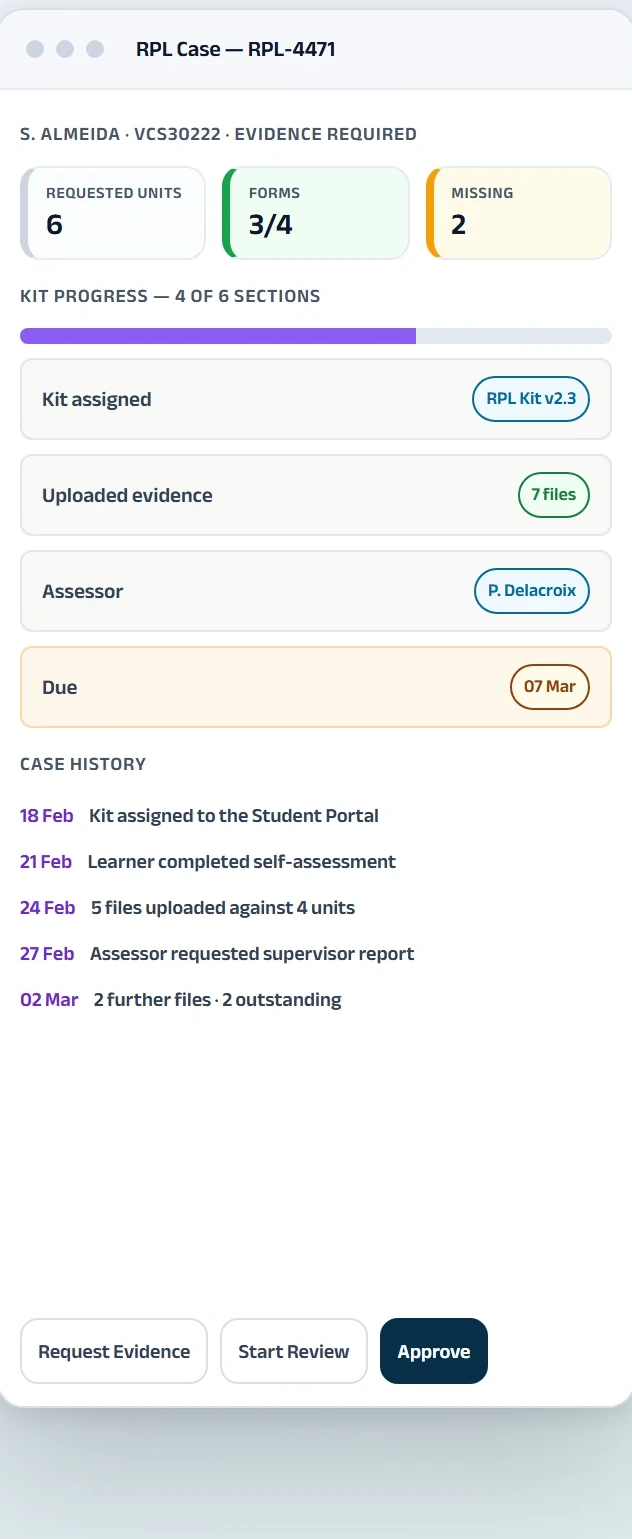
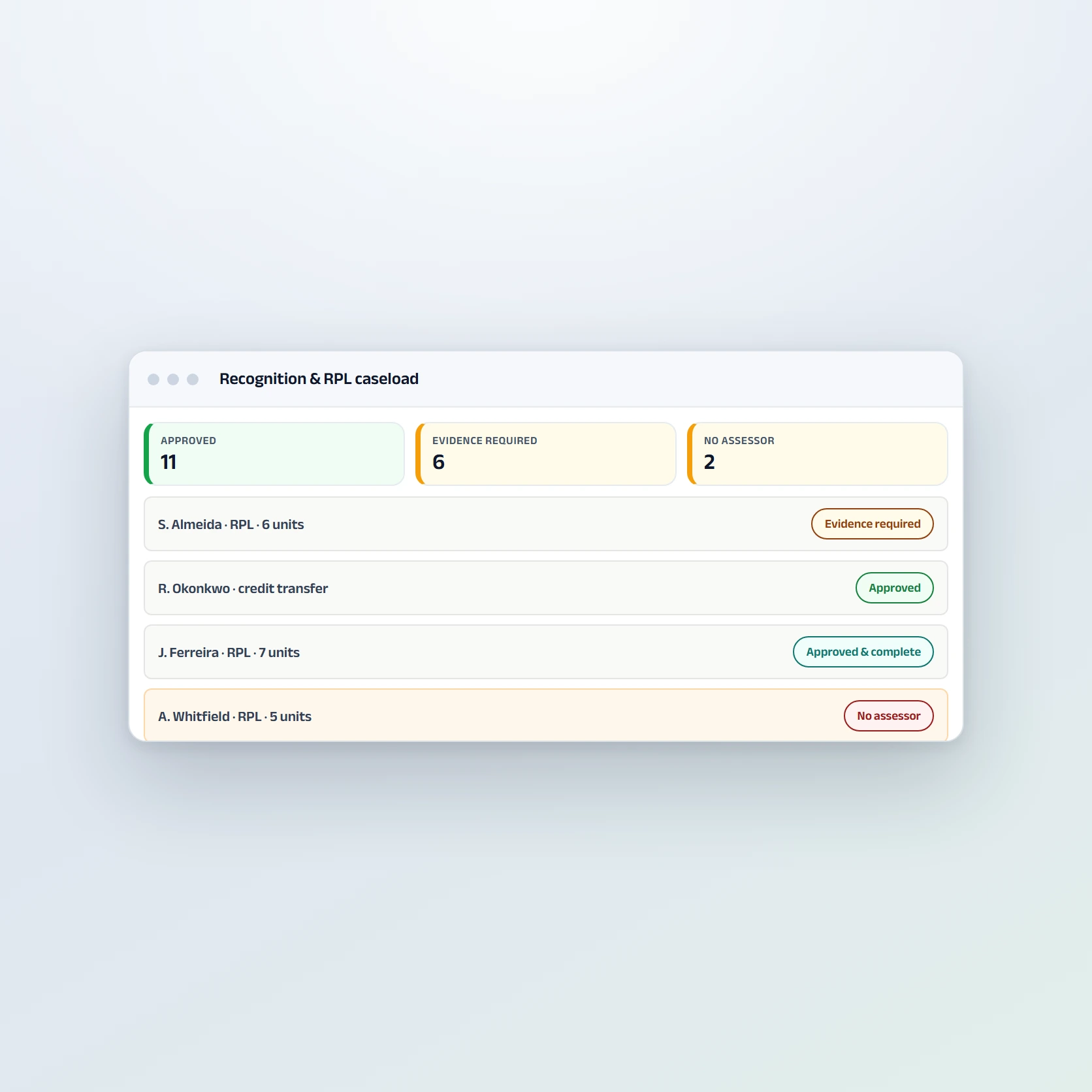
| S. Almeida | RPL · 6 units | P. Delacroix | Evidence Required |
| T. Ngata | RPL · 4 units | C. Marchetti | Under Review |
| R. Okonkwo | Credit Transfer · 3 | K. Rasmussen | Approved |
| A. Whitfield | RPL · 5 units | Not assigned | No Assessor |
| J. Ferreira | RPL · 7 units | K. Rasmussen | Approved & Complete |
| M. Karadeniz | Credit Transfer · 2 | N. Osei | Approved & Complete |
Recognition & RPL
Cases, Overdue, Missing Evidence and Governance
Track each case, requested units, missing evidence, assessor, dates, decisions and history from one caseload.
Certification
Ready, Blocked and Issued, with the reason attached
Apply configured checks for completed outcomes, USI or an applicable exemption, agreed fees, evidence and quality review. Show the exact reason whenever issuance is blocked.
Portfolio and individual-course views share the same core tabs: Overview, Compliance, Resources, Offerings, Units, Enrolments, Recognition and Certification.
All names, figures and records shown here are fictional demonstration data.
Academyship helps RTO teams organise the records, responsibilities and actions used across the four Quality Areas, the Compliance Standards and the Credential Policy.
The software supports the work. Each RTO remains responsible for interpreting and meeting its obligations.
Quality Area 1
Connect strategies, assessment tools, mapping, validation, resources, versions and evidence to the relevant courses and units.
Quality Area 2
Keep suitability reviews, support actions, feedback, complaints, appeals and student follow-up visible with clear ownership.
Quality Area 3
Maintain trainer and assessor credentials, competency, industry currency, professional development and expiry visibility.
Quality Area 4
Record risks, reviews, responsibilities, continuous-improvement actions and closure evidence in governed workflows.
Records & Reporting
Support controlled information, nationally recognised training records, certification workflows, reporting and accountable access.
Trainers & Assessors
Keep trainer, assessor and validation credentials visible with the delivery and responsibilities they affect.
Academyship provides workflow, record and evidence-management tools. It does not guarantee compliance, registration or an audit outcome.
Connect suitability, support, progress, feedback and improvement to the same operational record used for delivery.
Before Enrolment
Keep pre-training review, LLN and digital-literacy checks, supporting documents and course-suitability advice connected to the application.
Pre-training review
LLN and digital literacy
Suitability advice
Student Support
Record identified needs, agreed actions, referrals, reasonable adjustments and review dates against the student.
Progress
Bring incomplete work, evidence gaps and follow-up into visible queues so the responsible team can act earlier.
Student Voice
Keep feedback, complaints and appeals with their owner, communication, outcome and follow-up history.
Improvement
Connect review findings and available feedback to improvement actions with owners, due dates and closure evidence.
Bring national training-product information into the RTO structure, keep unit relationships visible and turn release changes into planned work.
Do not present Academyship as the National Register or as the authority on scope. Training.gov.au remains the source of national training-product information.
All names, figures and records shown here are fictional demonstration data.
Start With The National Record
Look up a supported qualification, skill set or accredited course by national code and import the available structure instead of re-entering each unit.

Keep The Course Structure Clear
Keep supported core and elective groupings, unit relationships and nominal-hour information visible within the course record.

See Supersession Earlier
Retain release and supersession status against the courses using the training product so review work can begin from a known record.

Turn Change Into Owned Action
Use course records, tasks, owners and dates to coordinate resource review, cohort decisions and other transition work supported by the live product.

Connect course delivery, resources, students, workforce, reporting, payments and certification around the same operational records.
Courses, Delivery & Resources
Portfolio oversight, course delivery, unit structure and the controlled resources that support training and assessment.
Compliance, Workforce & Reporting
Responsibilities, workforce evidence, risk, improvement and reporting workflows kept close to daily operations.
Students, RPL & Certification
Applications, self-service, recognition, payments and controlled issuance connected to the student record.
USI Workflows
Use supported individual and bulk verification, clear result queues and retained run history against the student record.
Individual & Bulk Verify
Name & DOB Matching
| Student | Given | Family | Status |
|---|---|---|---|
| J. Ferreira | Match | Match | Verified |
| A. Whitfield | Match | Match | Needs Review |
| B. Adeyemi | Match | Mismatch | Failed |
| R. Okonkwo | — | — | Missing USI |
| T. Ngata | Queued | Queued | Pending |
| S. Almeida | — | — | Permission Required |
Action Queues & Verification History
| Run | Type | Operator | Outcome |
|---|---|---|---|
| USI-2261 | Bulk | P. Delacroix | 21 verified · 3 failed |
| USI-2259 | Scheduled | System schedule | 28 verified · 2 review |
| USI-2254 | Individual | N. Osei | 1 verified |
| USI-2248 | Bulk | K. Rasmussen | 30 verified |
| USI-2240 | Scheduled | System schedule | 26 verified · 1 missing |
| USI-2233 | Individual | P. Delacroix | 1 verified |
Clear results, owned follow-up and retained processing history.
All names, figures and records shown here are fictional demonstration data.
National VET Reporting
Build supported outputs from structured operational data, review pre-export issues, correct records at source and retain export history.
Supported NAT Files
From the student and activity records already held
Academyship prepares supported NAT outputs from structured organisation, training-product, student and enrolment data. The RTO confirms the required file set and reporting pathway.
Issue Review
Find the record that needs correction
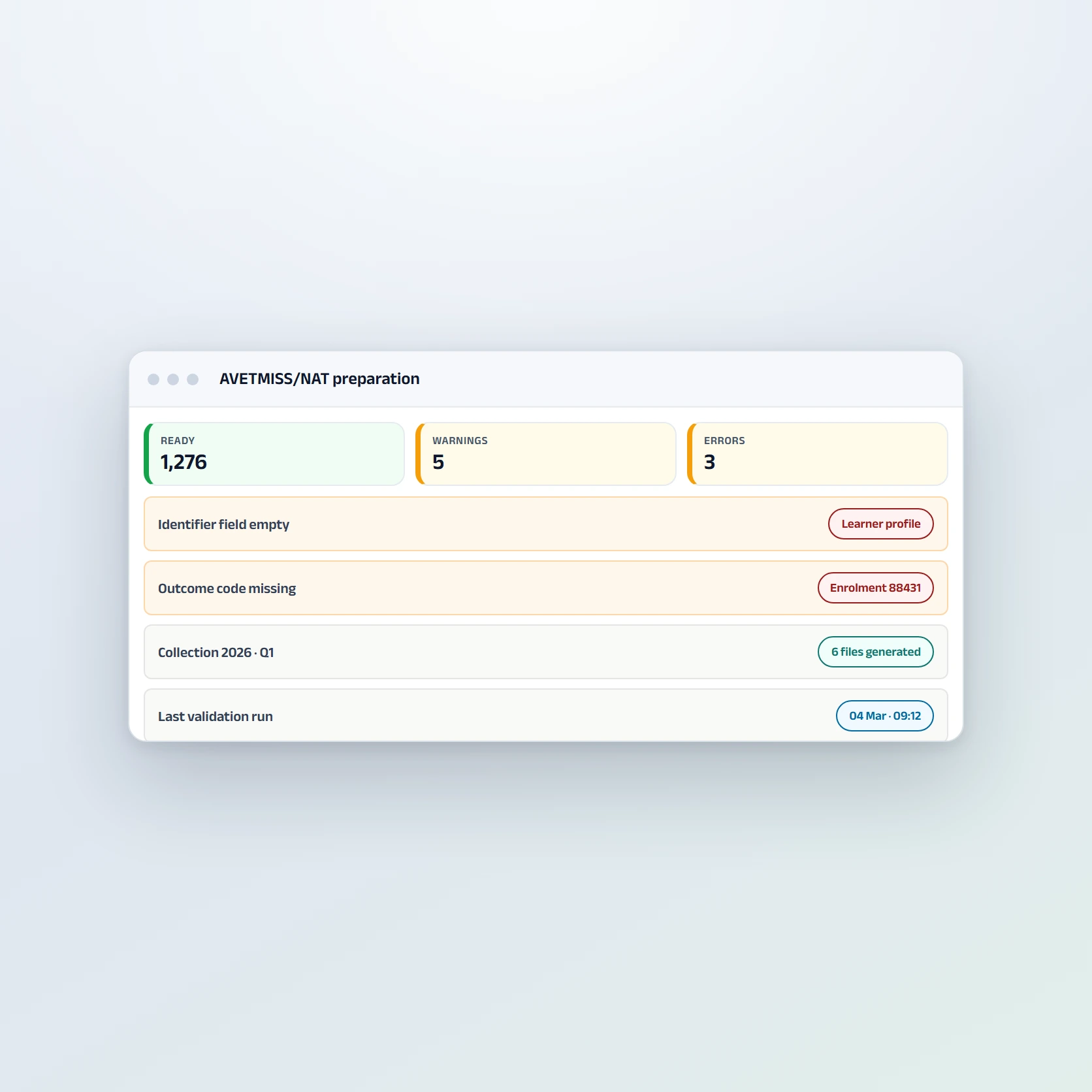
Run Academyship pre-export checks and show supported errors or warnings by record, field and file so staff can return to the source record.
| Record | Field | Source | Type |
|---|---|---|---|
| R. Okonkwo | Identifier | Student profile | Error |
| Enrolment 88431 | Outcome code | VIT30120 · VITU014 | Error |
| Enrolment 88507 | Activity dates | VCN30220 · VCNU007 | Error |
| A. Whitfield | Date of birth | Student profile | Warning |
| Westfields workshop | Postcode | Delivery location | Warning |
| Collection scope | — | 1,276 records ready | Ready |
| Export | Scope | Records | Outcome |
|---|---|---|---|
| NAT-0142 | 2026 Q1 | 1,284 | 5 warnings |
| NAT-0139 | 2025 full year | 4,910 | Clean |
| NAT-0131 | 2025 Q3 subsidised | 1,077 | Clean |
| NAT-0126 | 2025 Q2 | 1,102 | 2 warnings |
| NAT-0118 | 2025 Q1 | 988 | Clean |
| NAT-0110 | 2024 full year | 4,415 | Clean |
Collection Scope
Keep national and jurisdiction requirements clear
Configure the collection period, jurisdiction context, funding and reporting scope supported by the live product.
Export History
Know what was prepared, when and by whom
Keep the collection scope, record counts, operator, generated files and outcome of each supported export. Validation and lodgement remain RTO steps through the applicable reporting pathway.
Built for compliance managers, student administration and the staff who carry the reporting deadline
All names, figures and records shown here are fictional demonstration data.
Keep fee-for-service, subsidised and employer-funded activity connected to the student and offering records that create the account.
Give students clear access to supported invoices, instalments, eligible payments and receipts.
Fee-for-service, subsidised and employer-funded delivery in one view.
Track supported fee arrangements against the relevant student, employer and offering without separating the finance record from delivery.
Invoices, instalments, payments and receipts in one account view.
Students can view supported invoices, pay eligible amounts, see payment status and access receipts through the portal.
| Student | Invoice | Amount | Status |
|---|---|---|---|
| S. Almeida | INV-20841 | $640 | Paid |
| S. Almeida | INV-20977 | $640 | Paid |
| S. Almeida | INV-21104 | $640 | Due |
| T. Ngata | INV-21008 | $720 | Overdue |
| J. Ferreira | INV-20903 | $980 | Paid |
| A. Whitfield | INV-21130 | $640 | Scheduled |
Base reminders and action on the current account status.
Set supported instalment schedules, see paid and overdue amounts, record available adjustments and keep follow-up attached to the account.
All names, figures and records shown here are fictional demonstration data.
Generate certification, signed forms and correspondence from the structured student and outcome data already maintained in Academyship.
All names, figures and records shown here are fictional demonstration data.
Generate testamurs, statements of attainment and records of results from structured student and outcome data. Support authorised templates, bulk generation and multi-page unit listings.

Use digital signing for supported enrolment forms, training plans, RPL declarations, agreements and approvals with clear status and history.

Prepare offer letters, training plans, results notices, evidence requests, payment reminders and completion advice using approved internal templates and live fields.
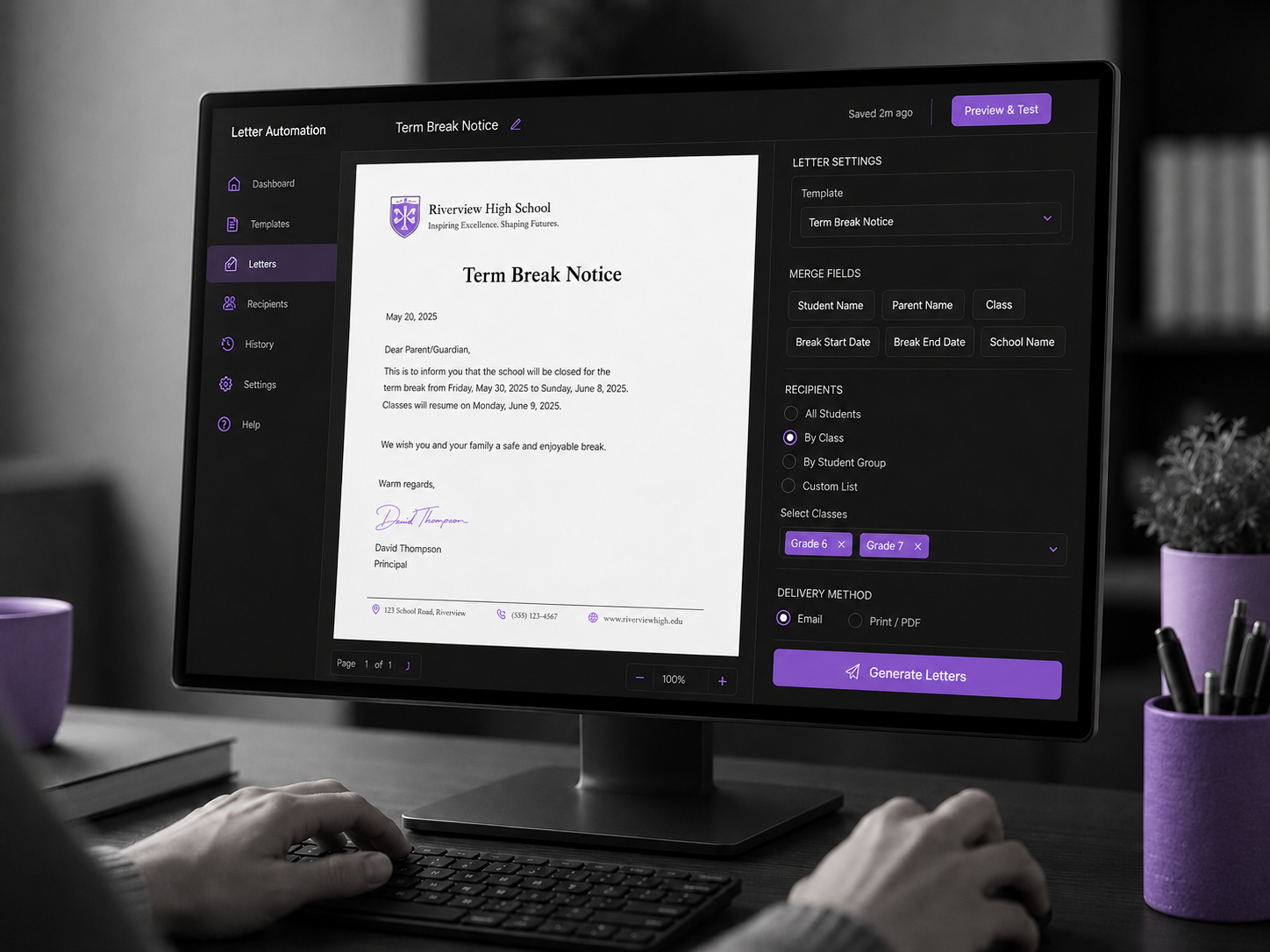
Prepare AVETMISS data from connected learner, enrolment, course, unit and training activity records. Review errors and warnings, open the exact source record requiring correction, then generate supported NAT files with a complete collection and export history.
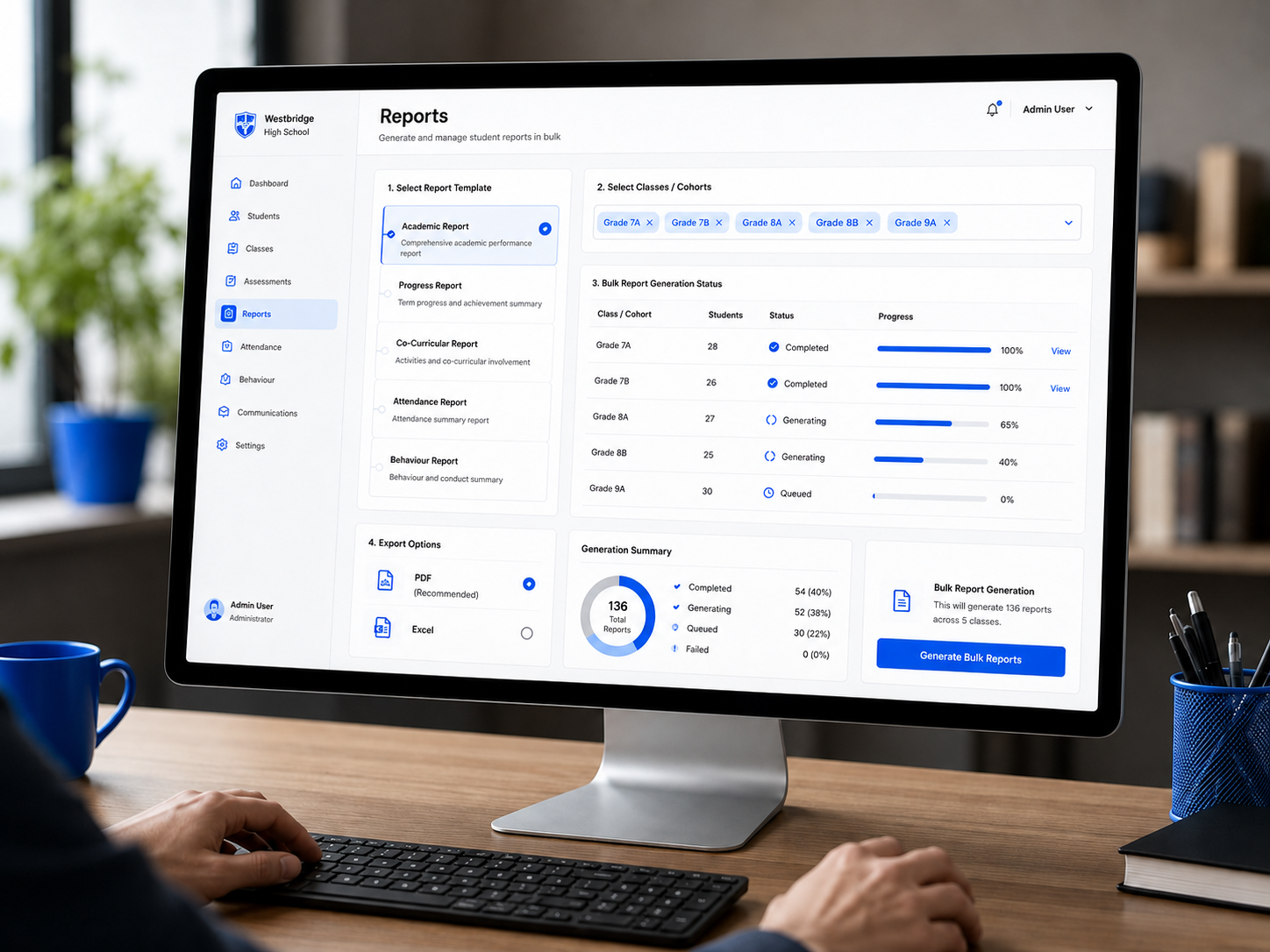
Coordinate reviews, deadlines, reporting work and operational follow-up without adding another disconnected tracker.
All names, figures and records shown here are fictional demonstration data.
Run validation follow-up, resource reviews and credential renewal as owned work with dates and closure evidence.
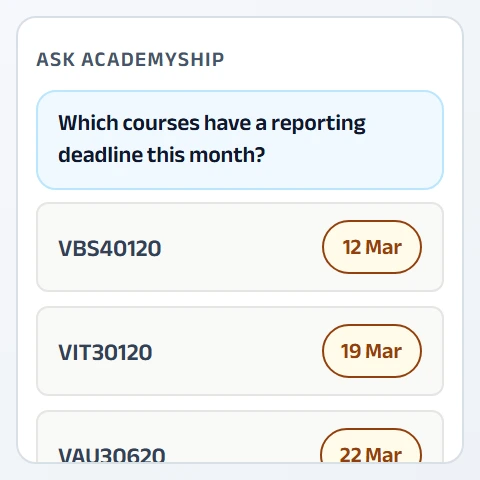
Ask supported questions across connected records, such as upcoming reporting work or credentials requiring review.
Keep intakes, validation activity, credential reviews and reporting dates on one operational calendar.
Track supported allocation of workshop, training-room and workplace-delivery equipment.
Apply verified access, audit, encryption, backup and identity controls across student, workforce, finance and compliance records.
Detailed scope and availability belong on the Security page and must match the live platform.
Academyship for RTOs inherits Academyship’s platform security, access control and data-handling practices. They apply across the product, not just to this module, and they are documented in one place.
Control which authorised roles can view, edit, approve or export supported records and actions.
Use documented backup, recovery, monitoring and alerting processes to support platform continuity.
Retain supported history for approvals, configuration changes and key actions requiring traceability.
Protect supported data in transit and at rest through the platform’s documented encryption controls.

Support documented MFA options for eligible staff accounts.
Australian-region hosting is available by arrangement. Confirm scope and availability with Academyship.
Selected not-for-profit, community, regional and high-impact training providers may express interest in additional access support outside standard plans.
Eligibility, scope and any support offered are determined through the Access Program.
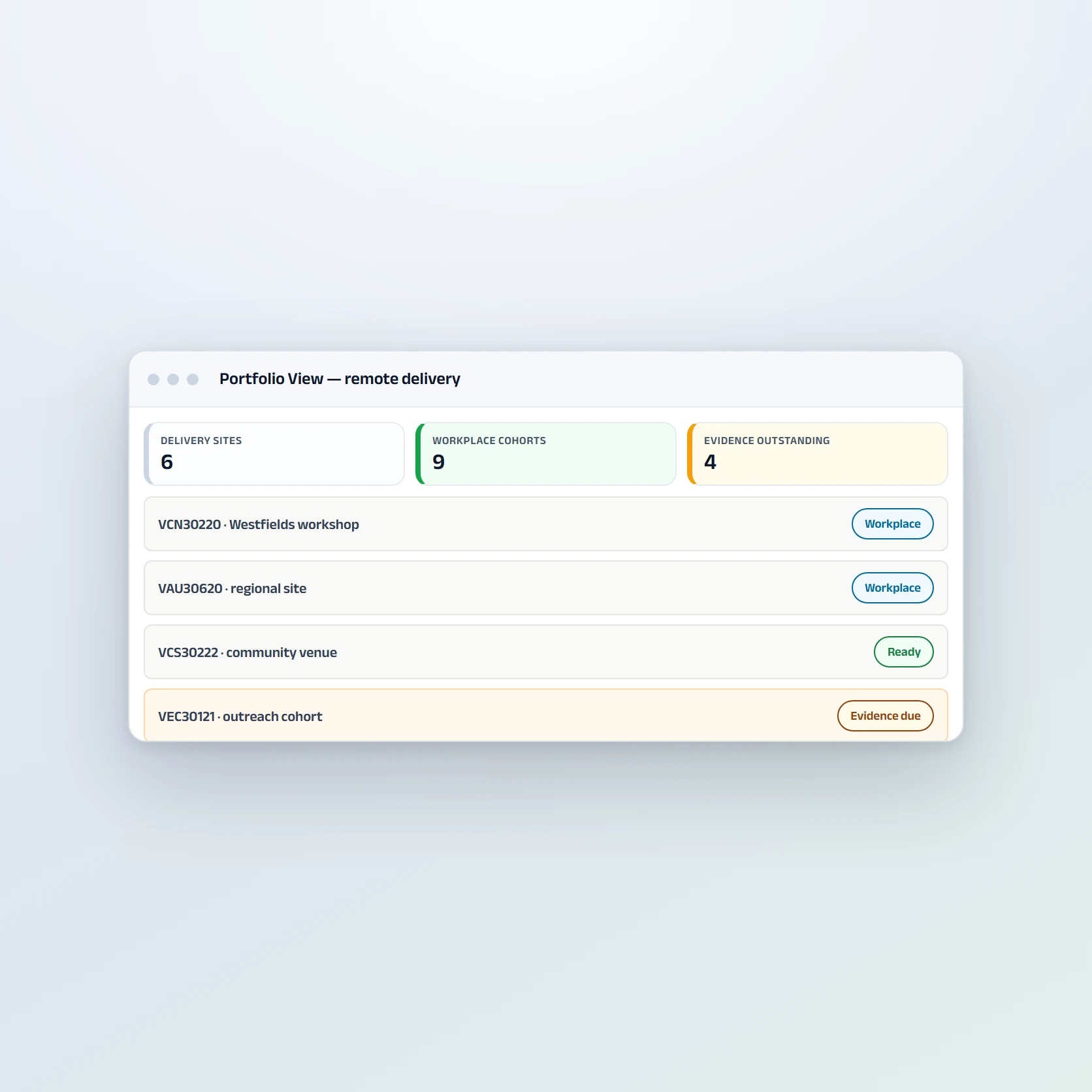
No. Software cannot guarantee compliance, registration or an audit outcome. Academyship helps organise records, responsibilities, risks, reviews, workforce evidence, student support and improvement actions. Each RTO remains responsible for interpreting and meeting its obligations with the applicable regulator.
Academyship provides connected workflows relevant to training and assessment, VET student support, the VET workforce, governance, compliance records and credential visibility. The RTO decides how those workflows are configured and how its evidence demonstrates the required outcomes.
Academyship can import the training-product information supported by its live Training.gov.au integration, including available course and unit structure. Confirm the exact fields, release handling and update behaviour during the demo.
Yes. Supported course resources can be connected to courses and units with version, owner and review information. RTOs can also configure supported RPL workflows, collect student forms and evidence through the portal, route gaps and retain assessor decision history.
Academyship can prepare supported reporting data and NAT outputs and run supported pre-export checks. The RTO must confirm the required release, file set, jurisdiction, validation and lodgement pathway for its reporting obligations.
The supported USI workflow includes individual and bulk verification, result queues and retained processing history. Permission and privacy requirements differ between verifying a supplied USI and finding, creating, updating or accessing other USI information.
Academyship can apply configured readiness checks before authorised issuance, including completed outcomes, USI or an applicable exemption, agreed fees, evidence, quality review and holds. Supported issue and reissue history remains connected to the student record.
Self-service templates and guided migration options are available for supported data. The final scope depends on the source systems, purchased package, available history, documents and data quality.
Plan availability can change. Use the current Pricing page or speak with Academyship to confirm USI, AVETMISS/NAT, migration, security and other RTO-specific capabilities for the selected plan.
BUILT FOR MODERN RTOs
Book a guided walkthrough and we’ll map Academyship against your courses, resources, RPL kits, Student Portal, document collection, payments, USI workflow, AVETMISS/NAT reporting, certification and rollout requirements.
Book a Demo View Pricing