One sheet says what good looks like.
Academics & Academyship Homework
Turn Every Task Into Visible Learning Progress.
Create the work, reach the right learners, collect every submission, and move from evidence to feedback without losing the class in between.
Set it. Submit it. See the learning.
Every file lands in one place.
The expectation is what gets measured.
A pattern you can act on today.
Written on the work it is about.
A clear result for every learner.
The invisible work
The Work Is Assigned. The Learning Disappears in the Gaps.
Briefs live in one place and files in another, late work arrives quietly, group contribution blurs, and feedback becomes a chase. The real workload is everything between ‘sent’ and ‘understood.’
Homework should reveal progress — not create detective work.
- One task carries its class, resources, deadline and marking structure.
- Every submission arrives against the task it belongs to.
- Feedback stays on the work, so the next attempt can use it.
A brief with nowhere to belong
Posted with no class or subject attached. Nobody can say who it was for.
No learning context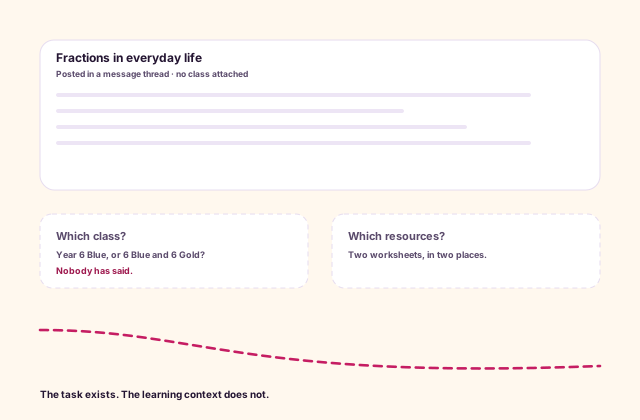
Evidence in six places
Email, a drive, a tray, a photo. Marking starts with reconstruction.
Scattered submissions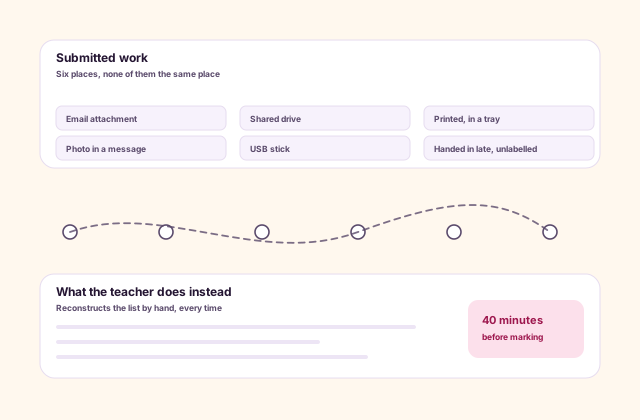
A deadline that says nothing
No reminder for the learner, nothing for the guardian. Four miss it.
Silent expectations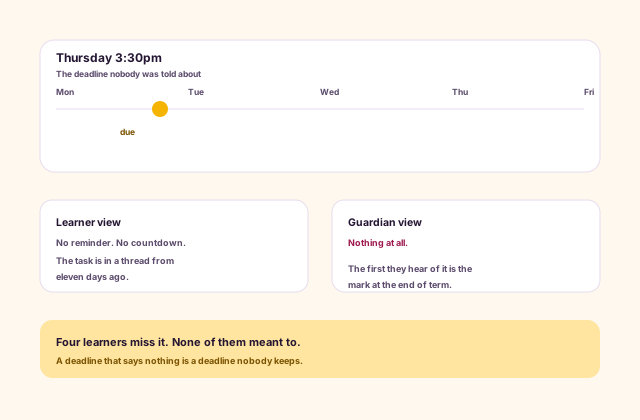
Feedback nobody found
Written on the page, sent again as a message, read by nine of twenty-eight.
Lost response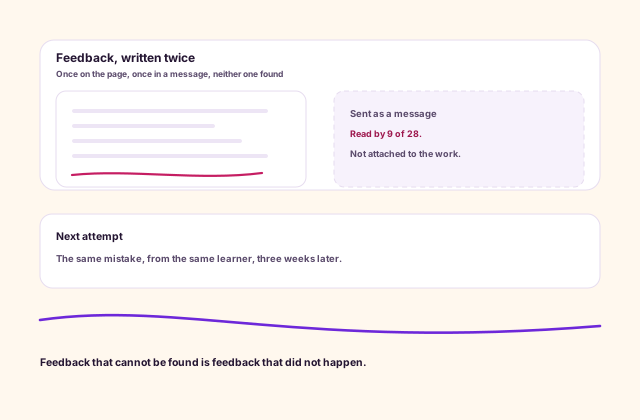
One learning loop
Every Handoff Connected. Every Next Step Visible.
Homework links the task to the exact class, resources, individual or group evidence, marking method, feedback and progress view that follow.
What the task is aimed at
- Campus, year level, class, section, unit, subject
- Learners, or groups you form
- Resources, including staff-only material
- A release moment and a deadline
What Homework does with it
- Publishes the brief to that audience
- Collects files and answers against it
- Holds the rubric that measures it
- Keeps draft and released apart
What comes back out
- An evidence list for the class
- A rubric result per learner or group
- Feedback attached to the work
- A released grade, once released
How a task moves
From the First Instruction to the Next Better Attempt.
Seven steps take one task from a teacher’s first instruction to a learner’s next attempt.
-
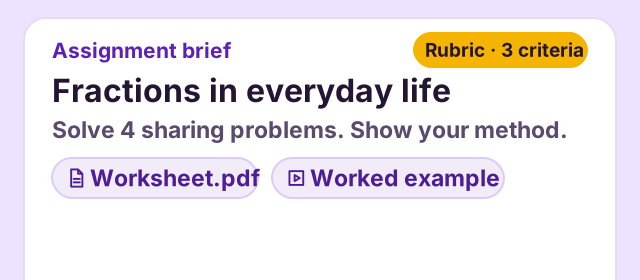
Build
Give students a clear brief, the right resources and a clear starting point. Write the instructions once, then attach the worksheet, worked example and rubric.
-
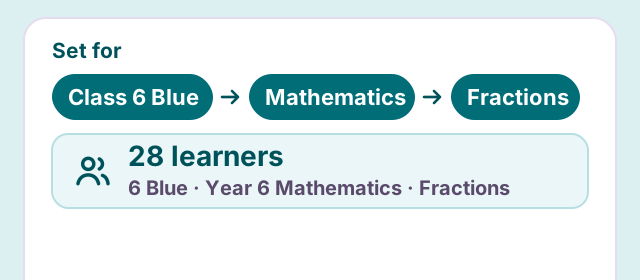
Target
Connect the task to the class, subject and learners it belongs to. Pick the class, subject and unit, and see who it is set for.
-
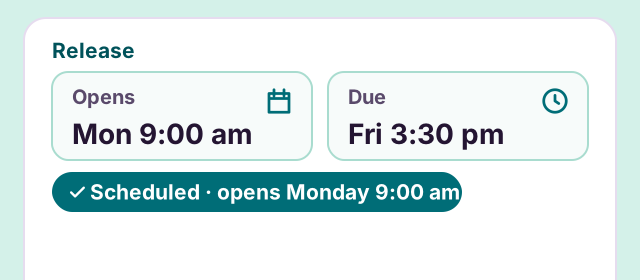
Publish
Choose when work opens and make the deadline easy to find. Schedule the release, and give learners a due date that sits right beside the task.
-
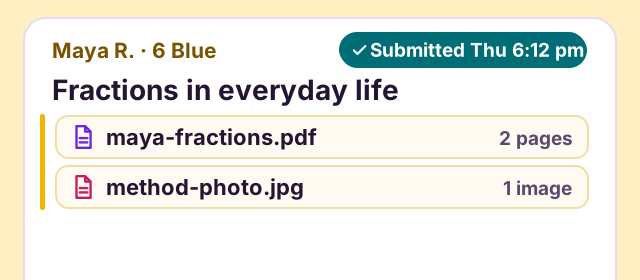
Submit
Keep students’ answers and files attached to the task. Each submission arrives against the right assignment, with the time it came in.
-
Review
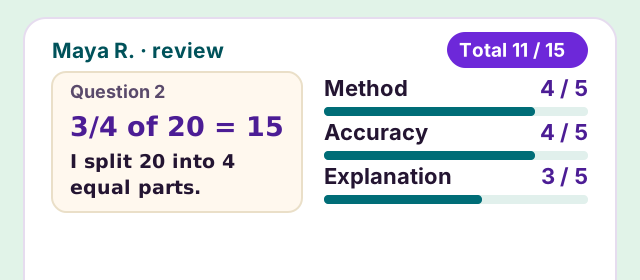
Bring the work and the marking criteria together for a considered judgement. Score each criterion against the evidence, and hold the result as a draft.
-
Return
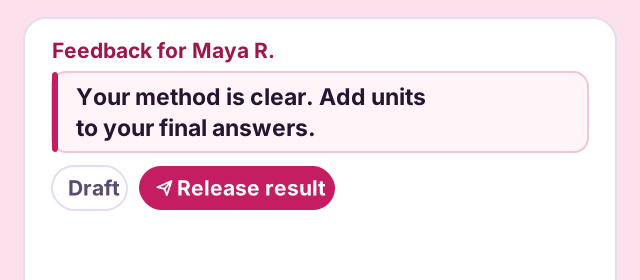
Give each learner specific feedback they can use. Start from a saved comment, make it about this piece of work, then release the result.
-
Improve
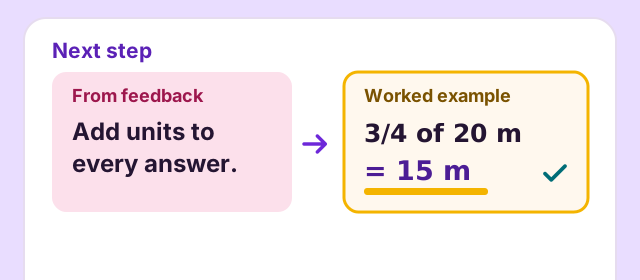
Make the next step clear enough to put into practice. A worked example beside the feedback shows what a better answer looks like.
Assignment Studio
Set the Task. Make the Next Step Obvious.
Give students more than a deadline. Bring the brief, learning resources, class context and marking expectations together, so they know what to do, where to begin and how their work will be reviewed before they start.
-
A brief students can act on
Put the instructions and supporting resources together, so the task is clear from the first read.
-
The right work for the right class
Connect the assignment to its academic context and choose the learners it belongs to.
-
Expectations made visible
Bring the due date and assessment approach into the same preparation workflow.
Year 6 · Mathematics · 6 Blue
Fractions in everyday life
Instructions
Solve the four sharing problems. Show your method and include units in every answer.
Resources
- Worksheet.pdf PDF
- Worked example Video
- Set for
- 6 Blue · 28 learners
- Due
- Friday · 3:30 pm
Assessment
- Method
- Accuracy
- Explanation
One workspace
Move From Planning to Proof Without Changing Systems.
Browse work, reuse templates, form groups, follow submissions, evaluate evidence, manage rubrics and read progress.
Academyship
01
All Work & Templates
See every task across classes and subjects, then turn successful work into reusable templates. Drafts, published tasks and repeatable structures stay easy to find in one workspace.
- Every task by class and subject
- Reusable task templates
- Draft and published tasks
Academyship
02
Groups & Variations
Build learner groups, give each group its own version of the brief and collect one shared submission. Teachers can run group work without a separate task for every group.
- Form and edit groups
- Variation sheets per group
- One shared submission each
Academyship
03
Submissions
See exactly who submitted, what they sent and when it arrived. Written answers, attached files and missing-work flags give teachers a clear queue for review and follow-up.
- Files and written answers
- Submission times to the minute
- Nothing-in and follow-up flags
Academyship
04
Evaluation & Rubrics
Bring the marking queue, assessment criteria and reusable feedback into one workflow. Teachers reach a clear judgement and return feedback without jumping between records.
- The marking queue
- Rubric templates and weights
- Reusable feedback bank
Academyship
05
Progress & Export
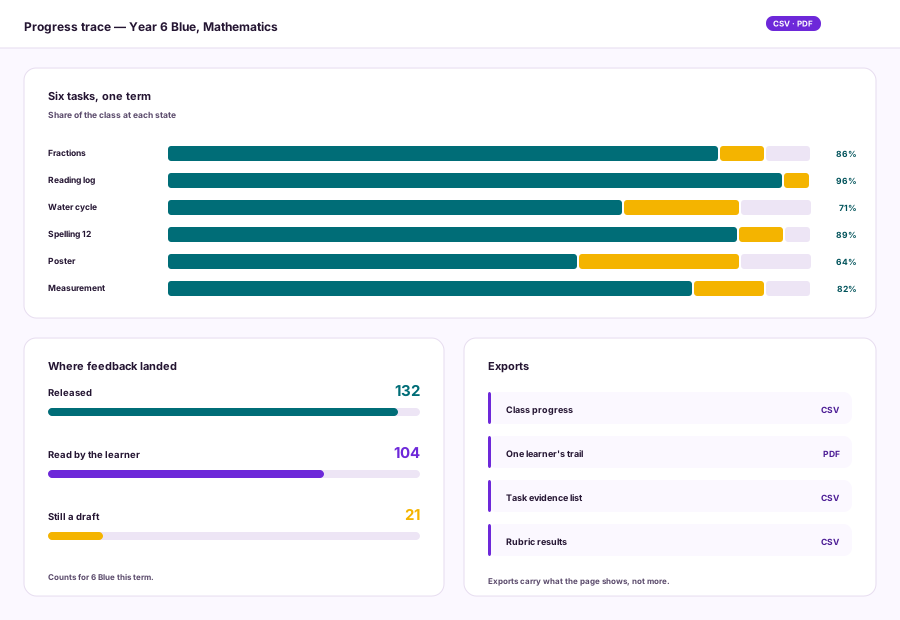
Follow class and learner progress across the term, including which feedback has been released and read. Export the useful records to CSV or PDF whenever the work needs to travel.
- Class and learner progress
- Feedback released and read
- CSV and PDF export
Scroll sideways, or use the arrow and Home and End keys.
Class view
See the Whole Class Before the Gaps Become Problems.
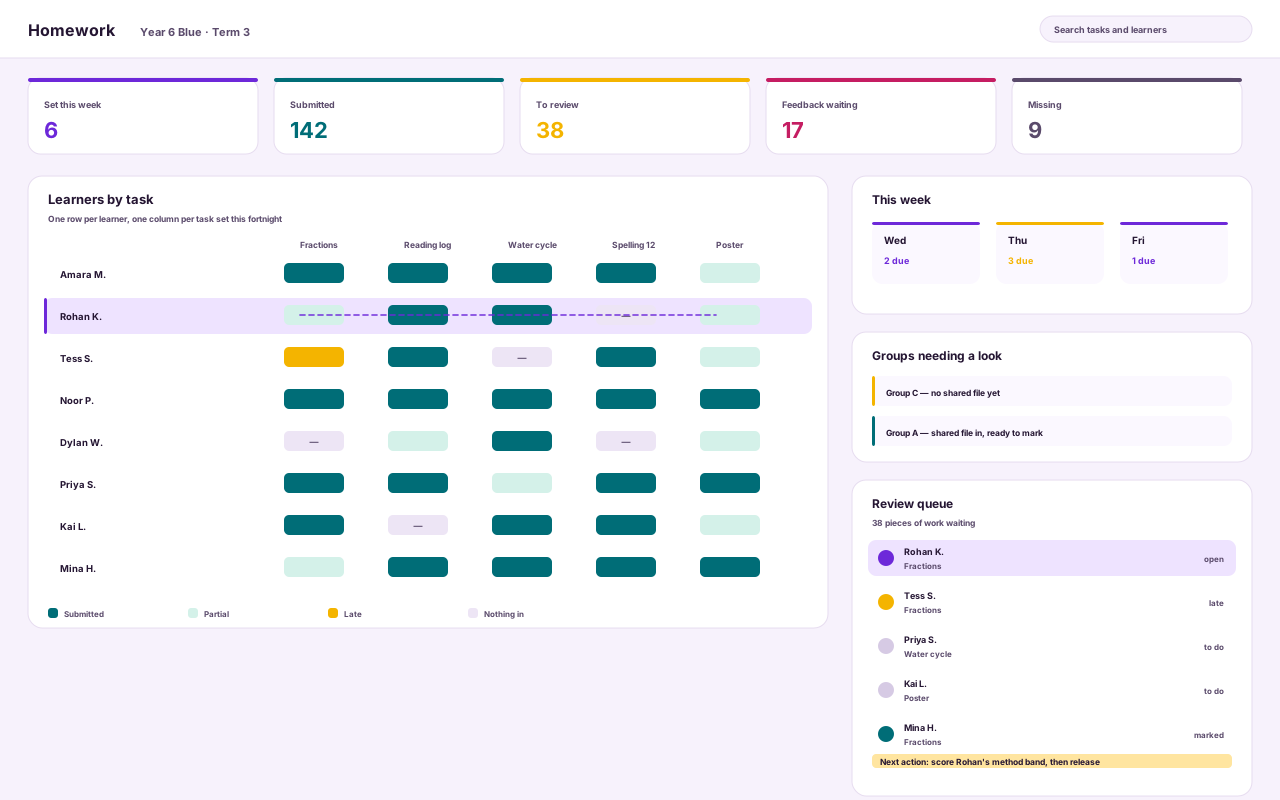
Read who has work in, who is missing, what needs review, where feedback is waiting and which group needs attention — without opening every learner one by one.
1
Five numbers, one week
Set, submitted, to review, feedback waiting, missing. The last two need you today.
2
The class as a pattern
One row per learner, one column per task. Gaps line up vertically when a task went wrong, horizontally when a learner did.
3
One learner, lit across the row
Selecting a learner connects status, evidence and the next action.
4
Groups that need a look
Groups with no shared file yet, and groups ready to mark, show here first.
5
What to mark next
The queue names the next action, not just the count.
Fictional institution: every learner, class, group, file and mark here is invented, and every interface is a reconstruction.
Review and feedback
See the Work. Make the Judgement. Give a Clear Next Step.
Keep the student’s submission, assessment criteria and feedback together while you review. Move from evidence to a considered result, reuse comments where they help, and make the next step specific enough for the learner to act on.
Submitted work
maya-fractions.pdf · page 1
Question 2 · What is 3/4 of 20?
3/4 of 20 = 15
I divided 20 into four equal parts, then took three parts.
Rubric
- Method 4 / 5
- Accuracy 4 / 5
- Explanation 3 / 5
Total 11 / 15
Feedback
Your method is clear. Add units to your final answers and explain why you chose each operation.
Feedback bank Check your units Explain your choice
Draft
Not yet released
Release result
Submitted work
ava-fractions.pdf · page 1
Question 3 · What is 2/5 of 30 slices?
2/5 of 30 = 12 slices
30 ÷ 5 = 6, so two fifths is 12 slices.
Rubric
- Method 5 / 5
- Accuracy 5 / 5
- Explanation 4 / 5
Total 14 / 15
Feedback
Clear working, with units throughout. Next time, say why you divided first.
Feedback bank Explain your choice
Draft
Not yet released
Release result
Example marking view
-
Keep the evidence in view
Review the submitted work while you apply the criteria, with less context to reconstruct.
-
Make feedback useful
Start from a reusable comment when it fits, then explain what this learner should improve.
-
Stay in control of the result
Review the judgement and feedback before sharing them with the learner.
The learner journey
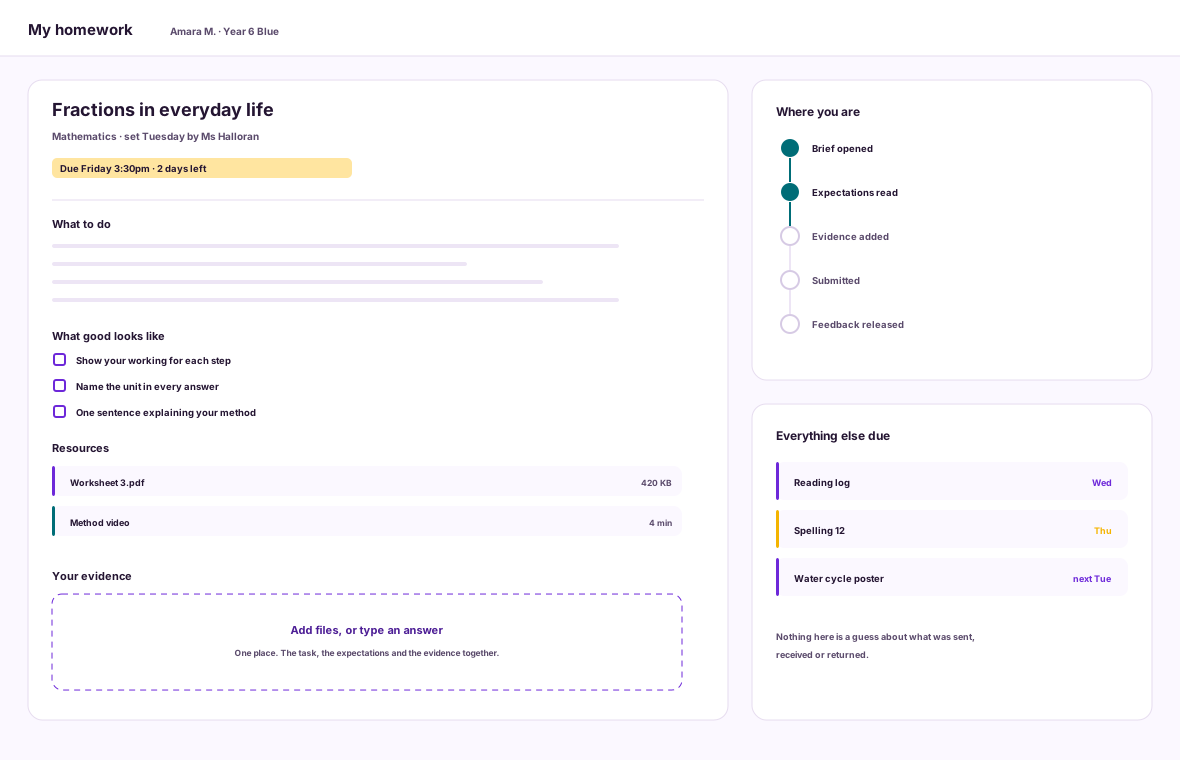
Open the Brief. Know What Good Looks Like —
The task, the expectations and the evidence in one place.
The brief arrives with its resources, its deadline and the criteria it will be measured against, and evidence is added on the same screen.
Expectations read before starting separate a task attempted from a task understood.
- Open the brief, resources attached
- Read what good looks like
- Add files or an answer
- Submit, and see it arrived
Capability example
The learner journey
Read the Feedback. Know the Next Step —
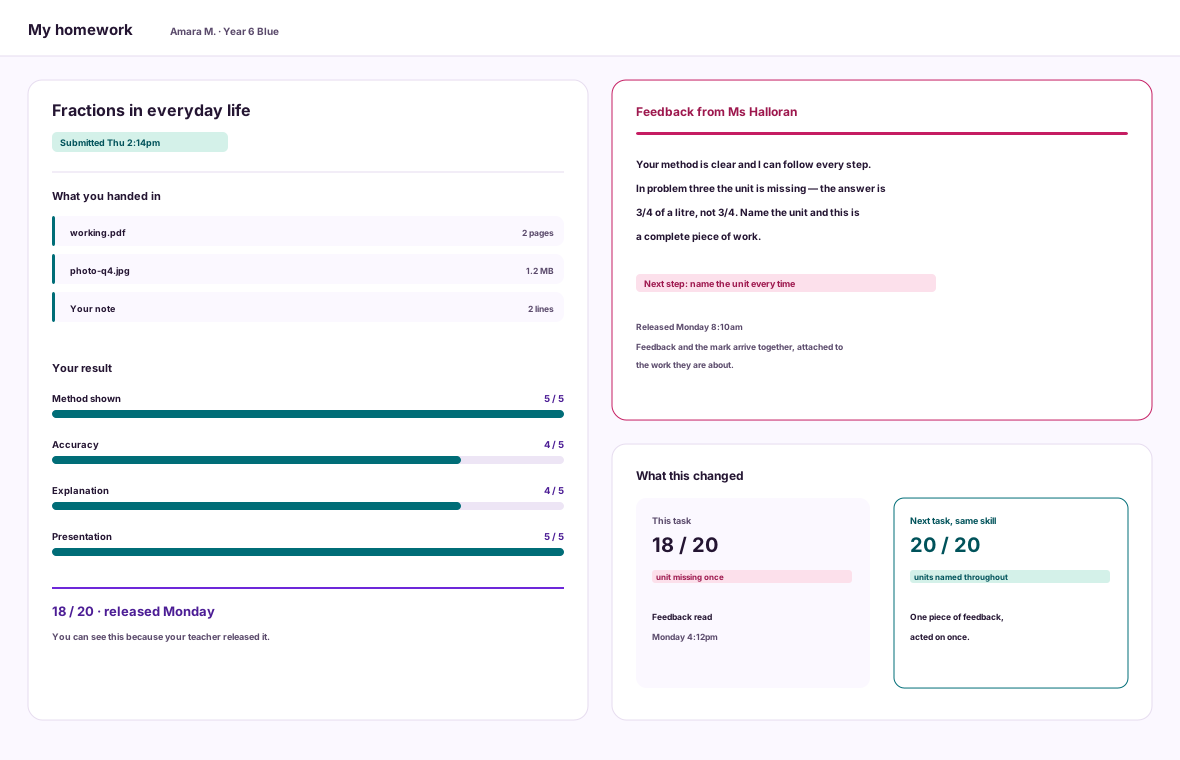
The mark and the response arrive together, on the work itself.
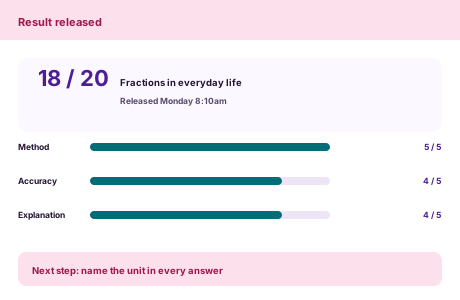
Until the teacher releases it the learner sees the work was received and is under review. On release, the result and the feedback arrive attached to the evidence.
No guessing what was sent, received or returned — and one next step to act on.
- See the work was received
- See the review state, not a draft mark
- Read the result band by band
- Act on one next step
Capability example
Evidence that travels
Every Task Leaves Useful Evidence Behind.
A clear brief becomes learner evidence; evidence becomes a rubric judgement; judgement becomes feedback, a released result and a stronger view of progress.
For the class
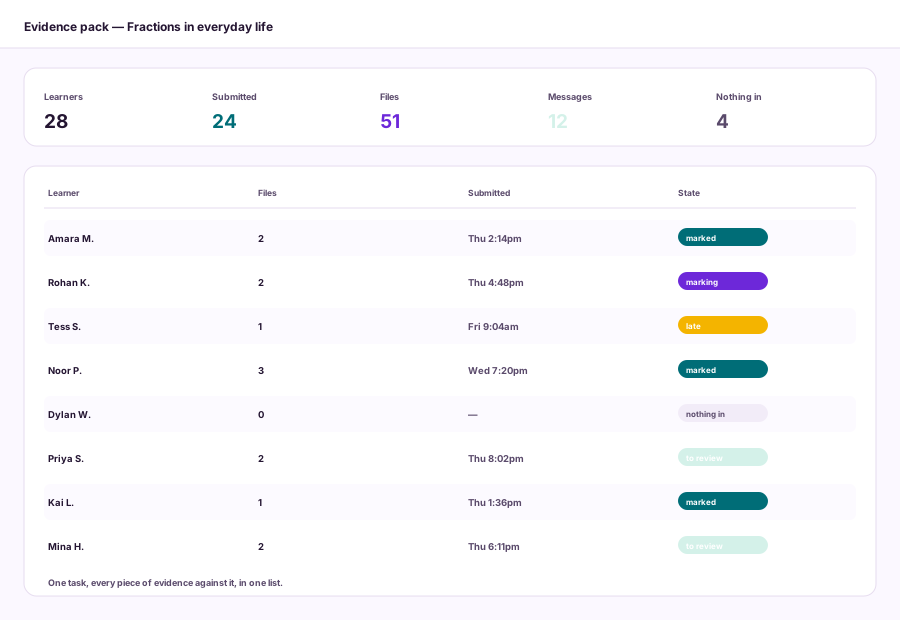
- Task evidence list — CSV
- Who has nothing in — CSV
- Submission times — CSV
- Class progress view — On screen
For the learner
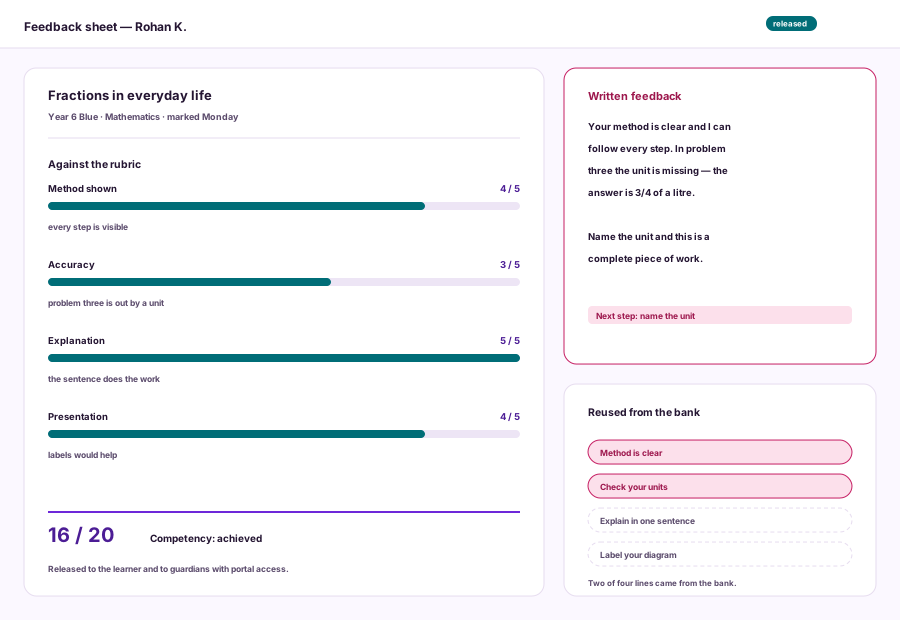
- Rubric result — PDF
- Released feedback — PDF and Portal
- One learner's trail — PDF
- Their own evidence — Portal
For the institution
- Rubric results by class — CSV
- Feedback released and read — CSV
- Task and template use — CSV
- Archive and restore log — On screen
Every export comes from the work itself: what was set, what came back and what the feedback said.
Group assignments
One Shared Submission. A Clear Result for Every Learner.
Bring the group’s brief, variation and submitted work into one clear view. Assess the shared outcome, keep individual results understandable, and record the reasoning behind a teacher’s adjustment when the work calls for a different judgement.
-
One place for the group’s work
Keep the submitted files connected to the task and the group responsible for them.
-
Variation without confusion
Make it clear which version of the brief belongs to each group.
-
Teacher judgement stays central
Record individual results and the reason behind an adjustment.
Water cycle poster Variation B
Brief Explain evaporation and condensation.
water-cycle-poster.pdf Shared submission
Group rubric 17 / 20
| Learner | Result | Teacher note |
|---|---|---|
| Maya R. | 17 / 20 | Group result |
| Leo T. | 17 / 20 | Group result |
| Ava S. | 15 / 20 | Teacher adjustment Reason: Individual explanation needs more detail. |
Built for the work in front of you
Fit the Work to the Learning — Not the Other Way Round.
Move from a quick practice task to a rubric-led assignment or a differentiated group challenge while keeping the same coherent learning loop.
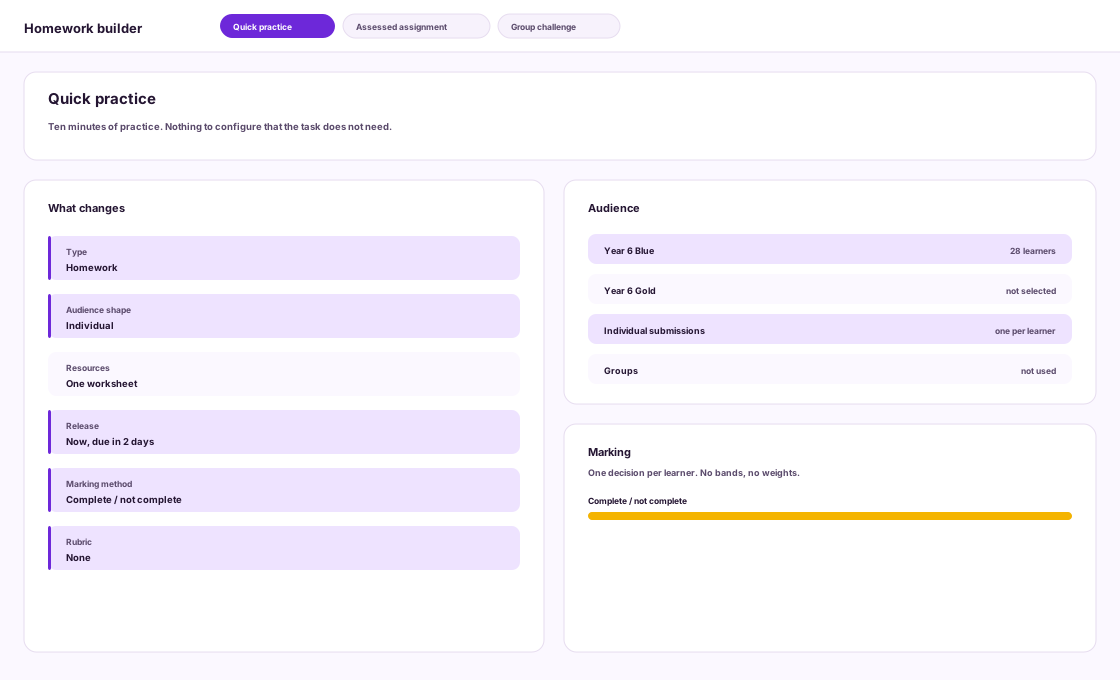
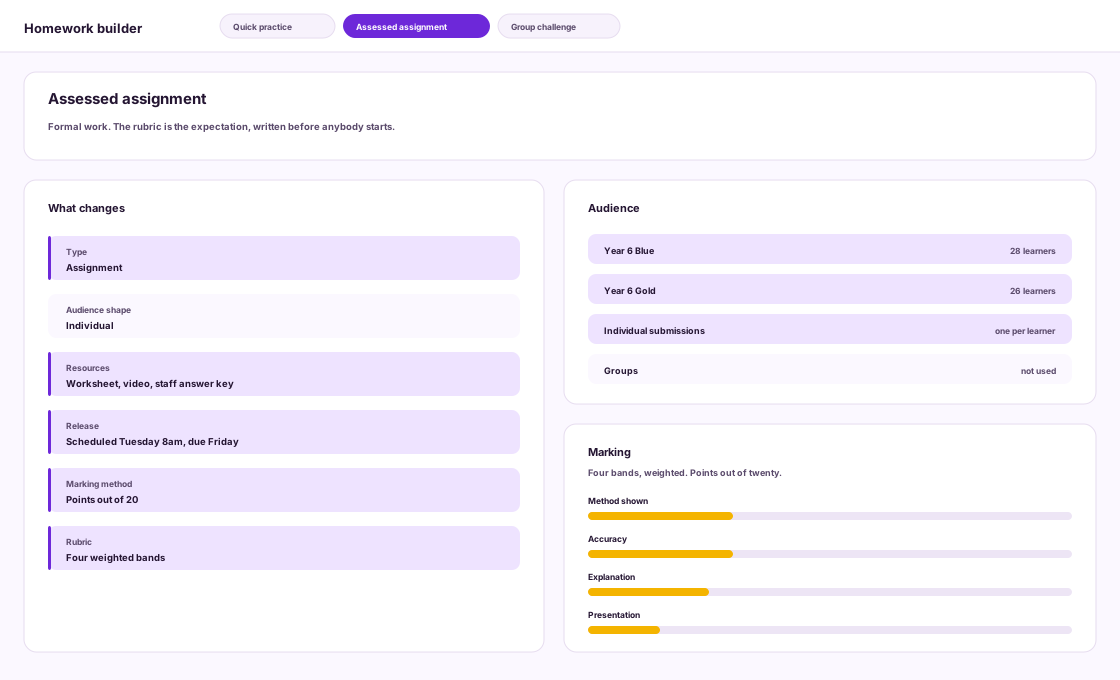
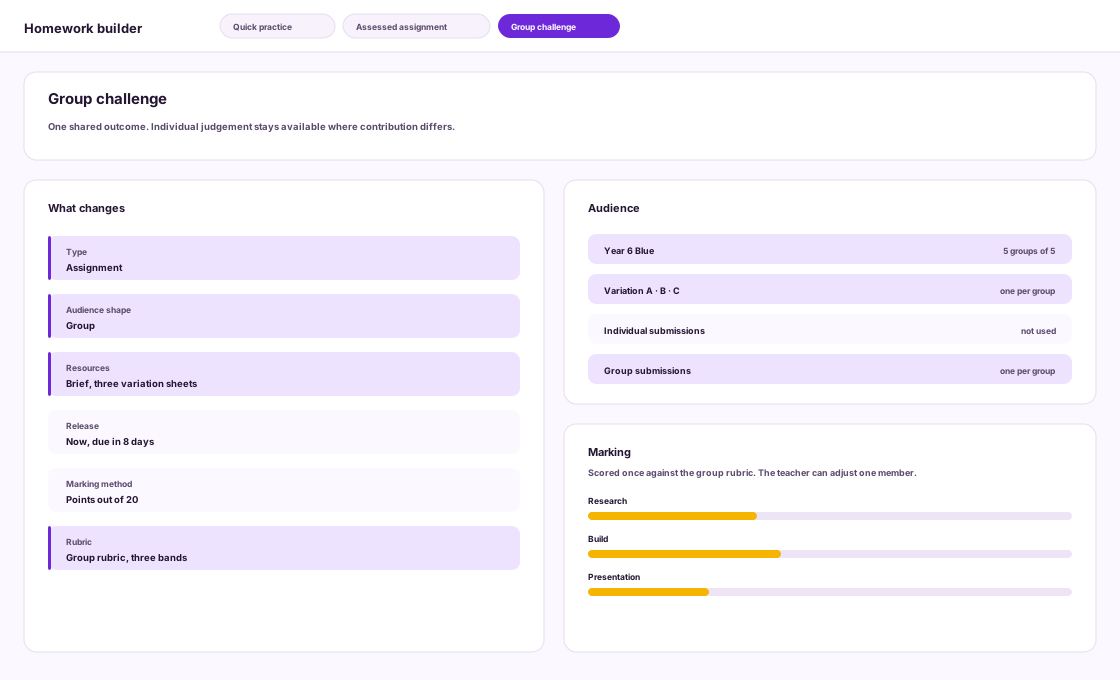
Simple when it should be. Structured when it matters.
The right view for every role
The Right Work Reaches the Right People — With the Right View.
Each role works from the same task, with the view it needs.
Lane
Teachers
Set the work. Review the response.
- Build, target and publish tasks
- Assess submissions and return feedback
What teachers control
Teachers prepare the task, review the submitted work and decide when results and feedback are ready to share.
Lane
Learners
Know what to do and what comes next.
- Open instructions, resources and criteria
- Submit work and read released feedback
What learners work from
Learners receive the task context, supporting resources, deadline and feedback connected to their work.
Lane
Guardians
Follow their learner’s work.
- See the task information available to them
- Follow outstanding work and released results
What guardians can follow
Guardians receive the appropriate view of the learner’s task and the updates made available through their role.
Lane
Managers
Understand the picture across classes.
- Review task activity across classes
- Follow completion and feedback patterns
What managers can review
Managers use the information available to their role to understand how tasks and feedback are progressing across classes.
Lane
Administrators
Keep the workflow organised and controlled.
- Manage templates and tasks across classes
- Control access through assigned permissions
What administrators manage
Administrators support the Homework setup and access model according to the permissions configured by the institution.
Lane
Automation
Handle timing without making the judgement.
- Open scheduled tasks at the selected time
- Keep draft and released states separate
What automation does not decide
Automation supports workflow timing and status changes. It does not mark work, detect plagiarism or judge individual contribution.

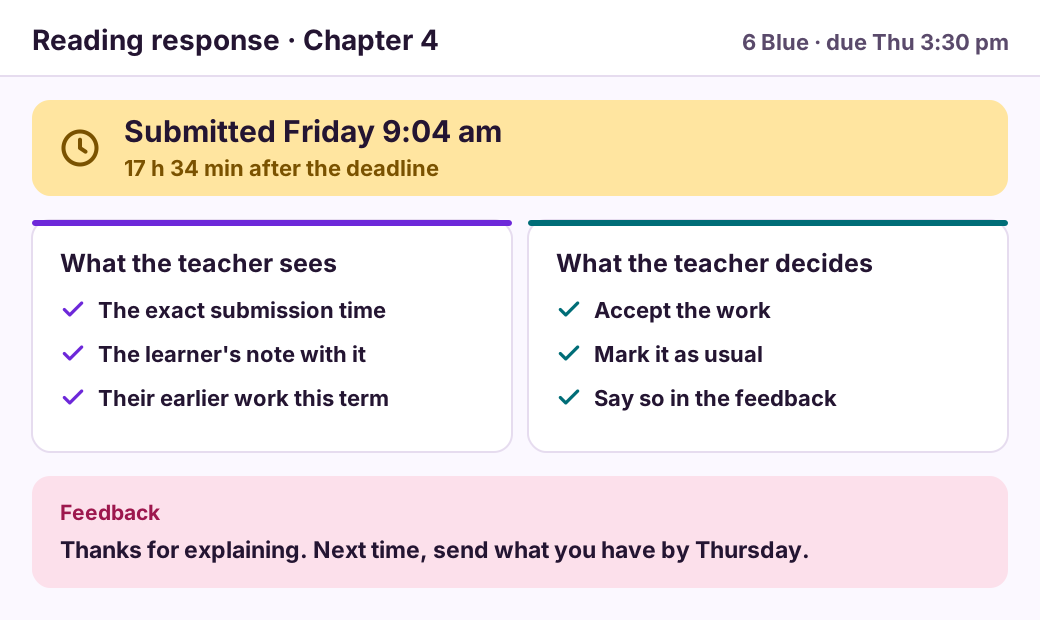
Work that arrived late
A reading response arrived seventeen hours after its Thursday deadline. The teacher sees the time and decides what happens next.
Homework applies no automatic penalty or refusal.
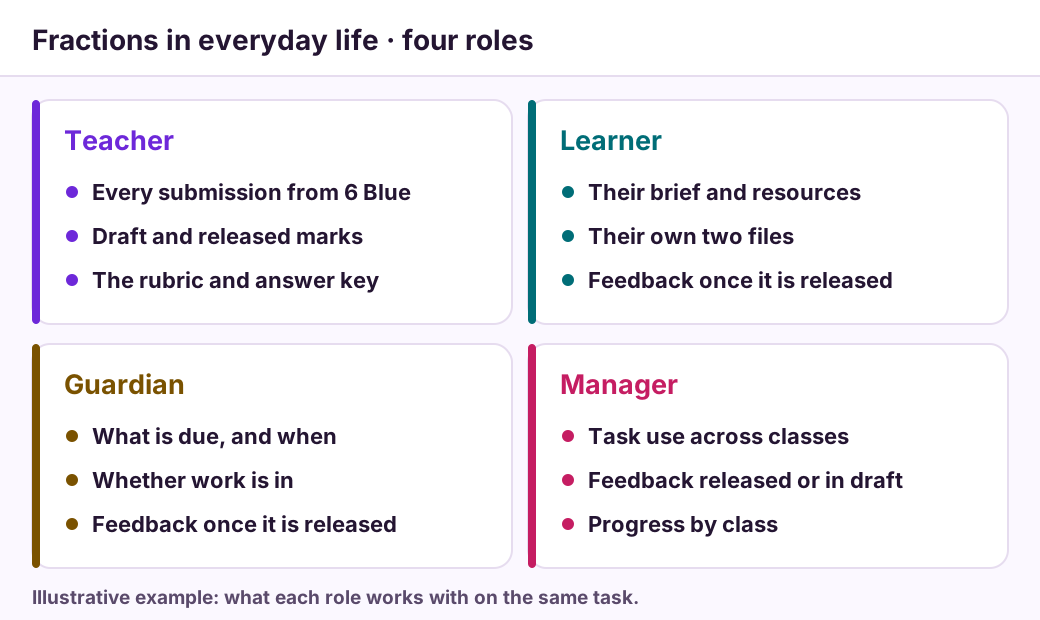
The same task, four roles
Four roles open the same task, each with what it works with.
An illustrative example with a fictional class.
1 of 2
Details that keep work moving
The Small Controls That Make a Complete Learning Workflow.
Less chasing. Better evidence. Sharper feedback.
-
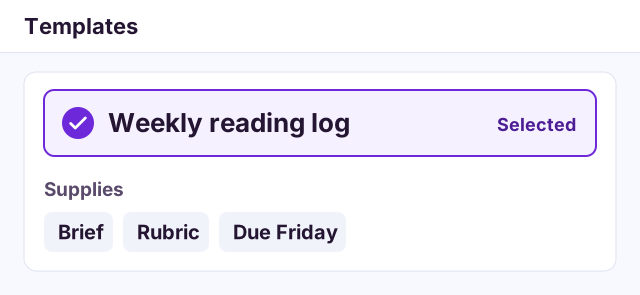
Task templates
Start from a structure that worked, with the brief, rubric and due day already in place.
-
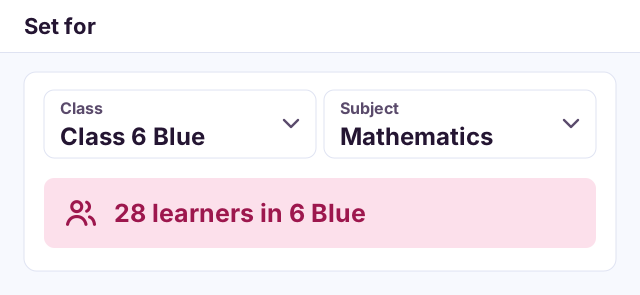
Academic targeting
Choose the class and subject, and see exactly who the task is set for.
-
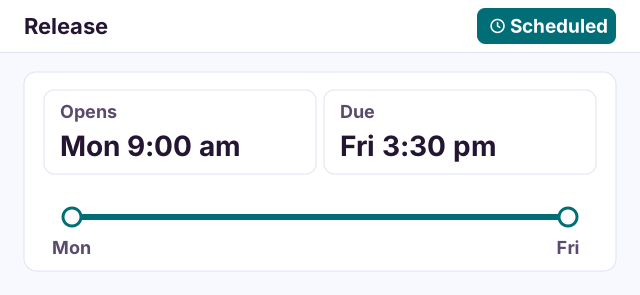
Scheduled release
Set when a task opens and when it is due, as two clear dates.
-
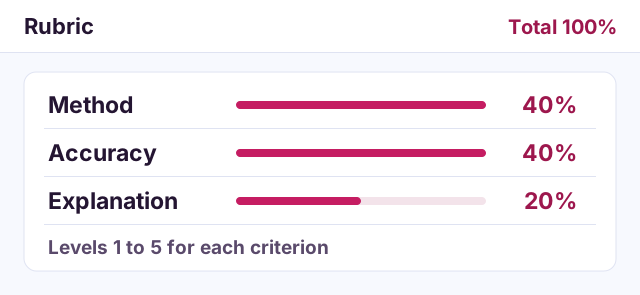
Rubric builder
Name the criteria, weight them and describe each level before marking starts.
-
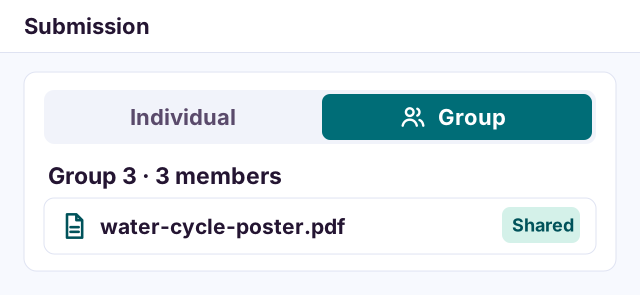
Individual or group
Set work for one learner, or for a group sharing one submission.
-
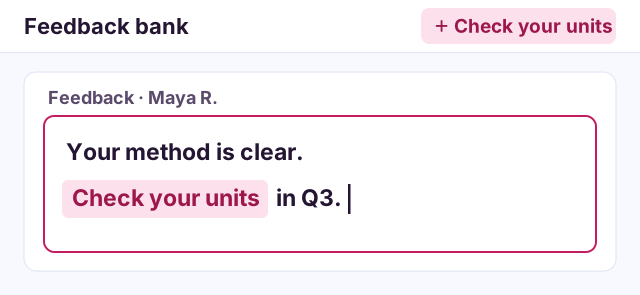
Feedback bank
Save the comments you use often, insert one, then make it specific.
-
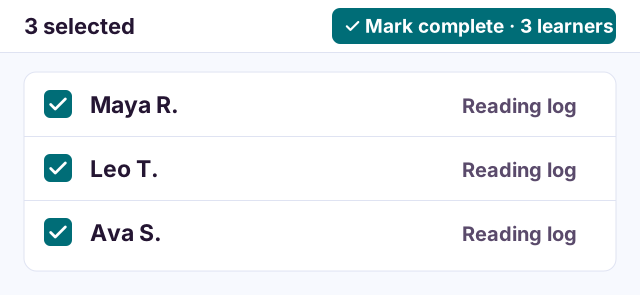
Bulk evaluation
Apply one decision to several selected learners when the judgement is the same.
-
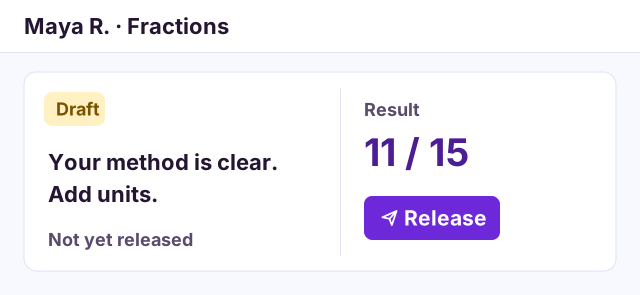
Draft and release
Keep results and feedback as drafts until you choose to release them.
-
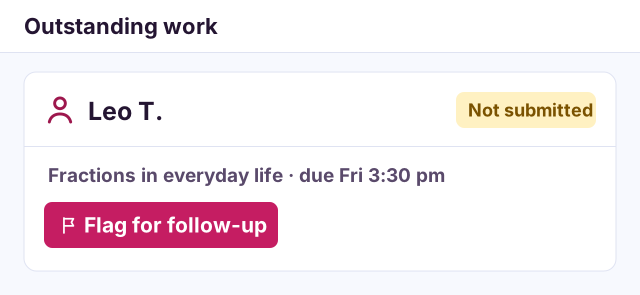
Flags and follow-up
See whose work is still outstanding and flag it for follow-up.
Clear answers
Everything You Need to Know Before the First Task Goes Live.
Direct answers about how Homework works.
What is the difference between Homework and an Assignment?
Homework is for everyday learning tasks; Assignment is for structured work that may carry groups, rubrics and formal evaluation. Both follow one loop in one workspace.
Can I assign work to a specific class, section, unit or subject?
Yes. Homework is built around Academyship’s academic hierarchy, so a task is set for a class, section, unit or subject rather than a hand-picked list of names.
Does Homework support group work?
Yes. Teachers form groups, give each group its variation of the brief and collect one shared submission. Where a learner’s part calls for a different judgement, the teacher records that result and the reason. Contribution is never detected automatically.
When do learners see grades and feedback?
Results and feedback stay as drafts while you mark. You decide when to release them to the learner.
Which marking methods can I use?
Complete, pass or fail, competency, points, percentage, letter and level-based marking, chosen for each task.
Are learners and guardians notified?
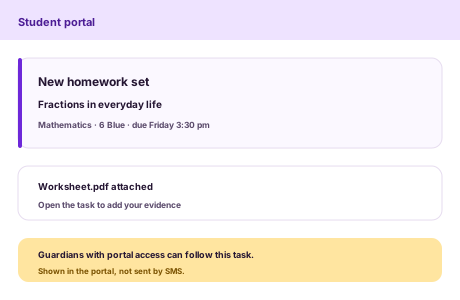
Homework includes portal notifications for learners and guardians with portal access. It does not send SMS messages.
Teaching & Learning · Homework
Set Clear Work. Give Feedback That Moves Learning Forward.
Bring tasks, submissions, marking and feedback into one connected workflow, from the first instruction to the next step.
Clear task instructions
Connected submissions
Practical feedback
A homework task moves through five stages, from assign to improve
- Assign
- Submit
- Review
- Return
- Improve